

 Photo: William Hook / Unsplash
Store fonts
Install free web fonts from the App Store, including many Arabic-friendly ones, to use on your storefront.
🖥️ Open in dashboard/dashboard/marketplace?tab=fontsThe Fonts tab in the App Store has web fonts you can add to your store and then select for your storefront. Every font is Free.
Install a font
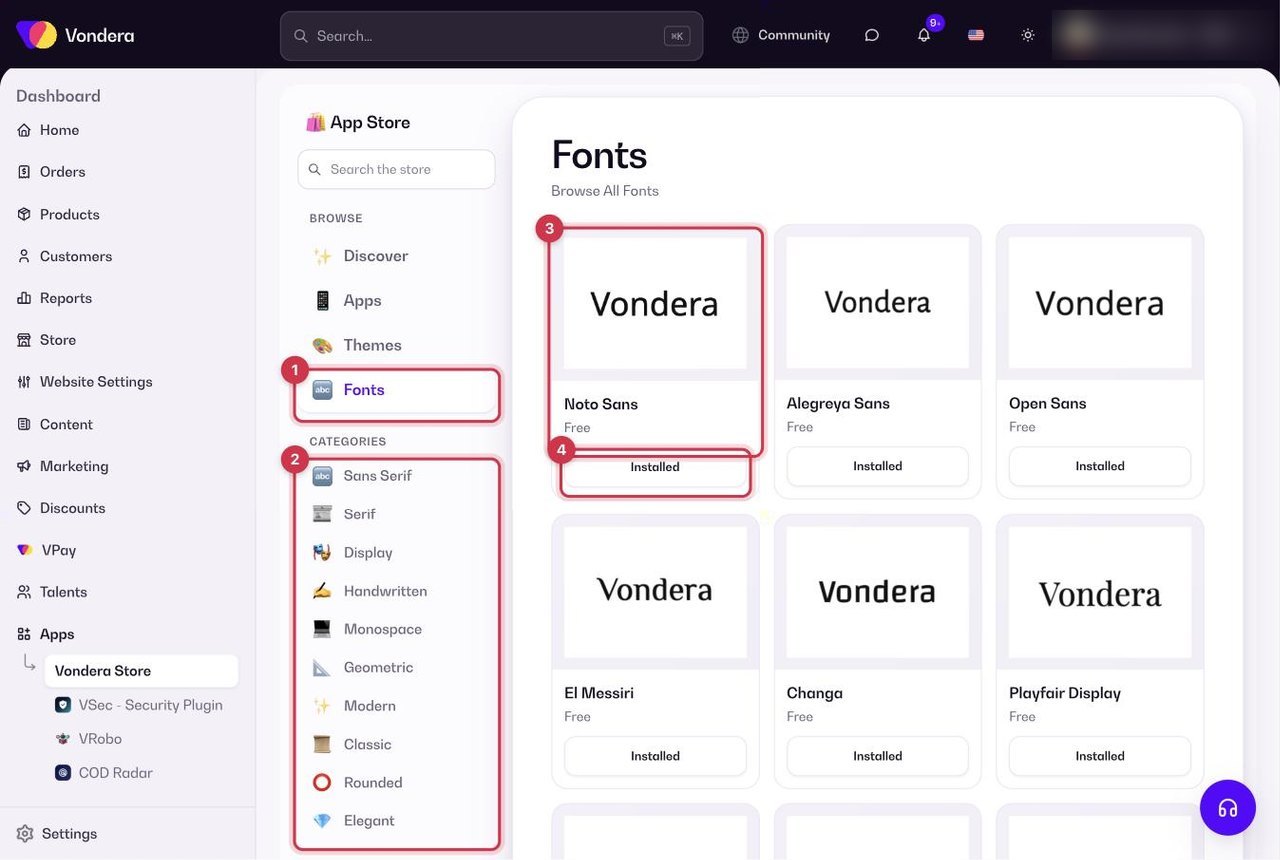
- Go to Apps and open the Fonts tab.
- Filter by style if you like: Sans Serif, Serif, Display, Handwritten, Monospace, Geometric, Modern, Classic, Rounded or Elegant.
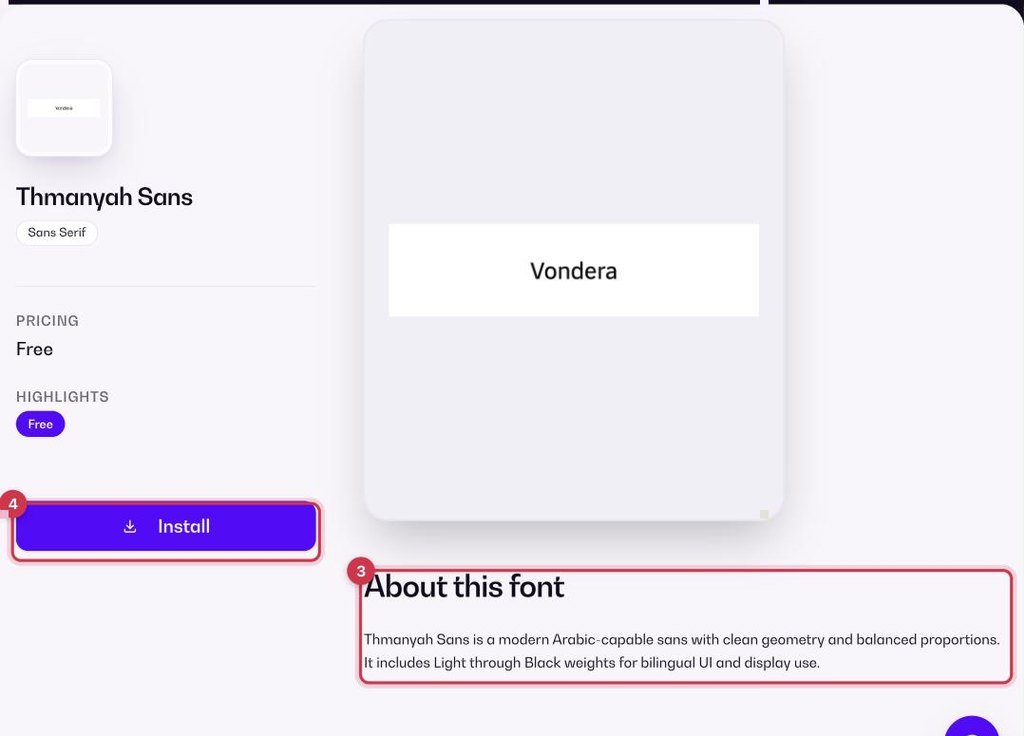
- Click a font to open its page and read About this font.
- Click Install. The font now shows Installed and appears in My library, ready to select for your storefront.
Fonts that work well in Arabic
Cairo, Almarai, Tajawal, Amiri, El Messiri, Changa, Lateef, Rakkas, Scheherazade New, IBM Plex Sans Arabic, GE SS Unique and Thmanyah Sans.
Popular Latin fonts
Inter, Roboto, Poppins, Montserrat, Open Sans, Lato, Nunito, DM Sans, Manrope, Outfit, Playfair Display, Cormorant Garamond, Bebas Neue and Pacifico, among others.
💡 TipSelling in Arabic and English? Pick an Arabic-friendly font such as Cairo or Tajawal so both languages look good together.
Common questions
Do fonts cost anything?
No. Every font in the Fonts tab is free.
Where do I see the fonts I installed?
In My library in the App Store.