

 Photo: William Hook / Unsplash
How the App Store works
Find apps, install them with Get, approve their permissions, and manage, update or remove them later.
🖥️ Open in dashboard/dashboard/marketplaceThe App Store connects your store to couriers, payment gateways and tools for confirmation, dropshipping, sheets, email and more. Open it from Apps in the dashboard.
The App Store tabs
Each app shows Get if it isn’t installed yet, or Manage App if it is.
Install a courier or payment gateway
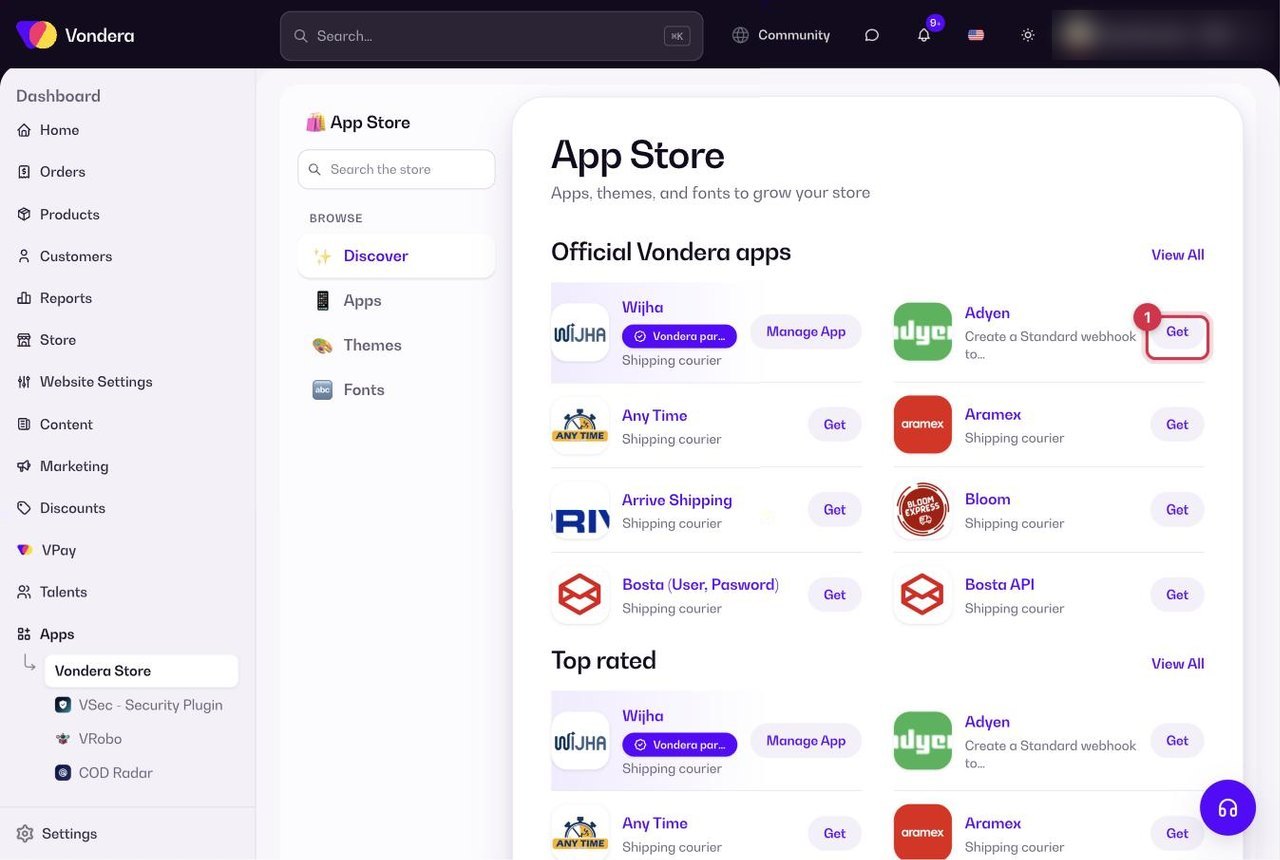
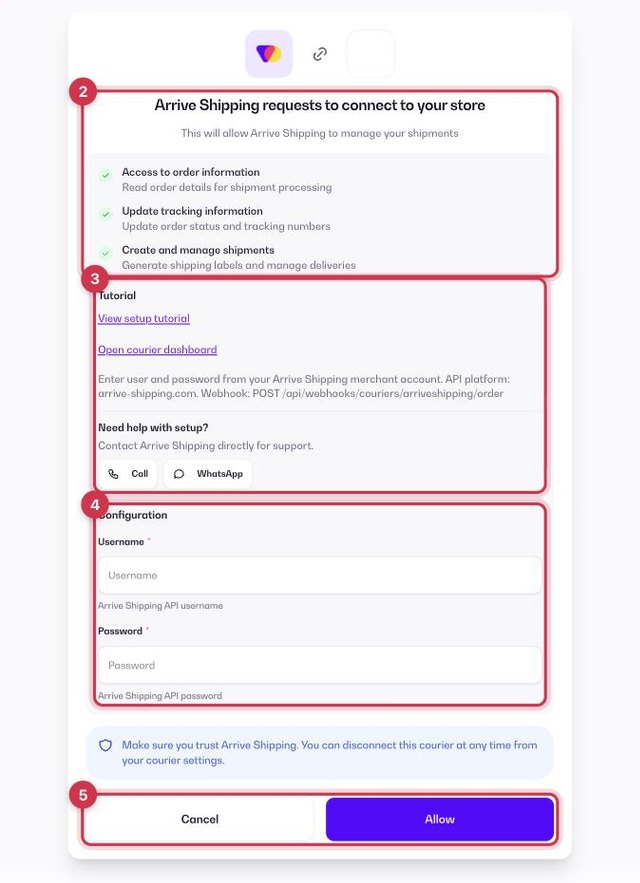
- Click Get on the app.
- A connect screen opens: “<App> requests to connect to your store”. Read the list of permissions it asks for.
- Use the setup help if you need it — Tutorial, a link to open the courier or gateway dashboard, and for some couriers Call or WhatsApp support.
- Fill in the Configuration form with the credentials from your account with that company.
- Click Allow to install, or Cancel to go back.
Install any other app
- Click the app to open its page. You’ll see the developer, price, category, languages, availability, About this app and What’s New — which often contains the setup steps.
- Click Install.
- Click Configure to enter the details the app needs, such as an API key.
Where installed apps live
- Couriers: Orders › Couriers. You can then choose a default courier in Settings › Shipping settings.
- Payment gateways: Store › Payment settings → Payment Gateways. Only one gateway can be active — see the payment gateways overview.
- Other apps: open the app from My library and click Configure.
Update or remove an app
When a new version is available, the app page shows Update — click it to get the latest version. You can disconnect an app at any time: remove a gateway with Remove in Payment settings, manage couriers from Orders › Couriers, and manage other apps from their page in My library.
Common questions
Do apps cost money?
Each app page shows its price. Courier and gateway companies charge you directly under your agreement with them.
Is my data safe?
Every app asks for permissions before it connects. Only connect apps you trust — you can disconnect them at any time.