

 Photo: Nick Morrison / Unsplash
Navigation menus: header and footer links
Choose the links that appear in your store header and footer, or keep your theme’s default menus.
🖥️ Open in dashboard/dashboard/menusMenus control the links customers use to move around your store: the menu in the header at the top, and the links in the footer at the bottom. You can keep the default menus that come with your theme, or build your own to point customers to your best collections, policies and pages.
Go to Content › Menus.
What you see on the page
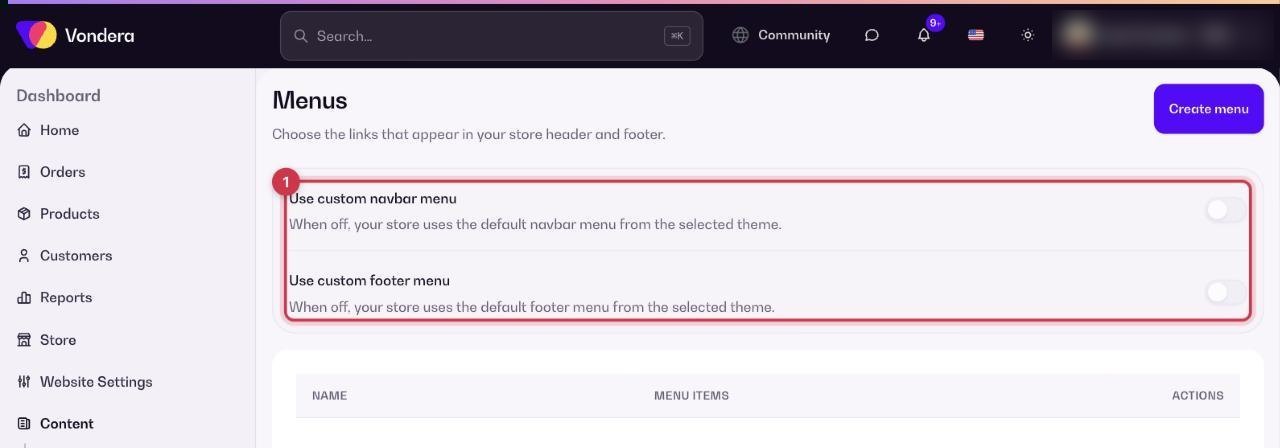
- Two toggles: Use custom navbar menu and Use custom footer menu. When a toggle is off, your theme’s default menu is used.
- A table of menus with Name, Menu items and Actions.
- Default menus: Main menu (for example Home and Products), Footer (Home, Shop All, Track order) and Customer account (Orders, Profile).
Create a menu
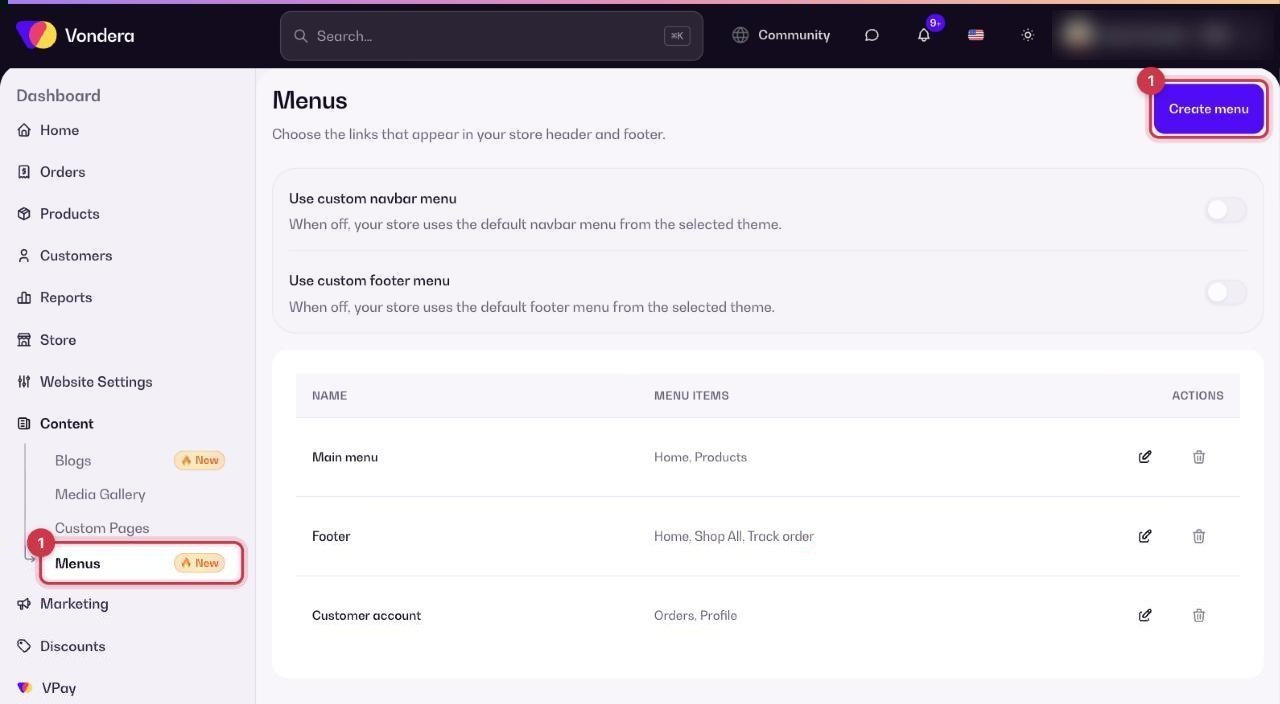
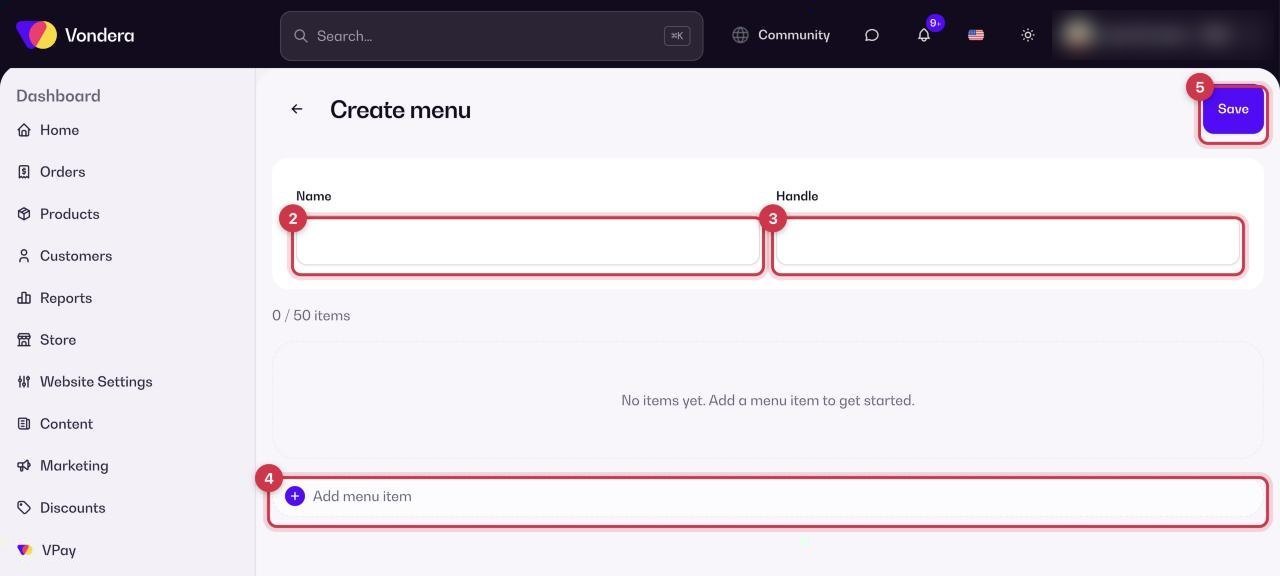
- Go to Content › Menus and create a new menu.
- Type a Name, for example “Summer header”.
- Set a Handle, a short internal name for the menu.
- Click Add menu item for each link you want and fill it in. A menu can hold up to 50 items.
- Click Save.
Use your menu on the store
- Back on Content › Menus, turn on Use custom navbar menu for the header, Use custom footer menu for the footer, or both.
- Open your store and check the header and footer.
Name
The menu name you see in the dashboard.
Handle
A short identifier for the menu.
Menu items
The links in the menu, up to 50.
💡 TipKeep the header short, 4 to 6 links is plenty. Put policies, contact and order tracking in the footer.
Common questions
I edited a menu but the store didn’t change. Why?
Check that the matching toggle (Use custom navbar menu or Use custom footer menu) is on. If it’s off, the theme’s default menu is shown.
How do I link to my refund policy page?
Create the page first in Custom pages, then add it as an item in your footer menu.
What is the Customer account menu?
It holds the links customers see in their account, such as Orders and Profile.