

 Photo: Nick Morrison / Unsplash
Custom pages: About us, policies and more
Create static pages like About Us or your refund and exchange policy, with a simple editor or a block builder.
🖥️ Open in dashboard/dashboard/custom-pagesCustom pages are the fixed pages every store needs: About Us, Refund & exchange policy, Shipping policy, Contact, Size guide and so on. Clear policy pages build trust and answer questions before customers message you. Each page gets its own link on your store at /pages/your-page-link.
Go to Content › Custom Pages. The table shows each page’s Title, Link and Actions. Turn on Edit Mode to manage your existing pages.
Create a page
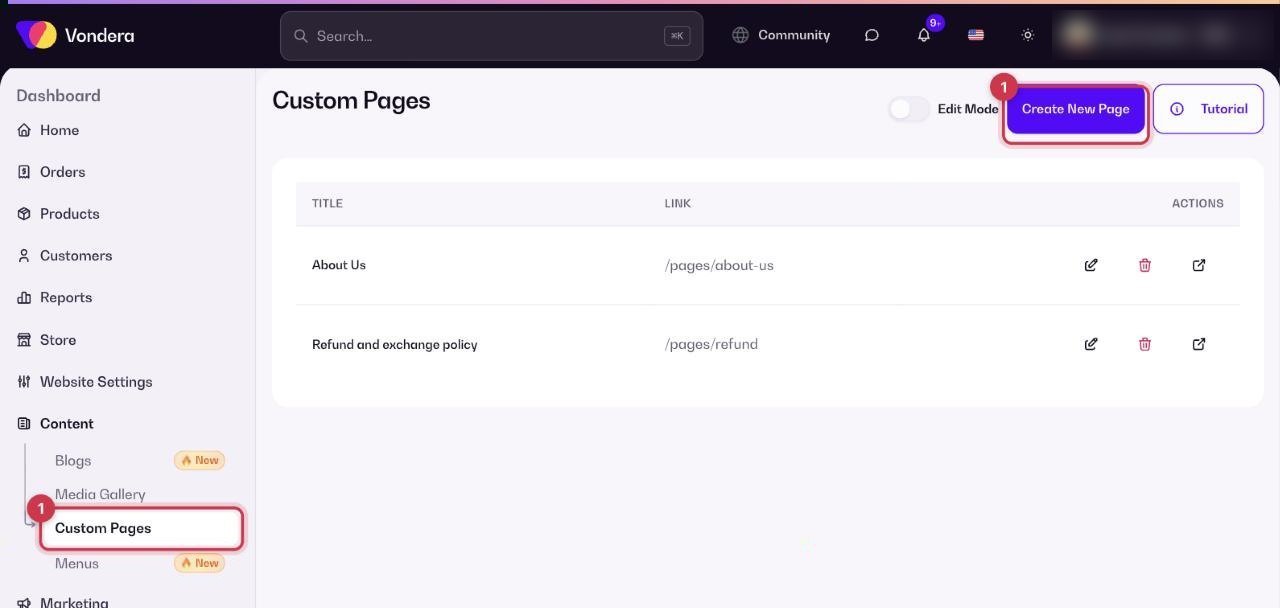
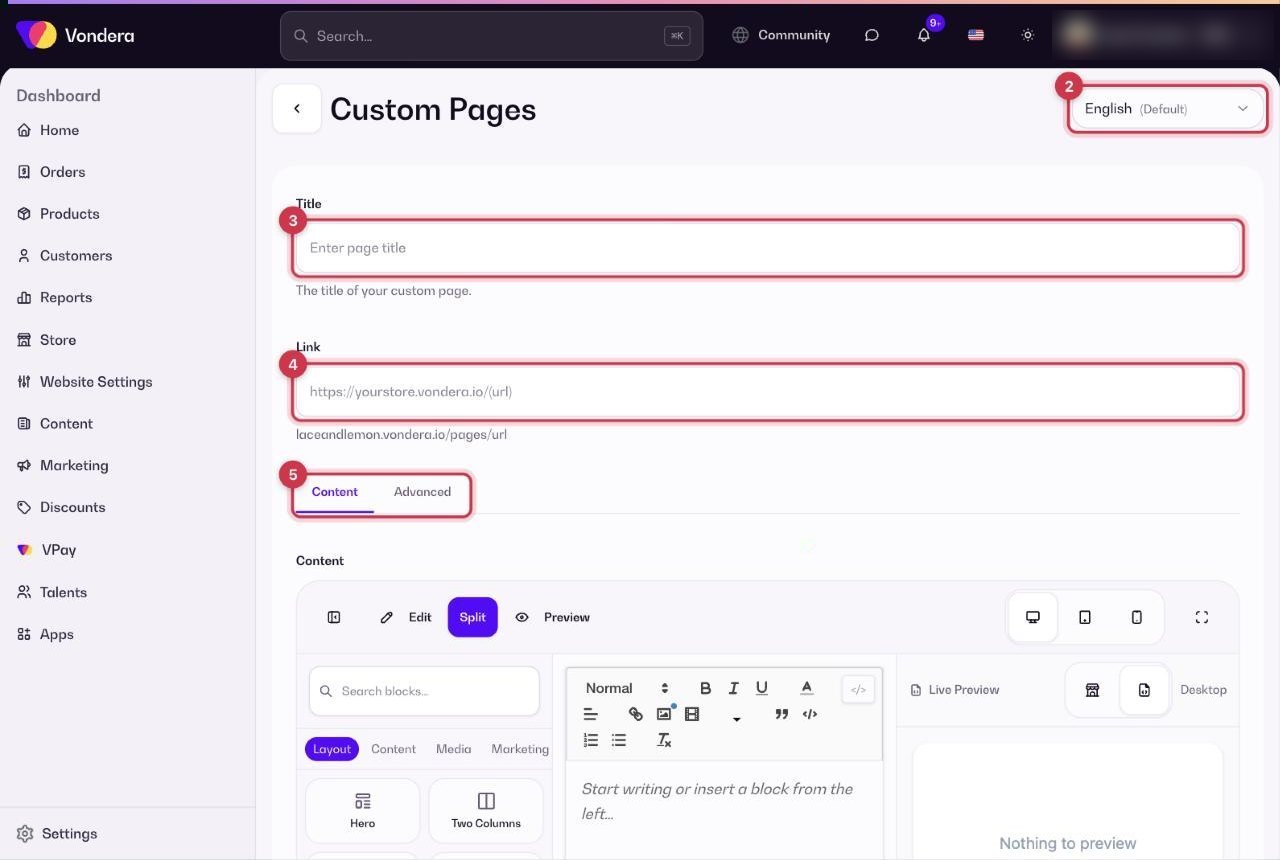
- Go to Content › Custom Pages and click Create New Page.
- Choose the language you are writing in (English is the default).
- Type the Title, for example “Refund & exchange policy”.
- Set the Link, the part after /pages/ in the page address.
- Write the Content using the simple editor or the Advanced builder (see below).
- Click Submit.
Two ways to build the content
Common questions
Which pages should every store have?
At least About Us, Refund & exchange policy, and Shipping and delivery information. They answer the most common customer questions.
Can I have the page in Arabic and English?
Yes. Use the language option at the top of the page form to write each version.
Where do I find a page’s link to share it?
In the Link column of the Custom Pages table.