

 Photo: Kari Shea / Unsplash
Your plan, renewal and billing history
Compare the Startup, Plus and Pro plans, choose a billing cycle, turn on auto renew and review your past payments.
🖥️ Open in dashboard/dashboard/subscriptionsYour Vondera subscription decides which features your store can use. From the subscription pages you can see your current plan, compare plans, upgrade or renew, and check every payment you have made.
Where to find it
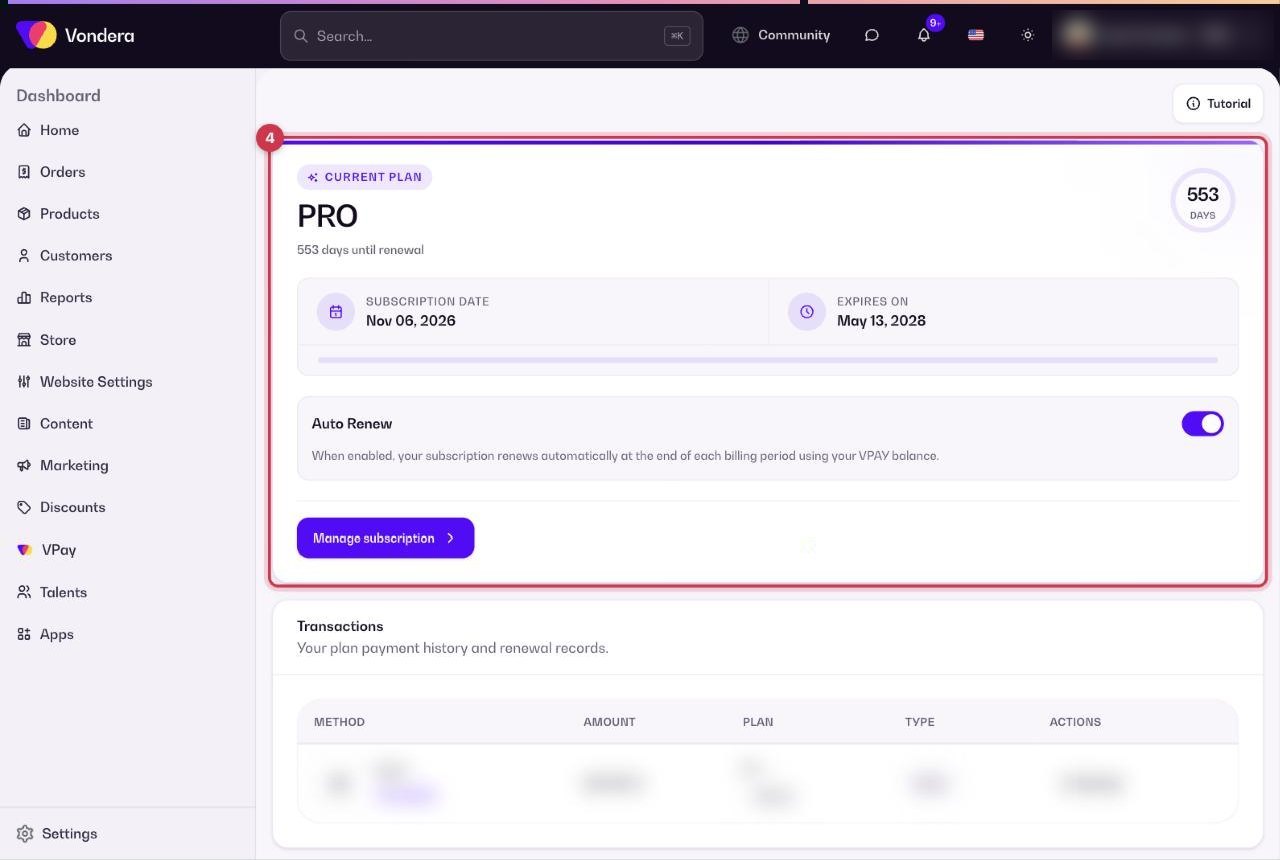
- Plans & Pricing: on the home page, click Manage subscription in the Subscription card (or open /dashboard/subscriptions). The same page is in Settings › Subscription.
- Billing & History: click Billing & History in the Subscription card (or open /dashboard/subscriptions/payments). It is also in Settings › Billing & History.
The plans
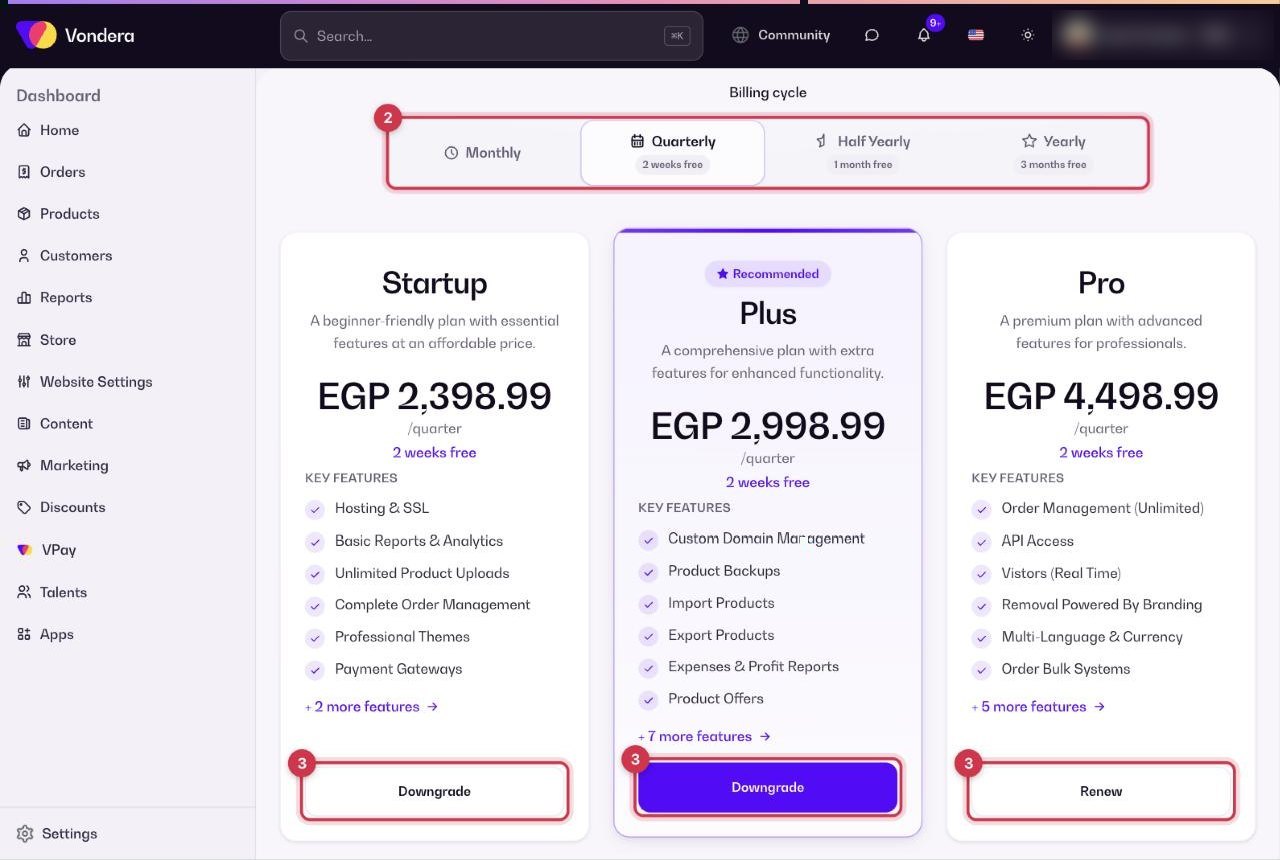
There are three plans. Prices are shown on the page in EGP for the billing cycle you pick.
Click Compare All Features to open the detailed comparison table. It is grouped into Hosting & SSL, Payment & Gateway Features, Analytics & Reports, Advanced Features, Premium Features and Support & Team.
Change or renew your plan
- Open Plans & Pricing.
- Choose a billing cycle: Monthly, Quarterly (2 weeks free), Half Yearly (1 month free) or Yearly (3 months free).
- On the plan you want, click the button shown: upgrade, Renew (your current plan) or Downgrade.
- Follow the payment steps to finish. Your new plan and dates then appear in Billing & History.
Billing & History
Common questions
What happens if my plan expires?
Renew before the expiry date shown in Billing & History to keep using your plan’s features without interruption. Turning on Auto Renew helps you avoid missing it.
Can I downgrade later?
Yes. Open Plans & Pricing and click Downgrade on the lower plan. Check the feature comparison first, because features that are not in the lower plan stop being available.
Where can I see the details of a payment?
Open Billing & History and click Details next to the transaction.