

 Photo: Kari Shea / Unsplash
Get help: support, live chat and the Community
How to reach Vondera support, when the team is available, and how to ask other merchants in the Community.
🖥️ Open in dashboard/dashboard/supportIf you get stuck, there are several ways to get an answer: short tutorials inside the dashboard, the Vondera support team, and the merchant Community where other sellers share what works for them.
Start with the tutorials
Most pages have a Tutorial button (and some a ? button) near the page title. It shows a short explanation of that page, so it is the fastest way to learn a feature.
Contact the support team
Click Help Center in the top bar (or open /dashboard/support) to see all contact options.
Ask the Community
The Community (top bar, or /community) is a feed of posts from Vondera merchants and the Vondera team. You can read announcements, find tips and ask your own questions.
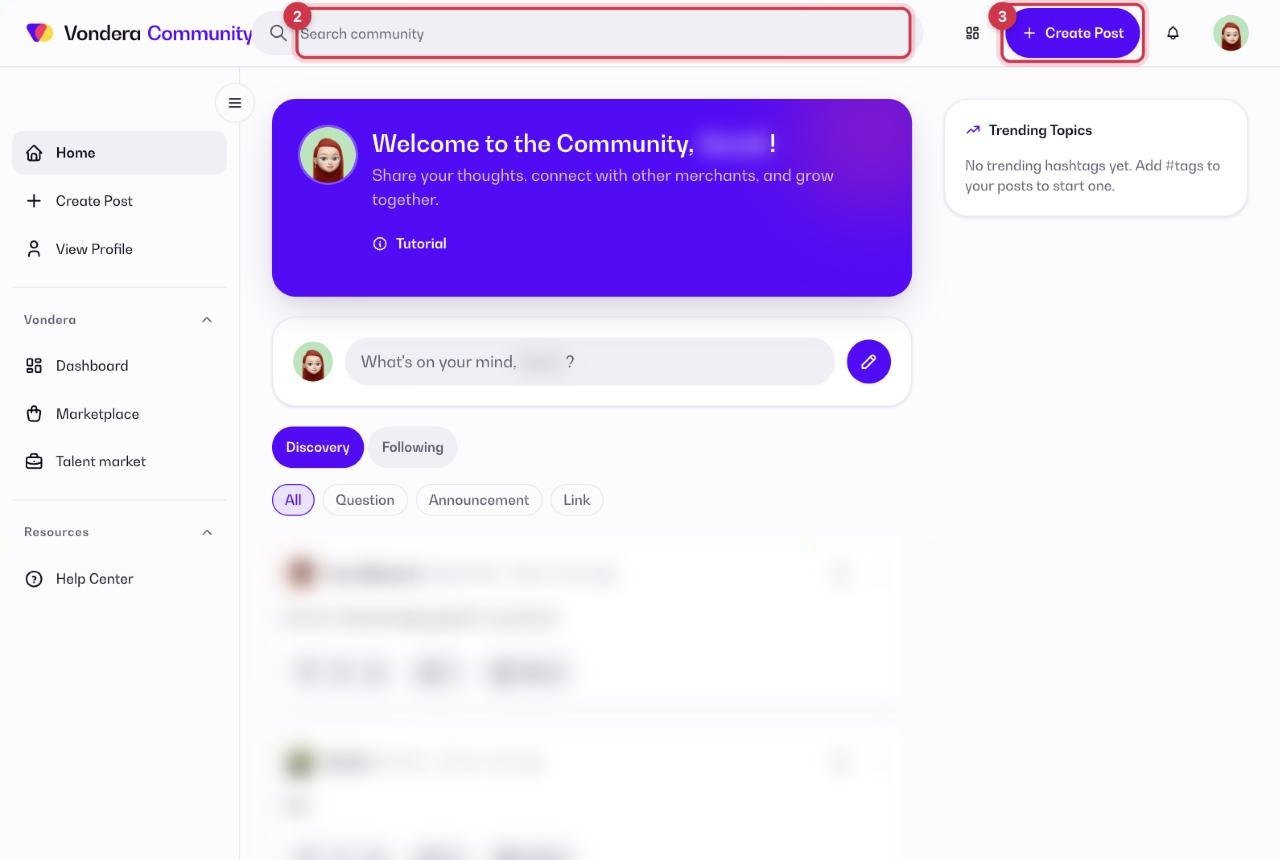
- Click Community in the top bar.
- Scroll the feed or search it to see if someone already asked your question.
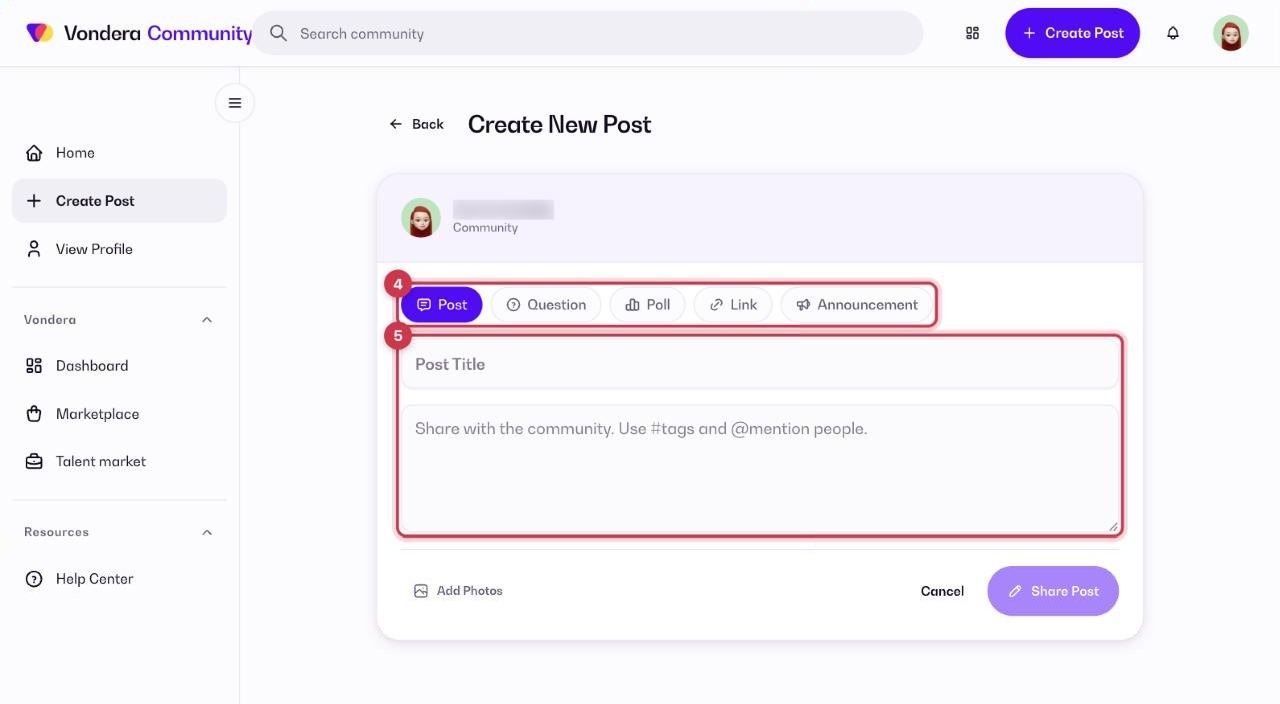
- To post, click the create-post button.
- Choose the post type: Question (ask for help), Announcement (share news) or Link (share a useful link).
- Write a clear title and details, then publish. Replies and votes appear under your post.
Common questions
What if I contact you outside working hours?
Leave a message on live chat, WhatsApp or email. The team replies in the next working hours.
Is support available on Friday?
No, Friday is a day off. Messages sent on Friday are answered on Saturday.
Can I edit my community profile?
Yes. Open your profile in the Community to see your posts and details.