

 Photo: Annie Spratt / Unsplash
Post a job and chat with freelancers
Post a job to receive proposals from freelancers, manage your jobs, and talk to the freelancers you work with in Messages.
🖥️ Open in dashboard/dashboard/v-talents/jobsWhen you need something that is not available as a ready service, post a job. You describe the work and your budget, and freelancers send you proposals so you can pick the best one. Once you are working together, Messages keeps all your conversations with freelancers in one place.
You will find them under Talents › Jobs and Talents › Messages.
Post a job
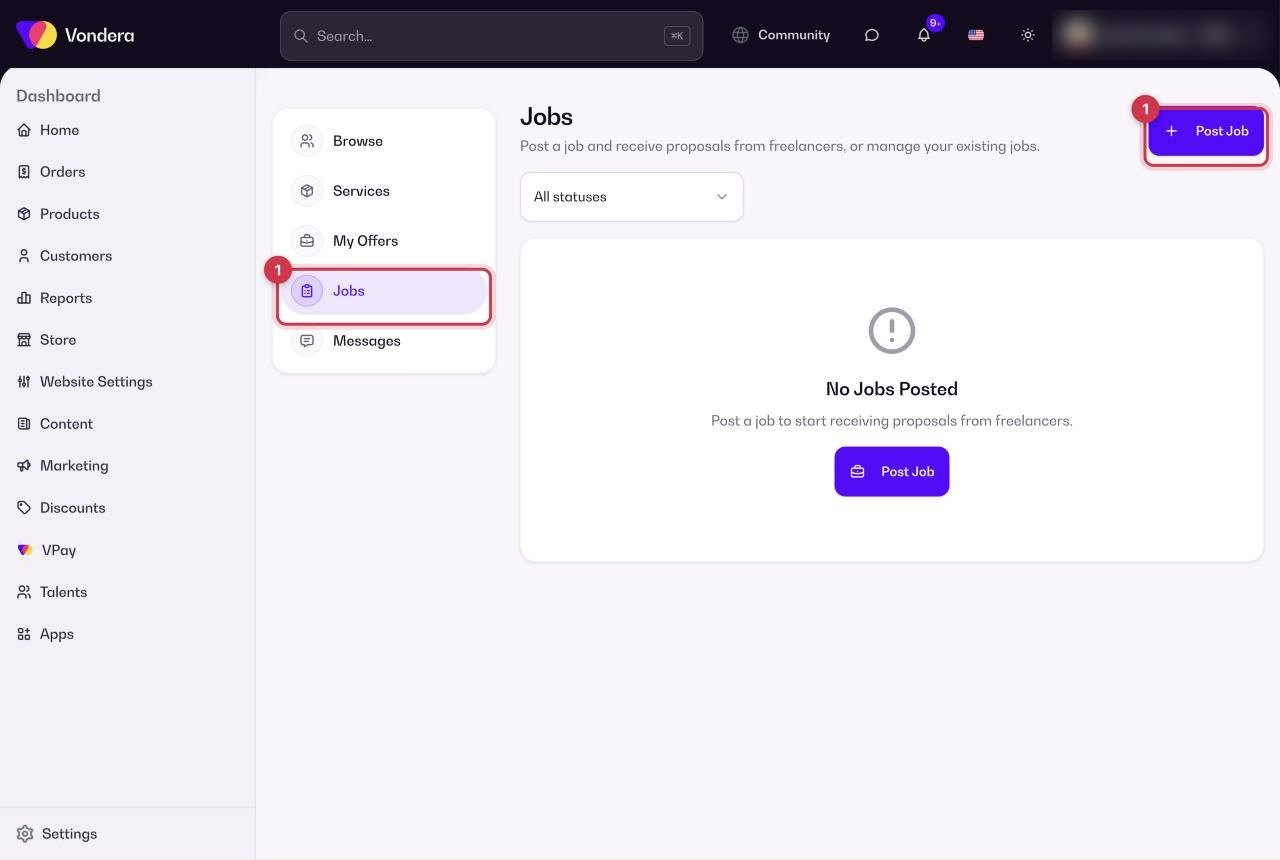
- Go to Talents › Jobs and click Post Job.
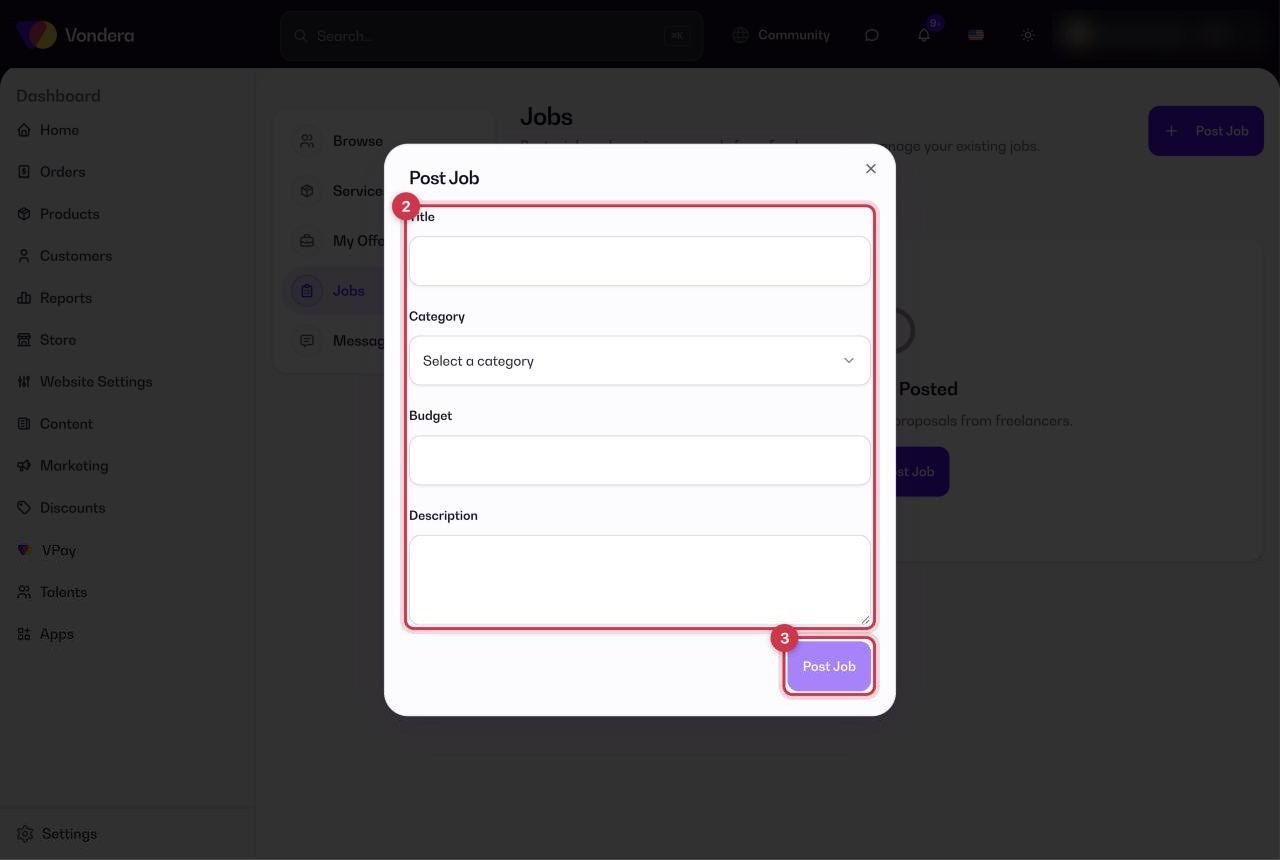
- Fill in the title, category, budget and description.
- Click Post Job to publish it.
- Review the proposals you receive and choose the freelancer that fits you best.
To manage your existing jobs, use the status filter on the Jobs page.
Chat with freelancers
- Go to Talents › Messages.
- Choose the conversation with the freelancer you are working with.
- Send your details, answer questions and follow up on the work.
Common questions
Who can I message in Messages?
The freelancers you are working with. Once you hire a freelancer, your conversation with them appears here.
How do I find a job I posted earlier?
Open Talents › Jobs and use the status filter.
Should I post a job or buy a service?
If a ready service matches what you need, buying it is faster. Post a job when the work is custom or you want to compare several offers.