

 Photo: Austin Distel / Unsplash
Vondera Inbox: all your messages in one place
Reply to WhatsApp, Instagram and Facebook messages from one unified inbox, with filters and tags to stay organised.
🖥️ Open in dashboard/dashboard/vondera-inbox🎬 Watch the video
Videos are in Arabic.
Customers ask about prices, sizes and delivery on WhatsApp, Instagram and Facebook. Jumping between apps wastes time and messages get lost. Vondera Inbox brings the chats of your connected pages into one place inside your dashboard, so you and your team can reply faster and turn more conversations into orders.
You will find it under Marketing › Vondera inbox. It opens in a full-width view to give your chats more space.
Connect your pages
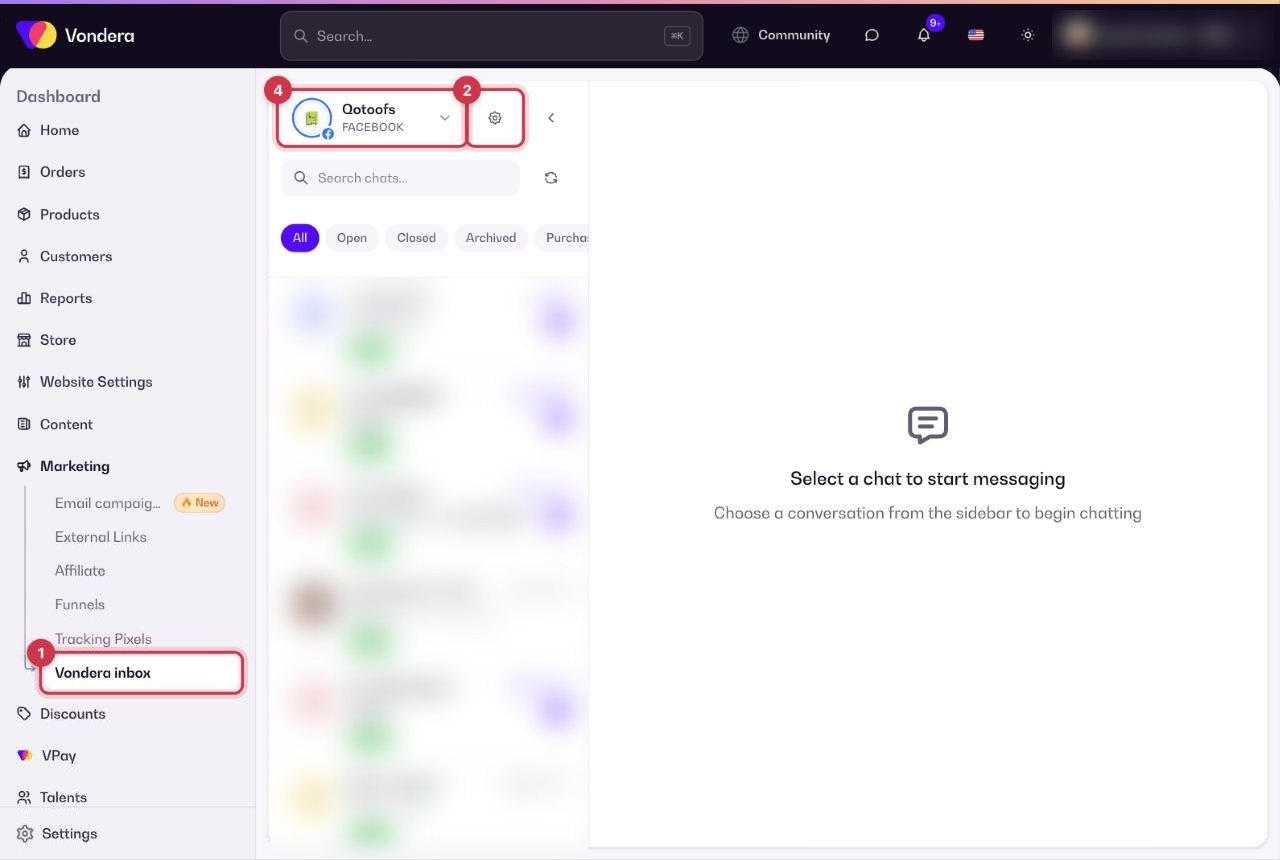
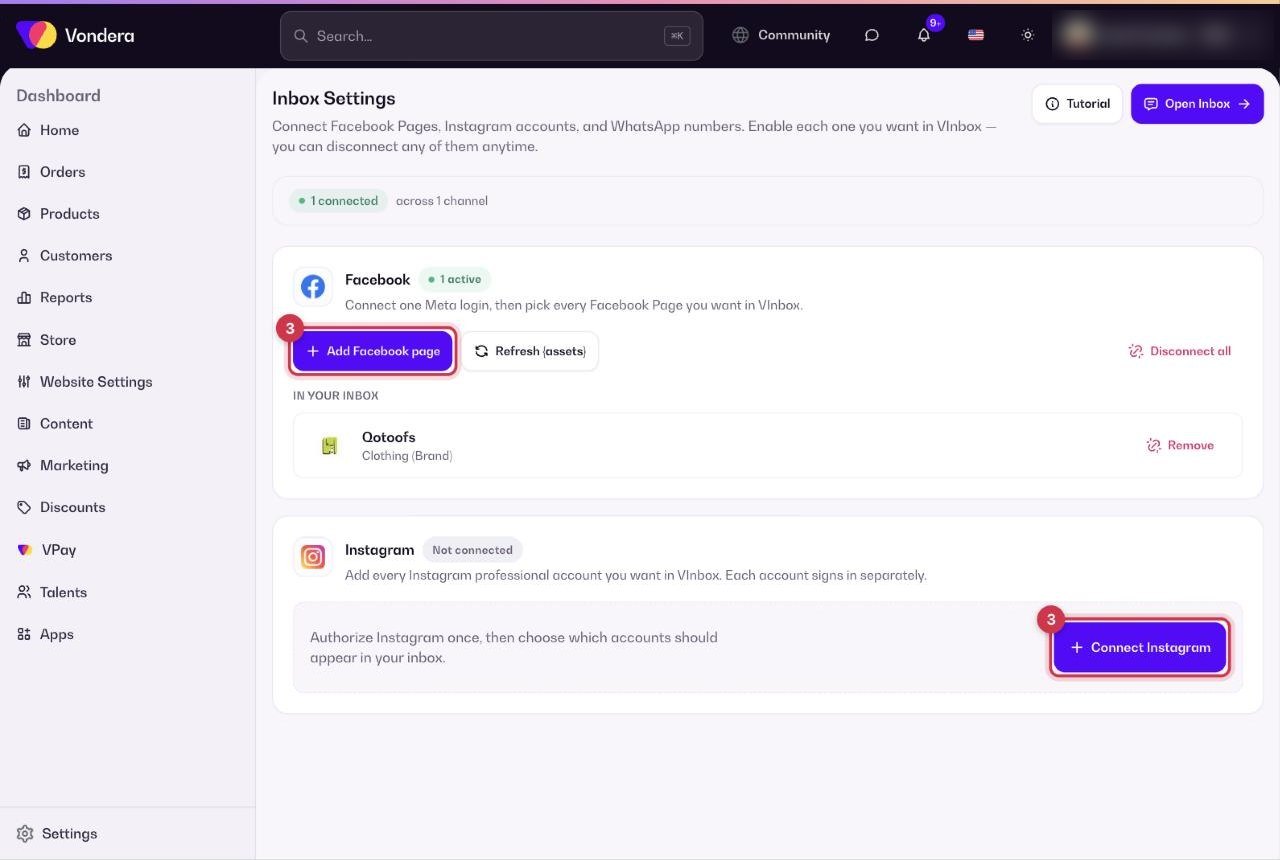
- Go to Marketing › Vondera inbox.
- Click Manage connected pages (the globe button at the top).
- Connect the pages and accounts you want to receive messages from.
- Use the page switcher at the top to move between your connected pages. Each one shows its platform label, such as FACEBOOK.
Organise your chats
Use the search box to find a chat, and the filters to focus on what needs your attention. You can also filter by tag, click Refresh chats to load the latest messages, and collapse the sidebar for a bigger chat view.
Common questions
Which platforms does Vondera Inbox support?
It brings together chats from the pages you connect, such as WhatsApp, Instagram and Facebook.
I have more than one page. Can I manage them all?
Yes. Connect them from Manage connected pages, then switch between them using the page switcher at the top.
A new message does not appear.
Click Refresh chats, and check that the right page is selected in the page switcher.