

 Photo: Rodion Kutsaiev / Unsplash
Featured products
Choose which products are highlighted as featured on your store.
🖥️ Open in dashboard/dashboard/featured-productsFeatured products are the items you want customers to notice first — best sellers, new arrivals or this week’s offers. You pick them once on the Featured Products page, and your store shows them wherever featured products are displayed.
Where to find it
Go to Products › Featured Products. If you have not chosen any yet, the page shows "No products yet".
Choose featured products
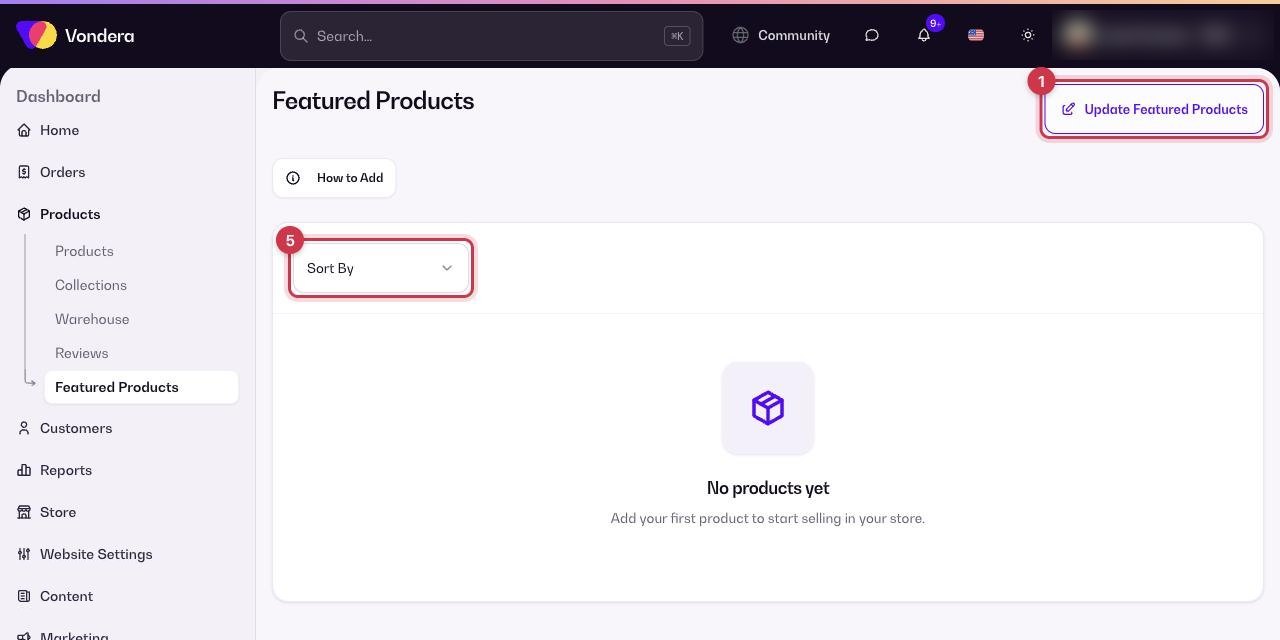
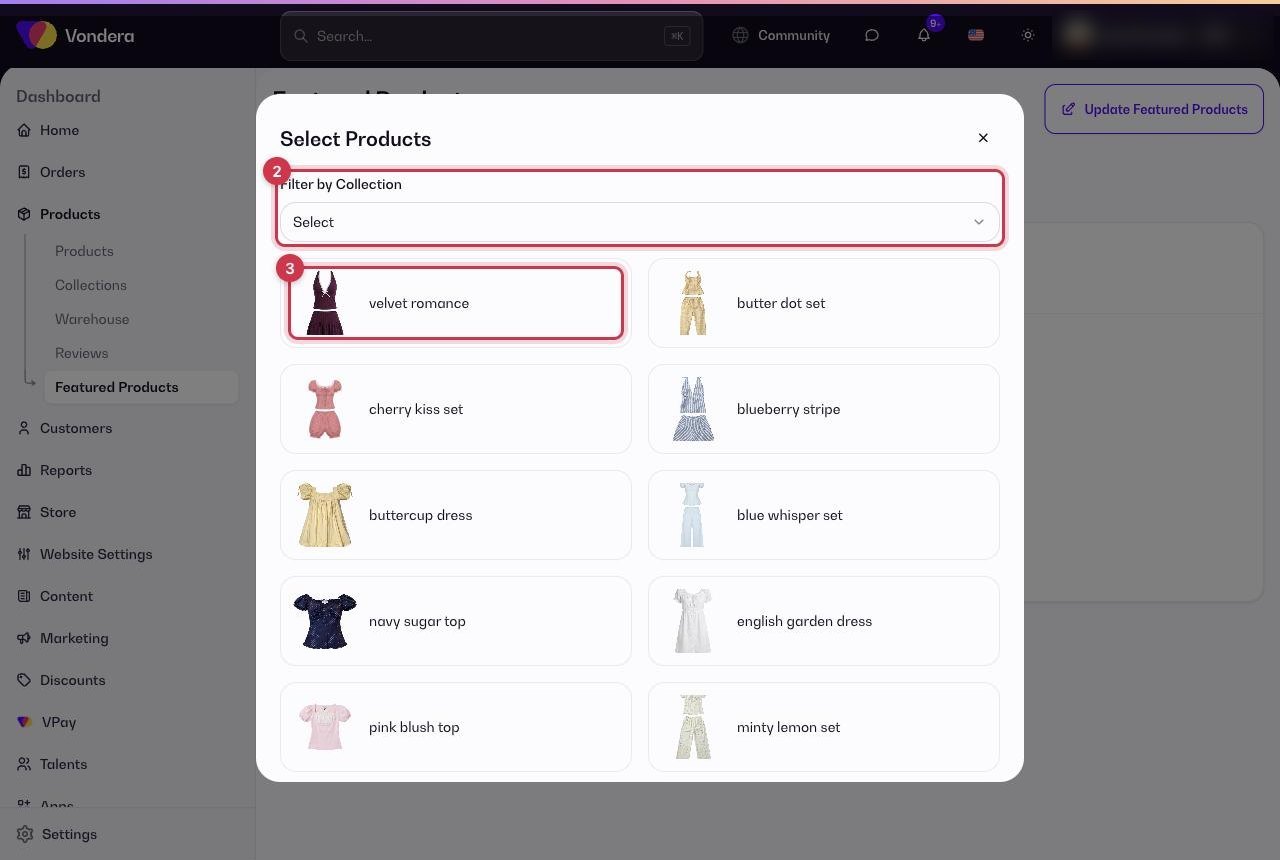
- Go to Products › Featured Products and click Update Featured Products.
- In Select Products, use Filter by Collection to narrow the list if you have many products.
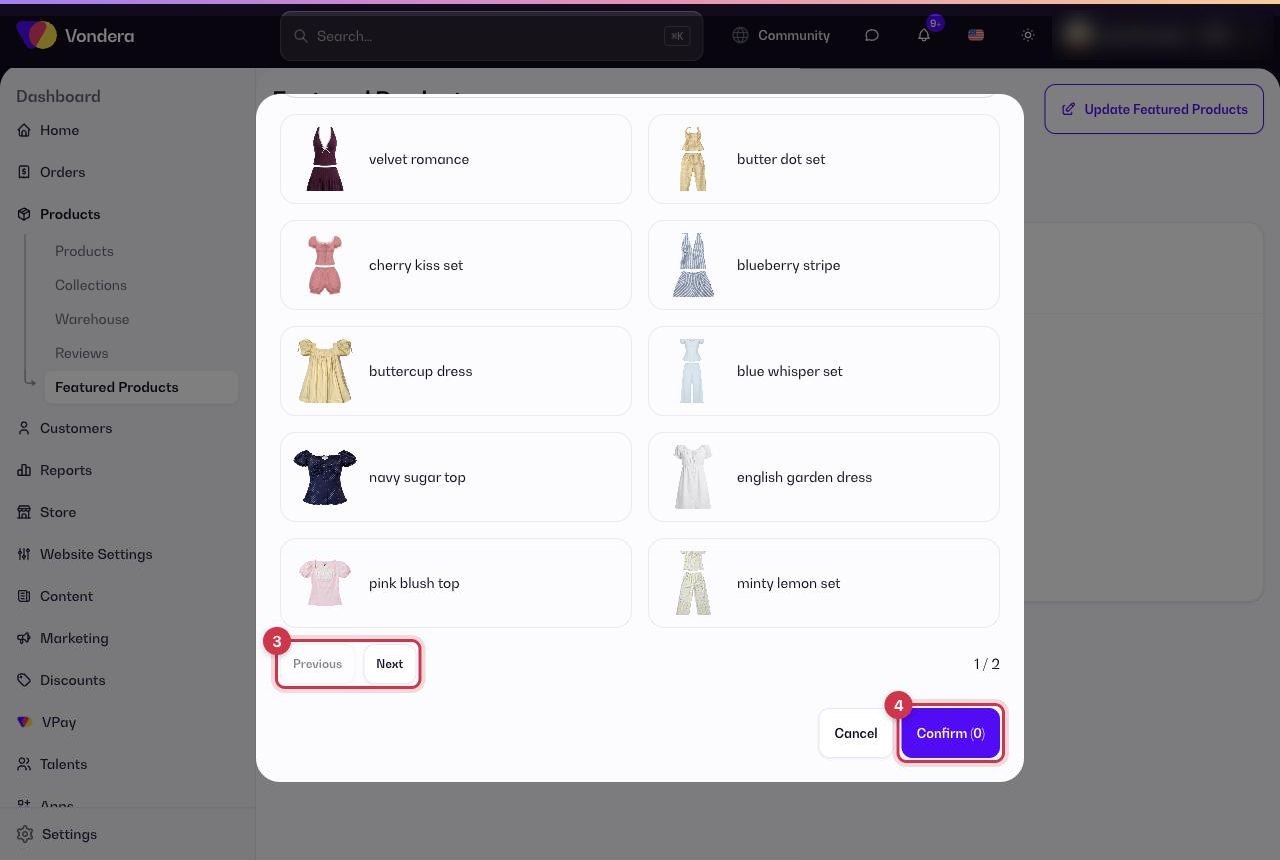
- Tick the products you want to feature. You can move between pages of the list.
- Click Confirm. The button shows how many products you selected.
- Use Sort By on the page to arrange the featured list.
Update Featured Products
Opens the product picker to add or remove featured products.
Filter by Collection
Shows only products from one collection in the picker.
Confirm (n)
Saves your selection; n is the number of products chosen.
Sort By
Changes the order of the featured list.
How to Add
A short guide for this page.
💡 TipKeep the list short and fresh. Six to twelve strong products, updated with each season or campaign, work better than a long list.
Common questions
Can I mark products as featured in bulk import?
Yes. The bulk import file has a featured column (true or false). See Bulk import products.
A featured product is not showing on my store. Why?
Check that the product is Active and in stock, and that your store design includes a featured products section.