

 Photo: Rodion Kutsaiev / Unsplash
Product reviews
See and manage the reviews customers leave on your products.
🖥️ Open in dashboard/dashboard/products/reviews🎬 Watch the video
Videos are in Arabic.
Reviews build trust: shoppers are more likely to buy when they see what other customers think. The Reviews page collects every review submitted on your store so you can read and manage them in one place.
Where to find it
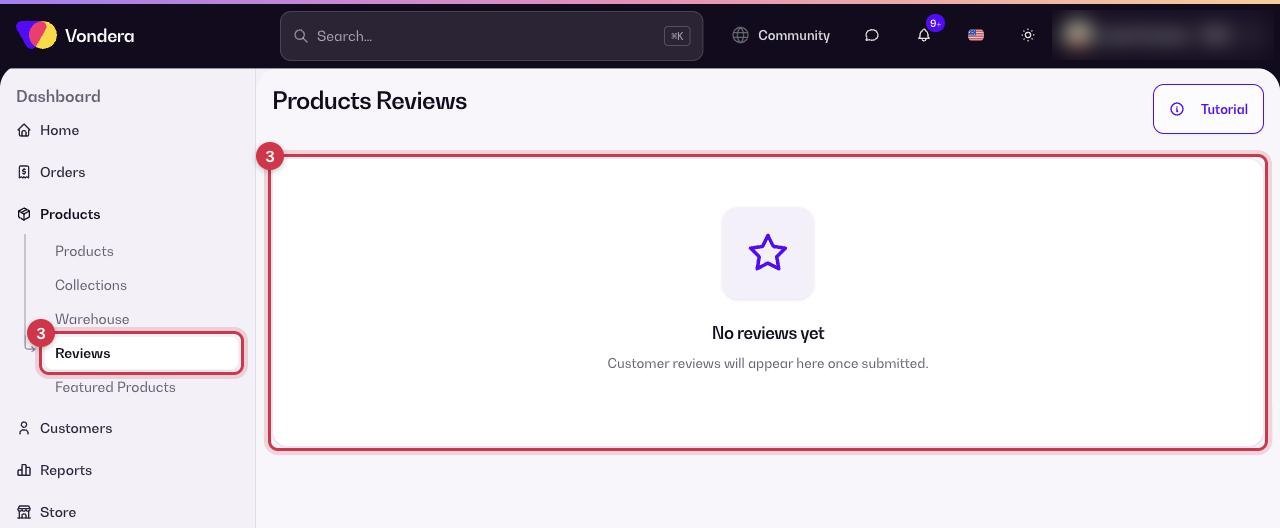
Go to Products › Reviews. Until customers start reviewing, the page shows "No reviews yet".
Turn on reviews and manage them
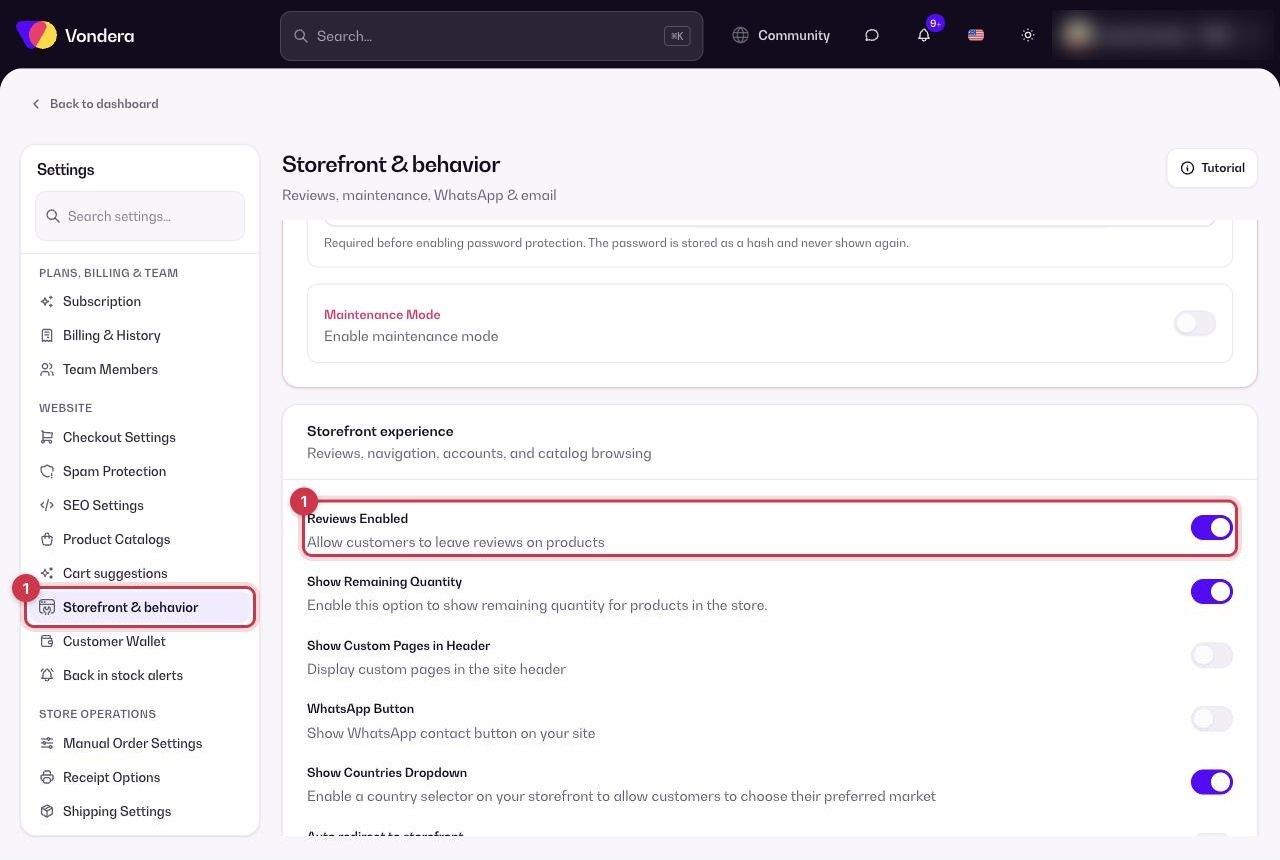
- Make sure reviews are switched on for your store: go to Settings › Storefront & behavior and turn on Reviews Enabled, then click Save Changes.
- Customers can now leave reviews on product pages.
- Go to Products › Reviews to see new reviews as they arrive.
- Use the actions on each review to manage it — for example remove one that is spam or off-topic.
Reviews Enabled
In Settings › Storefront & behavior. Shows the review section on your product pages.
Reviews list
Every review customers submit appears here.
Tutorial
A short video guide for this page.
💡 TipAfter an order is delivered, send a quick thank-you message and ask the customer to leave a review. A few honest reviews on your best sellers make a big difference.
Common questions
Why does the page say "No reviews yet"?
No customer has submitted a review so far. Check that Reviews Enabled is on in Settings › Storefront & behavior.
Can I delete a review?
Yes, use the actions on that review. Keep genuine reviews — even mixed ones help customers trust your store.