


 Photo: William Hook / Unsplash
Safka - Sync
Send your store orders to the Safka dropshipping platform automatically.
🖥️ Open in dashboard/dashboard/marketplace/plugins/IXUajJhxgiiAHiYfWDScSafka - Sync connects your store to the Safka dropshipping platform and syncs your orders to it.
Developer
Vondera
Price
Free
Category
Drop Shipping
Available in
Egypt
Set it up
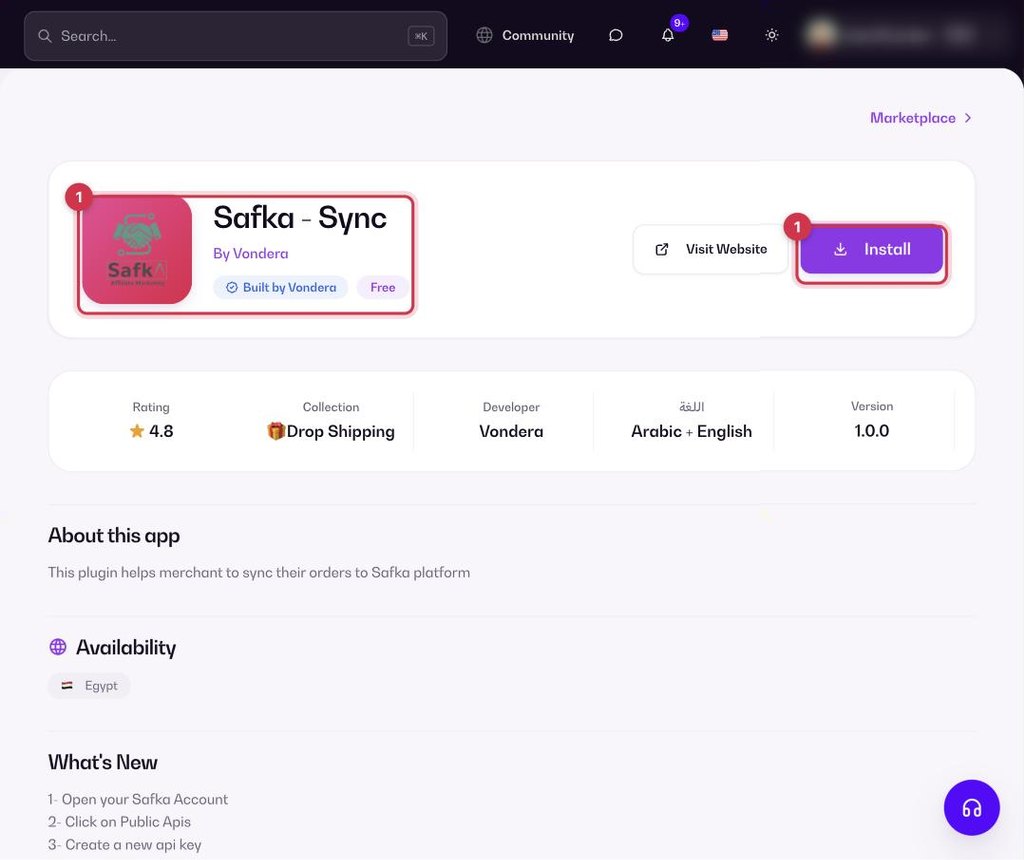
- Go to Apps, filter by Drop Shipping or search, and open Safka - Sync. Click Install.
- In your Safka account, open Public APIs and create an API key. If you don’t see Public APIs, ask Safka support to enable it.
- Back in Vondera, click Configure and paste the API key.
Where to find your Safka API key
Safka gives you the API key from your account with them. If you can’t find it, contact Safka support and ask them for your API key to connect your store to Vondera.
Common questions
Is the app free?
Yes. The app is free to install from the App Store.
What do I need?
A Safka account with Public APIs enabled, and the API key you create there.