

 Photo: Vitaly Gariev / Unsplash
Connect a domain or set your store username
Buy a domain from Vondera, connect a domain you already own, or change your free .vondera.io link.
🖥️ Open in dashboard/dashboard/v-domains🎬 Watch the video
Videos are in Arabic.
Your store always has a free link like yourname.vondera.io. When you’re ready, you can give it a professional address such as yourbrand.com, either by buying a domain through Vondera or by connecting one you already own. A custom domain looks more trustworthy, is easier to remember and helps your brand in search results.
Go to Website Settings › Domains. The page has three tabs: Buy domains, Connected domain and Website Username.
Change your free store link
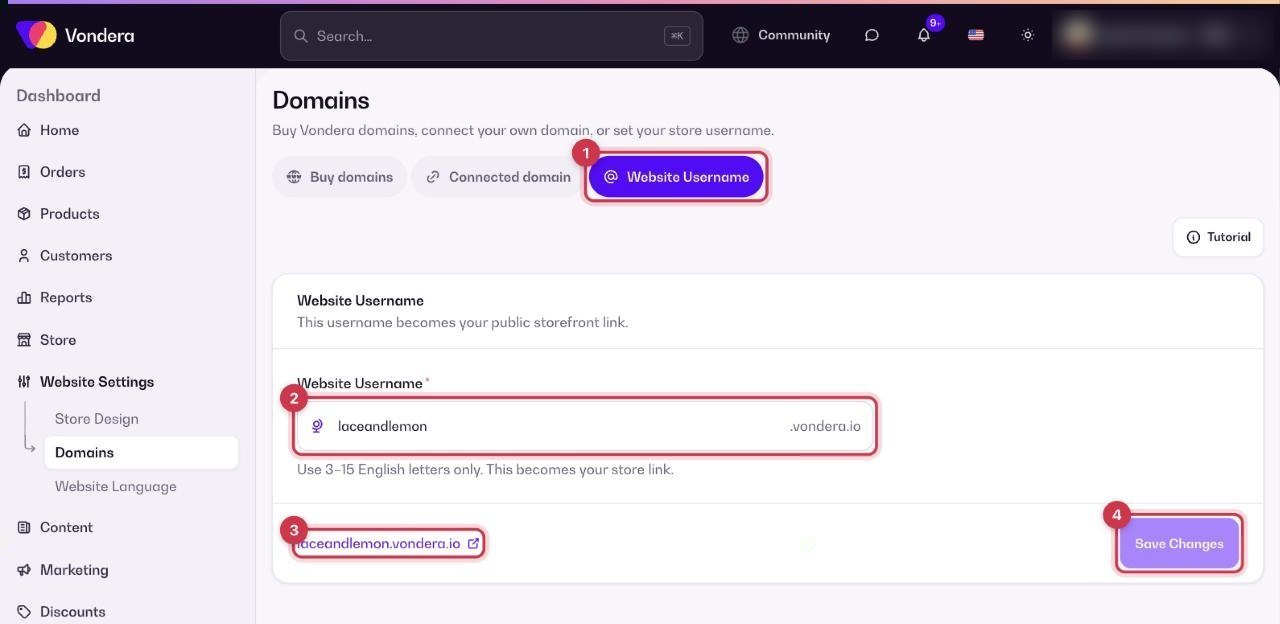
- Open the Website Username tab.
- Type your username in Website Username. It must be 3–15 English letters only.
- Check the link preview, for example yourname.vondera.io.
- Click Save Changes.
Buy a domain from Vondera
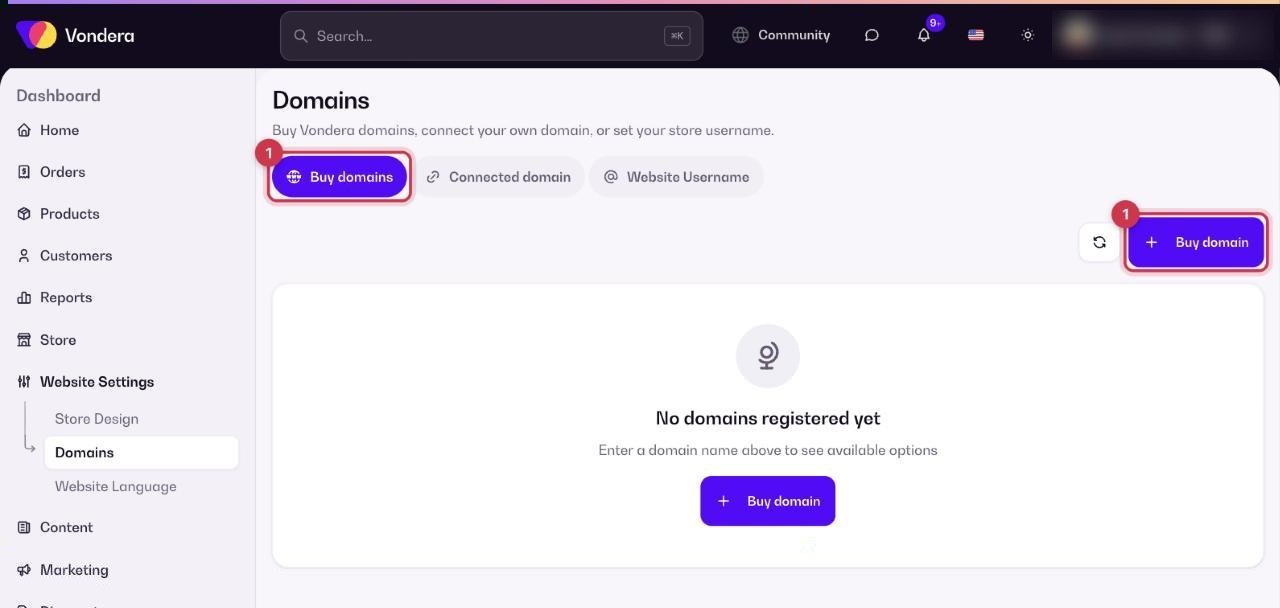
- Open the Buy domains tab and click Buy domain.
- Type the name you want, for example mybusiness, and search.
- Check availability and price, and complete the purchase.
- Your domains then appear under My Domains on the domain page and in the Buy domains tab.
Connect a domain you already own
- Open the Connected domain tab and enter your domain.
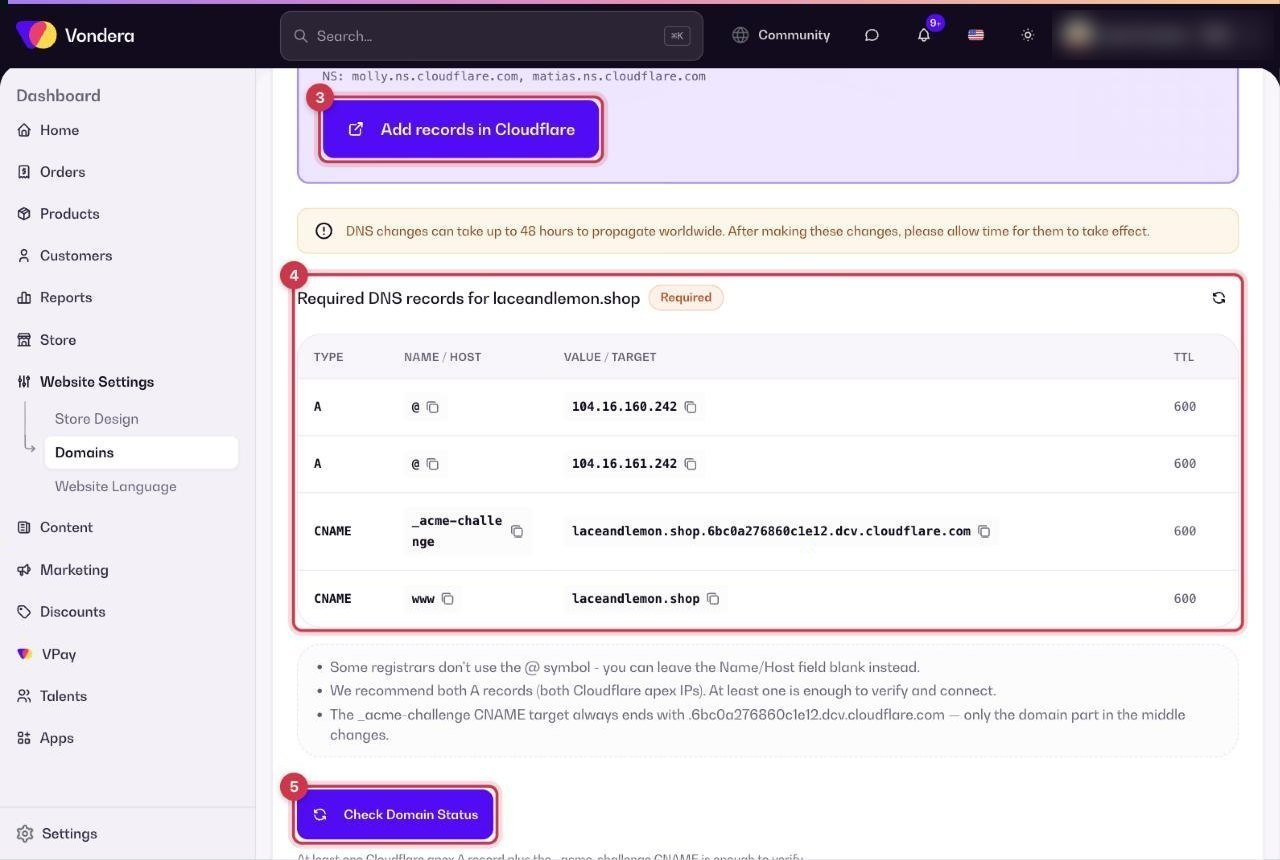
- Look at DNS Configuration. Vondera detects your DNS provider (for example, Cloudflare) and shows the steps for it.
- Log in to your DNS provider and open its DNS settings.
- Add the records from the Required DNS records table exactly as shown.
- Come back and click Check Domain Status.
When everything is correct, the status card shows Active – “Your domain is properly configured and active”. SSL (https) can take a few more minutes. Use Check status any time, or Disconnect to remove the domain.
Common questions
Where do I update my DNS settings?
At the company where you manage your domain’s DNS, usually where you bought it or Cloudflare. The Connected domain tab tells you which provider it detected.
Will my domain have SSL (https)?
Yes. SSL is set up automatically once the domain is verified. It may take a few minutes after connection.
How long until my domain works?
DNS changes can take up to 48 hours to spread. After the domain is verified, SSL can take a few more minutes. Click Check status to see where it stands.