

 Photo: Vitaly Gariev / Unsplash
Add a manual payment method (bank transfer, InstaPay, wallets)
Create offline payment options like InstaPay, Vodafone Cash or bank transfer, with optional receipt upload and extra fee.
🖥️ Open in dashboard/dashboard/payment-settings?tab=manualManual (custom) payment methods let customers pay you outside an online gateway, for example by InstaPay, Vodafone Cash, a bank transfer or PayPal. The customer picks the method at checkout, sends the money, and you confirm the payment yourself. You can ask them to upload a receipt so you have proof.
Go to Store › Payment settings and open the Custom payment methods tab. If you have none yet, you’ll see “No Payment Methods Configured”.
Create a method
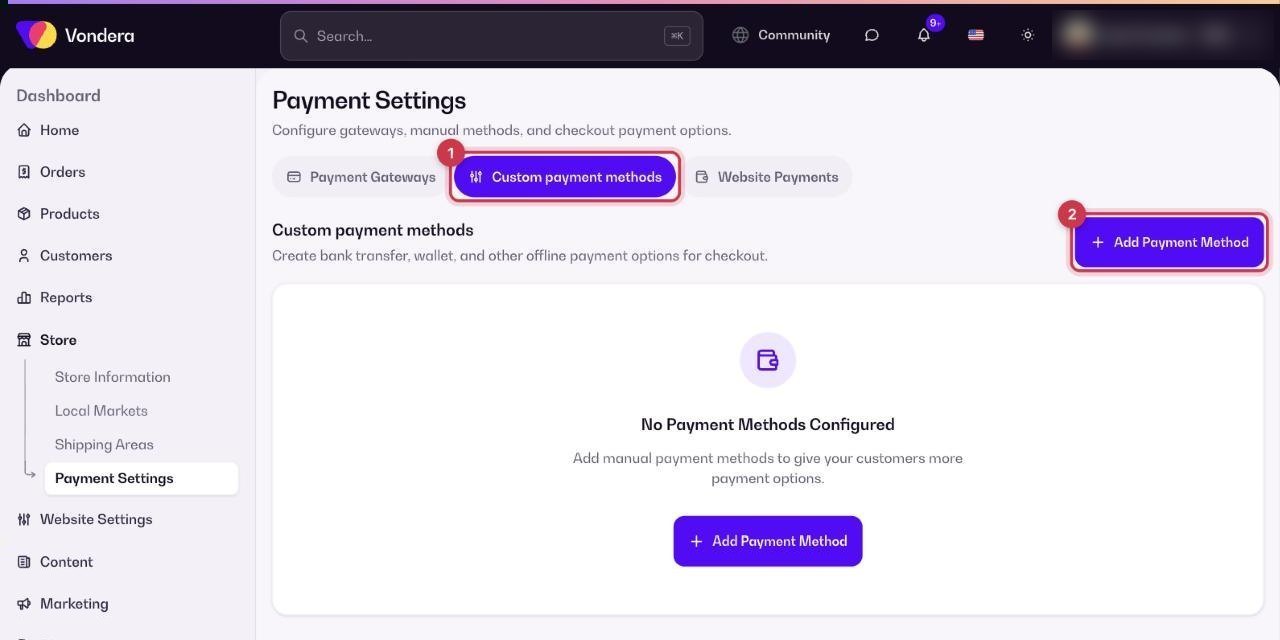
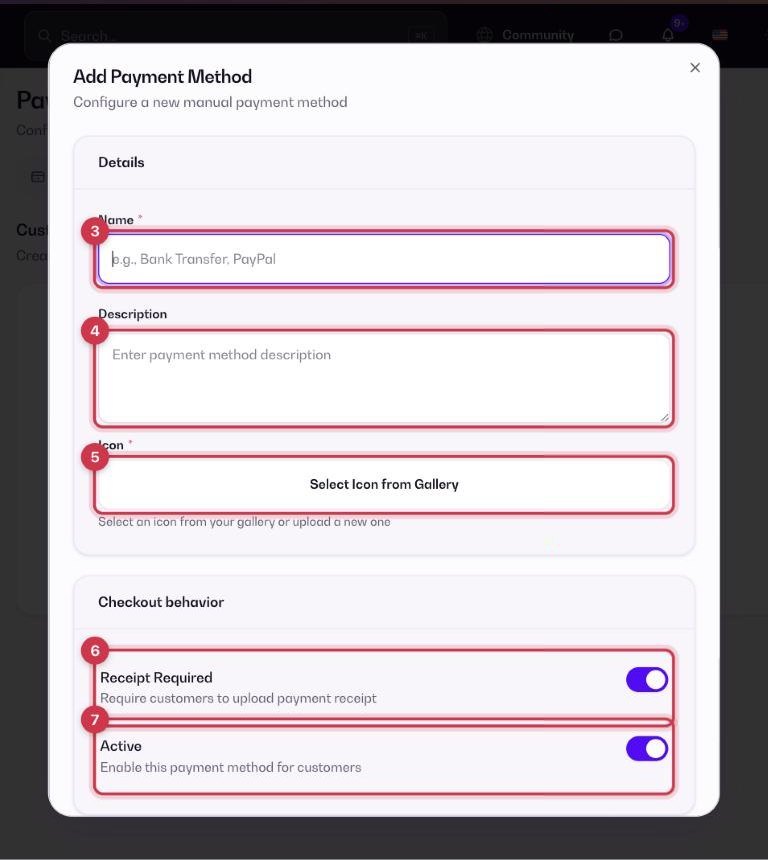
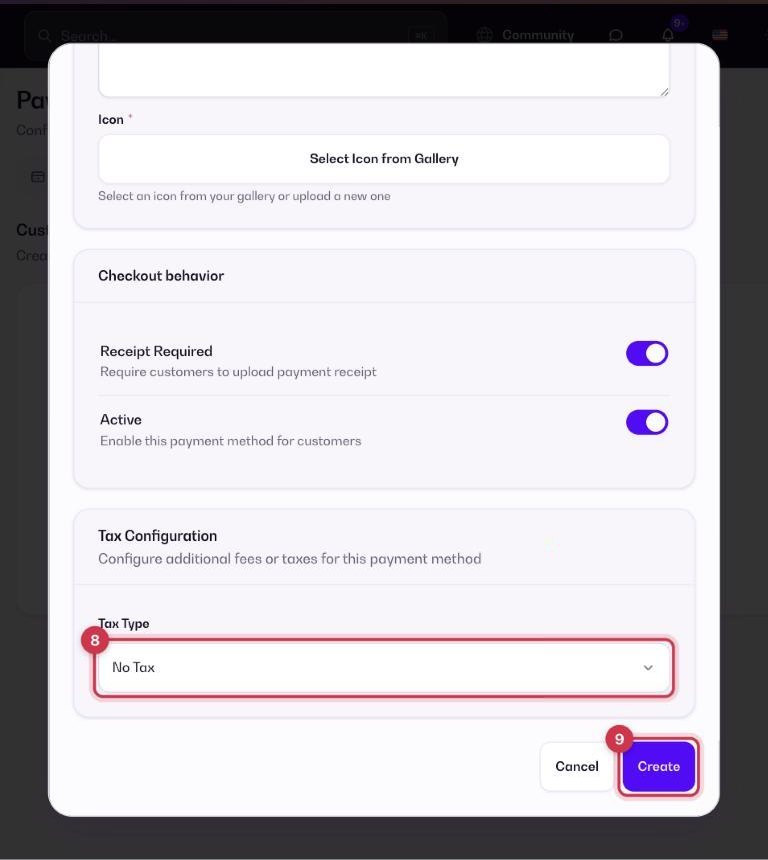
- Go to Store › Payment settings › Custom payment methods.
- Click Add Payment Method.
- Enter a Name, for example “InstaPay” or “Bank Transfer”.
- In Description, write exactly how to pay: the wallet number, account details or InstaPay address, and what to do after paying.
- Choose an Icon from the gallery or upload one.
- Leave Receipt Required on if the customer must upload a payment receipt.
- Leave Active on so the method shows at checkout.
- If you want to charge an extra fee for this method, set Tax Type to Fixed Amount or Percentage and enter the value. Otherwise keep No Tax.
- Click Create.
Common questions
How do I hide a method for a while?
Turn off its Active toggle. It stays saved, and you can turn it back on any time.
Can I add more than one manual method?
Yes. Add one for each option, for example InstaPay, Vodafone Cash and bank transfer.
Is there a way to accept InstaPay without checking receipts?
Yes, through the Flash Egypt gateway. See Payment methods overview.