

 Photo: Luke Chesser / Unsplash
Conversion quality report (Meta & TikTok signals)
Check how well your store’s events can be matched by Meta and TikTok ads, and what to fix to improve it.
🖥️ Open in dashboard/dashboard/statistics/conversion-qualityWhen you run ads on Meta (Facebook and Instagram) or TikTok, your store sends events — like a product view or a purchase — back to them. The better they can match each event to a real person, the better your ads are optimised and the more accurate your results look. The Conversion quality report (Conversion Signal Quality) scores how "match-ready" your events are and tells you what to improve. It works whether or not you use the Conversions API.
Where to find it
Go to Reports › Conversion quality.
Check your score
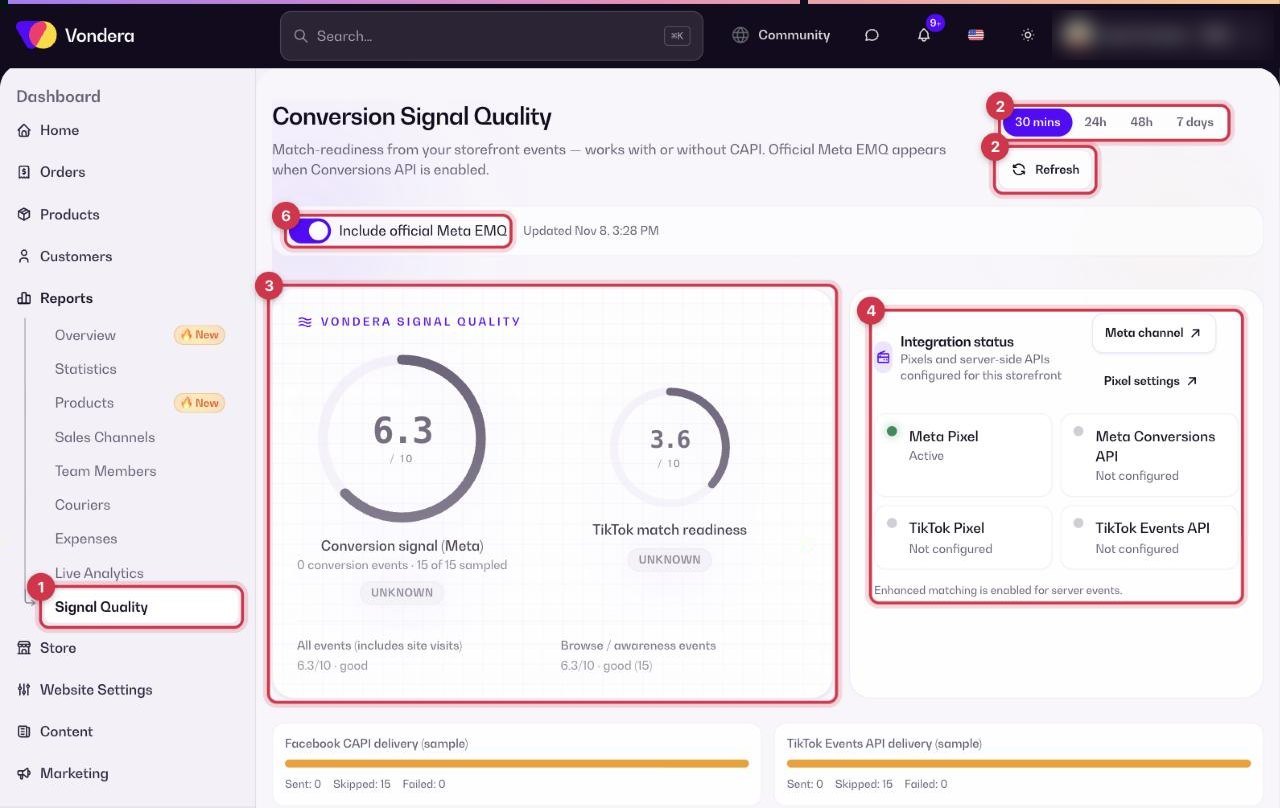
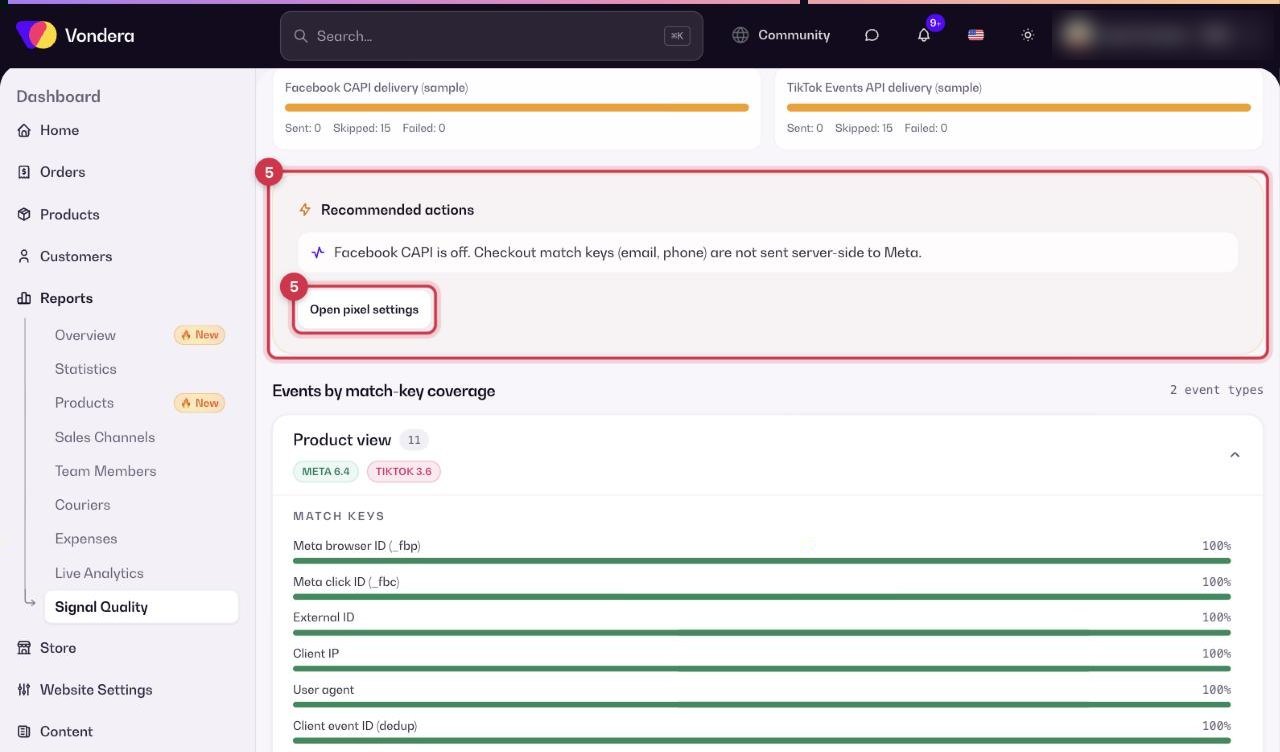
- Open Reports › Conversion quality.
- Pick a time window: 30 mins, 24h, 48h or 7 days. Click Refresh for the latest data.
- Read the scores (out of 10) at the top.
- Check Integration status to see which pixels and APIs are active.
- Follow the Recommended actions. Use Open pixel settings to fix them.
- Optionally turn on Include official Meta EMQ to also see Meta’s own Event Match Quality score.
What the match keys mean
- Email and Phone — the strongest keys; collected at checkout.
- Meta browser ID (_fbp) and TikTok cookie (_ttp) — identify the visitor’s browser.
- Meta click ID (_fbc) and TikTok click ID — show the visit came from an ad click.
- External ID — your own ID for the customer.
- Client IP and User agent — the visitor’s connection and device/browser.
- Client event ID (dedup) — stops the same event being counted twice when it is sent by both the pixel and the API.
Common questions
My score is low. What should I do first?
Turn on the Conversions API for Meta (and Events API for TikTok) and make sure email and phone are collected at checkout. The recommended actions list the exact steps.
What does "Not configured" mean?
That pixel or API is not set up yet. Open Marketing › Tracking Pixels to add it.
Why is the score different for 30 mins and 7 days?
Short windows have few events, so a handful of visits can move the score a lot. Use 7 days for a stable picture.