

 Photo: Austin Distel / Unsplash
Work with affiliates and influencers
Give influencers a tracked link, pay them a percentage or fixed commission, and share a dashboard where they follow their results.
🖥️ Open in dashboard/dashboard/affiliates🎬 Watch the video
Videos are in Arabic.
An affiliate program lets influencers, content creators or partners sell for you. Each affiliate gets a unique tracked link: when someone buys through it, the sale is credited to that affiliate and they earn the commission you set. You can also share a dashboard link with each affiliate, so they can follow their own results without asking you.
You will find it under Marketing › Affiliate. The list shows each affiliate's name, Affiliate ID, contact details, commission and status. Use the status filter, search and sort options to find someone quickly.
Add an affiliate
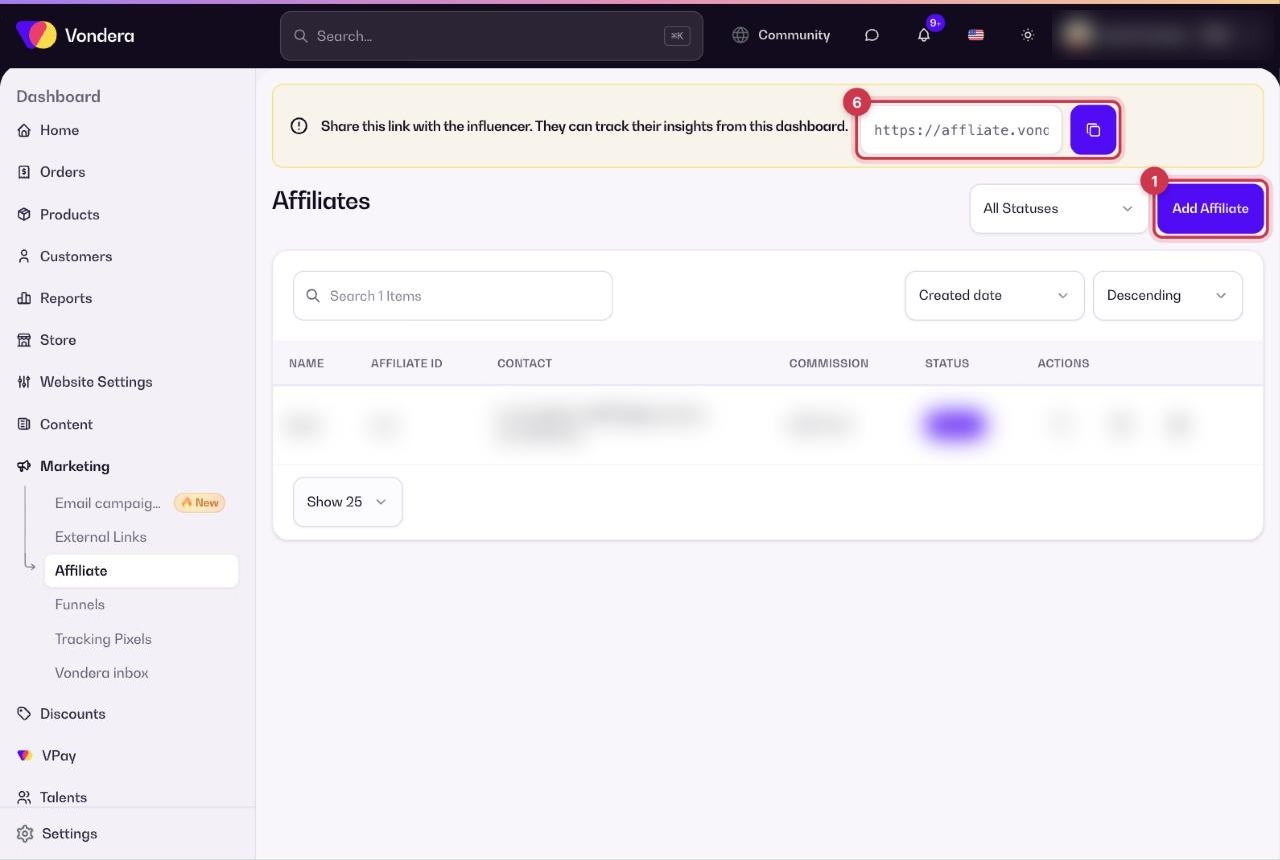
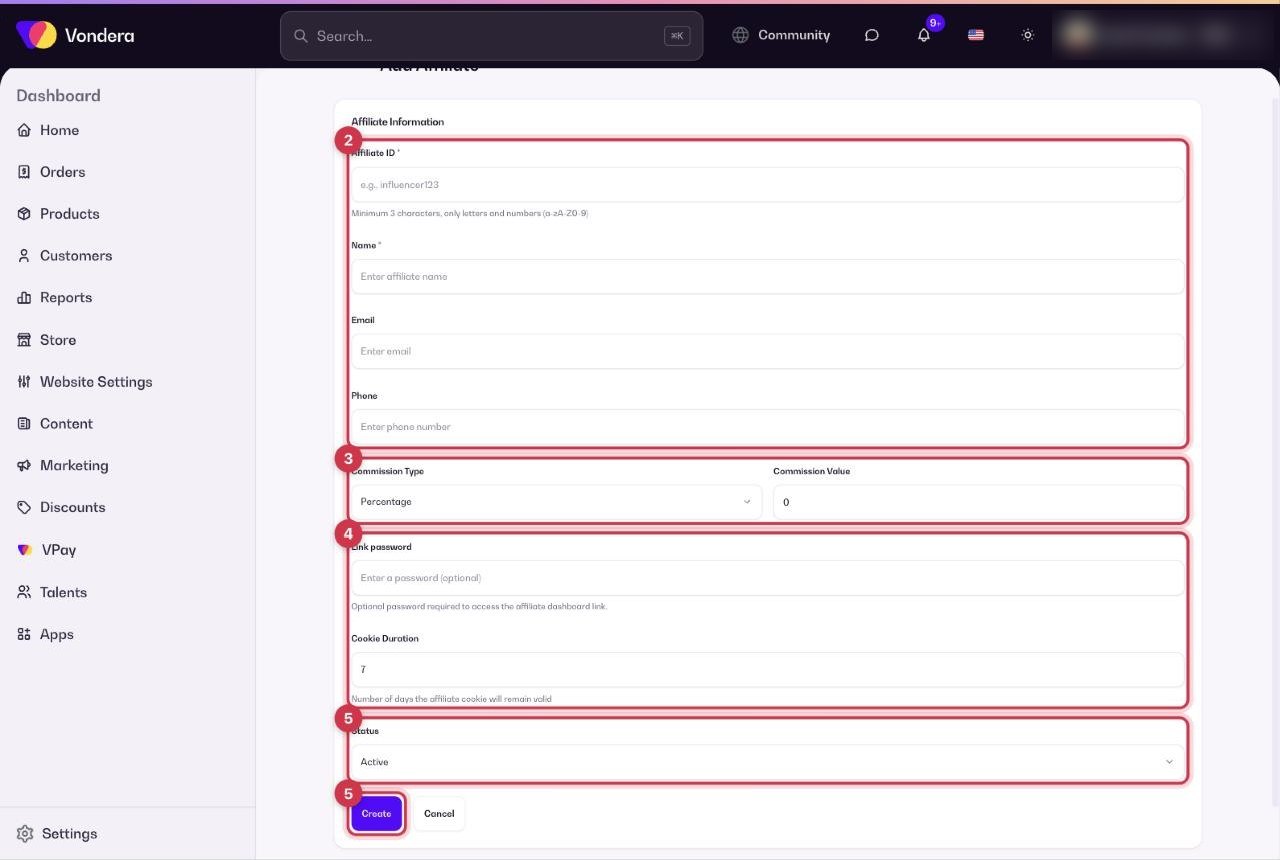
- Go to Marketing › Affiliate and click Add Affiliate.
- Enter an Affiliate ID and the affiliate's Name, plus email and phone if you have them.
- Choose the Commission Type and enter the Commission Value.
- Optional: set a Link password and change the Cookie Duration.
- Make sure Status is Active and click Create.
- Send the affiliate their tracked link and their dashboard link so they can start promoting and follow their insights.
Common questions
What does Cookie Duration mean?
If a visitor clicks the affiliate link and buys within that number of days, the order is still credited to the affiliate, even if they did not buy right away.
Can the affiliate see their own results?
Yes. Share their dashboard link with them. Add a Link password if you want to keep it private.
How do I stop working with an affiliate?
Edit the affiliate and set Status to Inactive.
Should I choose a percentage or a fixed commission?
A percentage grows with the order value; a fixed amount is easier to predict. Pick what fits your margins.