

 Photo: Austin Distel / Unsplash
Add your social media links
Show your Facebook, Instagram, TikTok and phone number on your storefront so customers can follow and contact you.
🖥️ Open in dashboard/dashboard/social-media🎬 Watch the video
Videos are in Arabic.
Your social pages build trust: many customers check your Facebook, Instagram or TikTok before they order. The External Links page lets you add these links once, and your storefront shows them as icons (usually in the header or footer, depending on your design) so visitors can follow you or reach you in one tap.
You will find it under Marketing › External Links.
Add or update your links
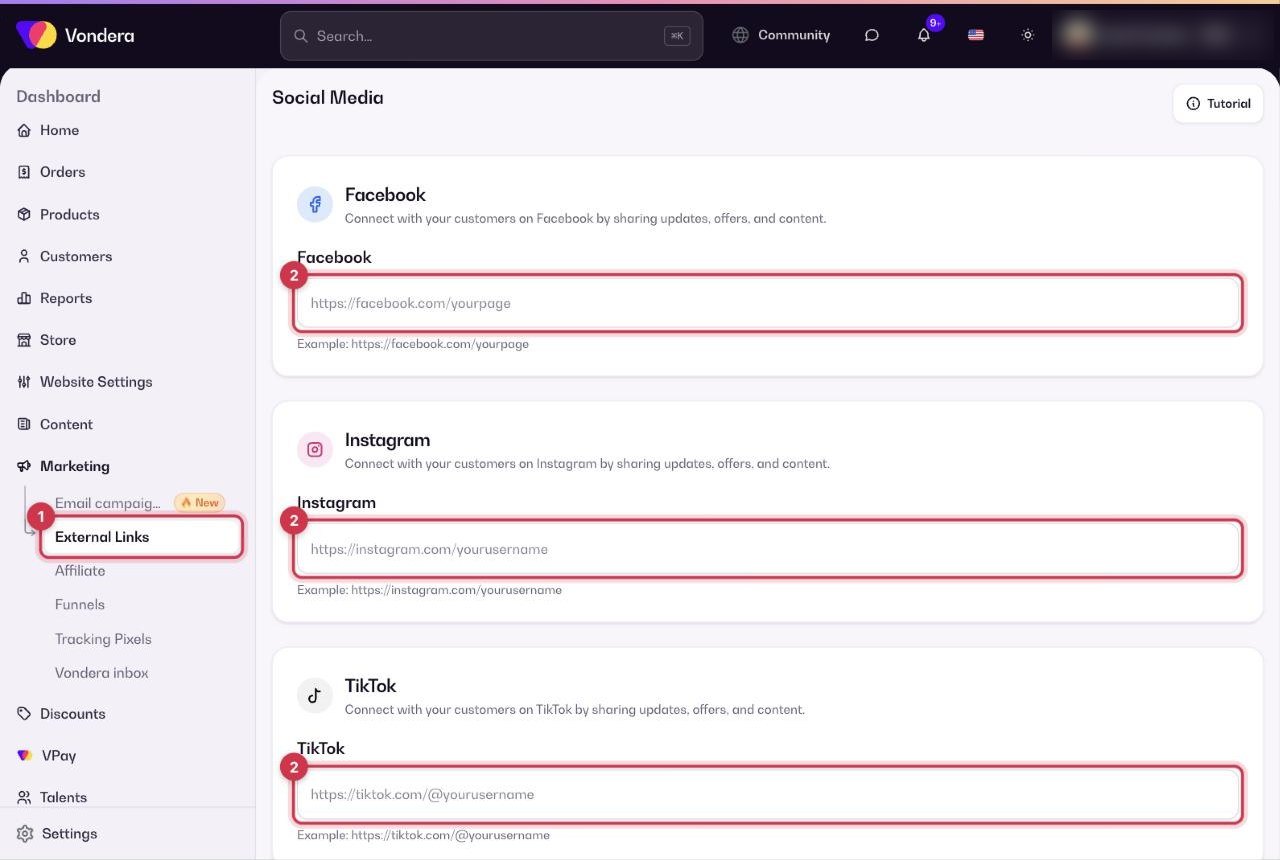
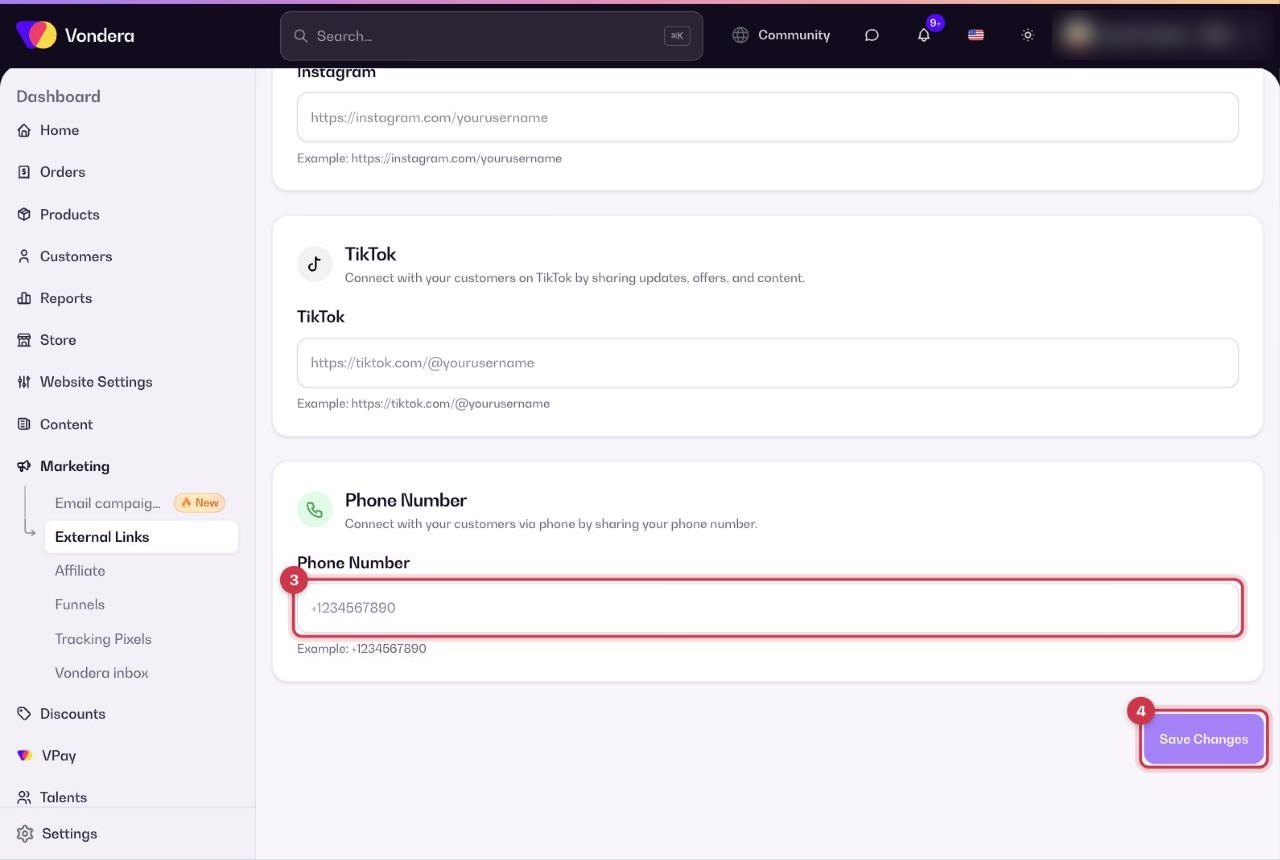
- Go to Marketing › External Links.
- Paste the full link of each page you want to show, starting with https://.
- Enter your store phone number with the country code.
- Click Save Changes.
- Open your store and click each icon to make sure it opens the right page.
Common questions
Where do these links appear?
On your storefront, as social icons. Their exact place depends on your store design.
How do I add a WhatsApp button?
The WhatsApp contact button is turned on from Settings › Storefront & behavior with the WhatsApp Button toggle.
I changed a link but the store still shows the old one.
Make sure you clicked Save Changes, then refresh the store page.