


 Photo: William Hook / Unsplash
Taager (catalog)
Import Taager’s dropshipping catalog, sync shipping fees and stock, and send orders to Taager.
🖥️ Open in dashboard/dashboard/marketplace/plugins/ENBt6kx0cpjYbi8c55ybThis app connects your store to Taager’s dropshipping catalog. In the App Store it is listed as Tagger (New).
What it does
- Import Taager products — all of them or only the ones you select.
- Sync shipping fees by province.
- Keep stock and availability aligned with Taager.
- Submit orders for mapped products to Taager for fulfilment, and follow their status inside the app.
Developer
Vondera
Price
Free
Category
Drop Shipping
Available in
Egypt, Saudi Arabia, UAE, Iraq, Oman, Kuwait
Set it up
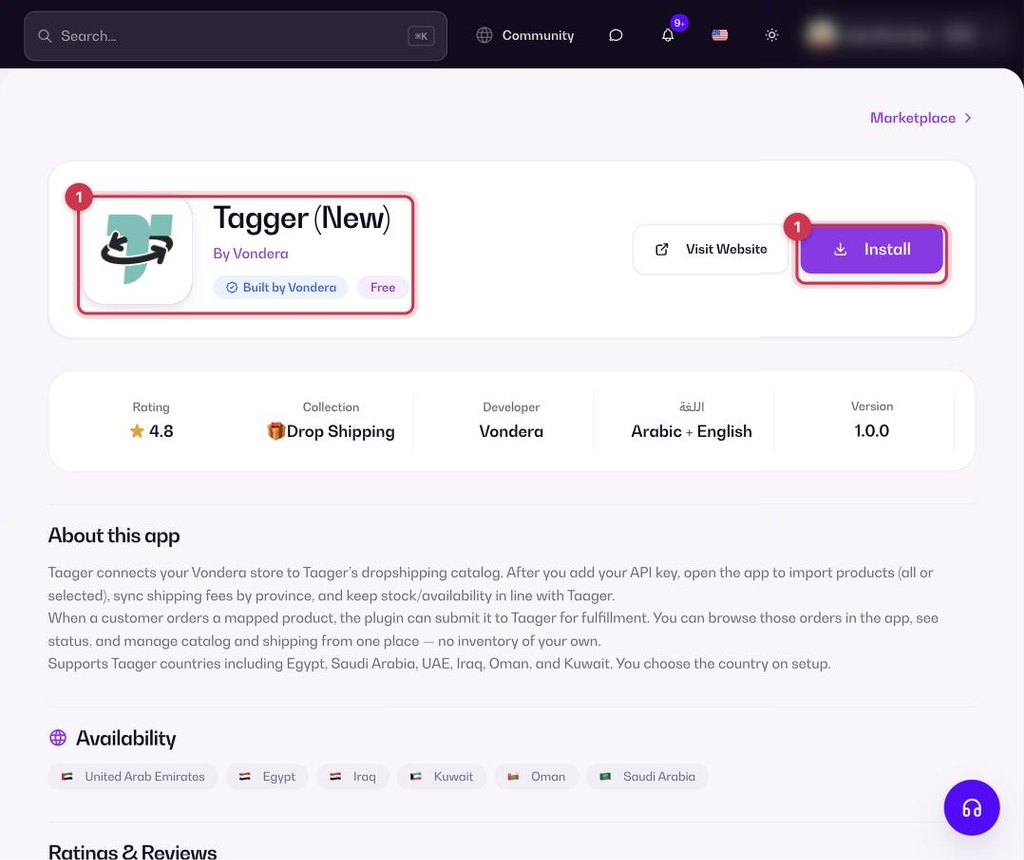
- Go to Apps, filter by Drop Shipping or search, and open Tagger (New). Click Install.
- Enter your Taager API key and choose your country.
- Import the products you want to sell.
Where to find your Taager API key
Taager gives you the API key from your account with them. If you can’t find it, contact Taager support and ask them for your API key to connect your store to Vondera.
Common questions
Do I also need Taager - Sync Orders?
This app can already submit orders for mapped products. Taager - Sync Orders is a separate app for syncing orders only.