

 Photo: Domenico Loia / Unsplash
API key and webhooks for developers
Get your store’s API key for server-side integrations, and send real-time order events to your own server with webhooks.
🖥️ Open in dashboard/dashboard/settings?section=apiIf you or your developer want to connect Vondera to your own systems — an ERP, an accounting tool, a warehouse system or a custom app — you have two tools. The API key lets your server read and update store data through the Vondera API. Webhooks do the opposite: Vondera calls your server the moment something happens, like a new or updated order.
Find them under Settings › Developer and Settings › Webhooks. API access is a Pro-plan feature.
Use your API key
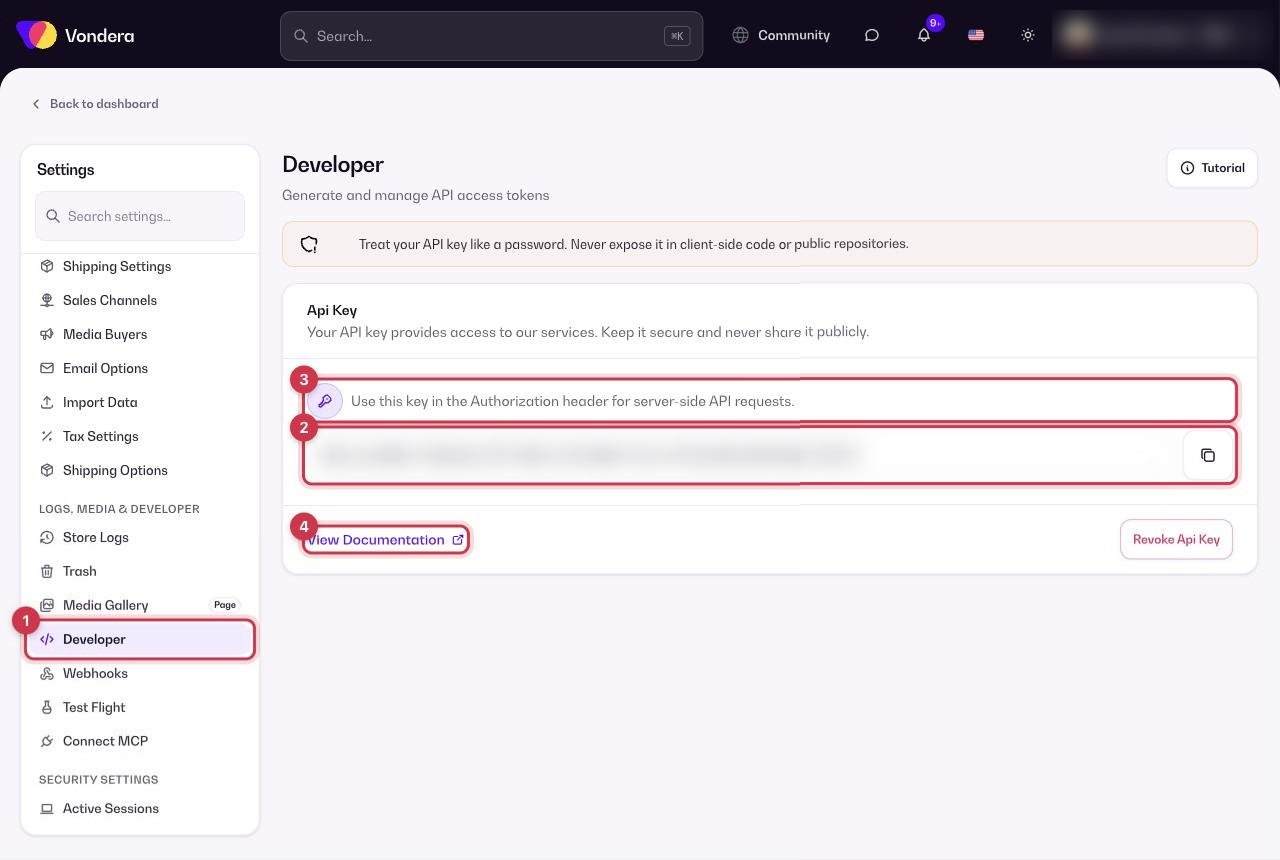
- Open Settings › Developer.
- Copy your Api Key.
- Send it in the Authorization header of your server-side API requests.
- Click View Documentation for the available endpoints and request formats.
Create a webhook
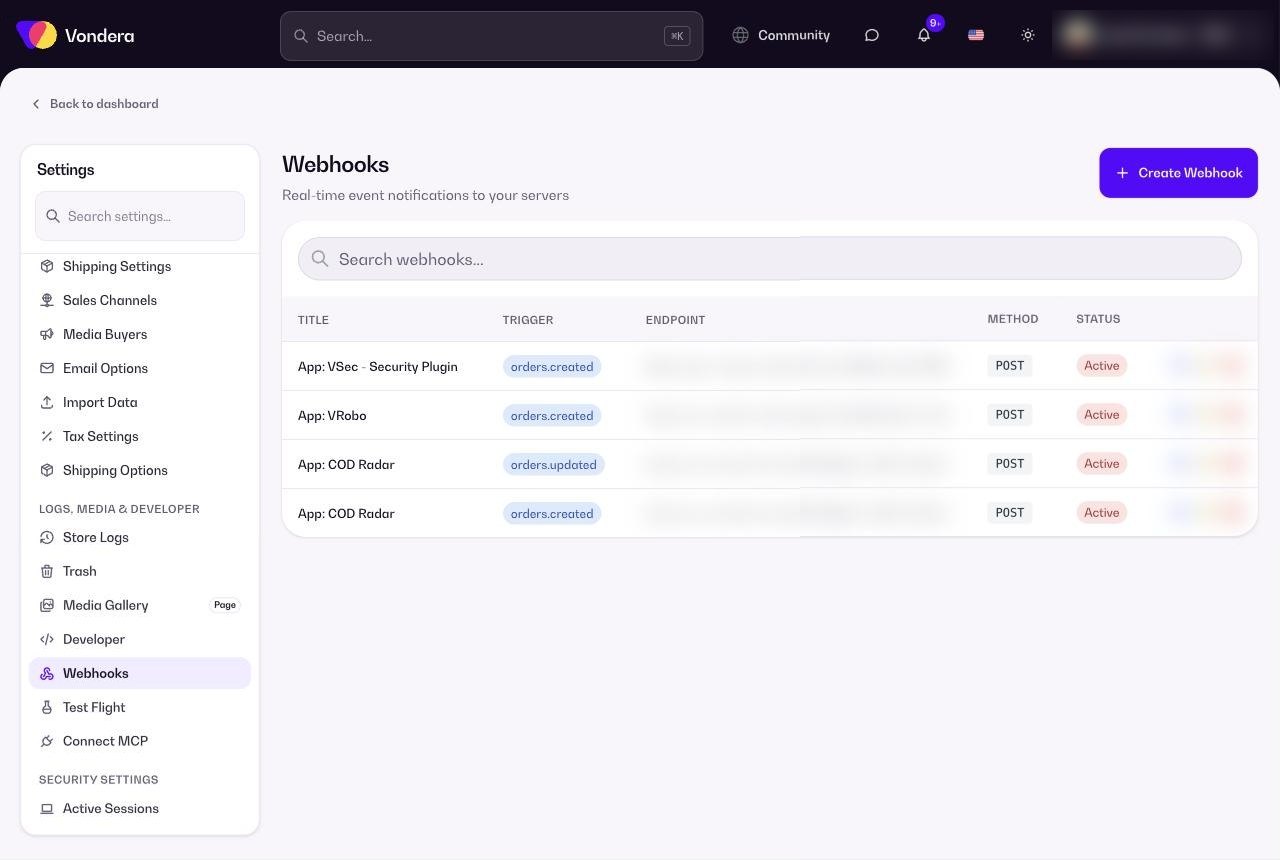
- Open Settings › Webhooks and click Create Webhook.
- Give it a clear title and choose the trigger event, for example orders.created or orders.updated.
- Enter your Endpoint URL — the address on your server that should receive the event.
- Save. The webhook appears in the list as Active.
Common questions
I don’t see the API key. Why?
API access is included in the Pro plan. Check your plan under Settings › Subscription.
What should my endpoint do when it receives a webhook?
Reply quickly with a success response, then do any heavy processing in the background. Make sure the URL is public and uses HTTPS.
Should I use the API or webhooks?
Use webhooks to react to events as they happen, and the API to fetch or change data when you need it. Most integrations use both.