

 Photo: Domenico Loia / Unsplash
Store logs and trash
See who changed what in your store, and restore deleted products, orders, expenses and funnels.
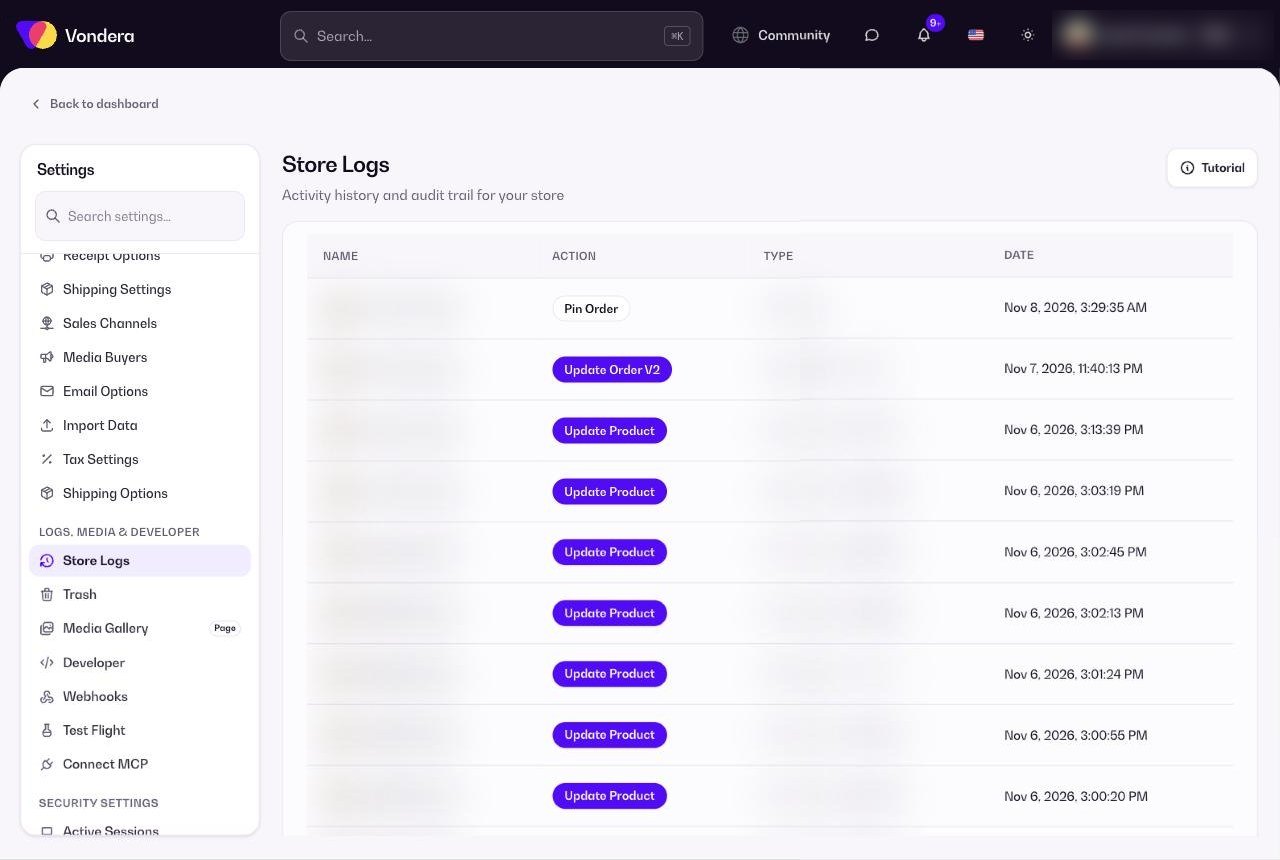
🖥️ Open in dashboard/dashboard/settings?section=store-logsTwo pages help you keep control of your store’s history. Store Logs is an activity history: it shows who did what, when, and from which IP address. Trash keeps recently deleted items so you can bring them back if something was deleted by mistake.
Find them under Settings › Store Logs and Settings › Trash.
Store logs
Name
Who did the action — you or a team member.
Action
What was done, for example Update Order or Update Product.
Type
What kind of record changed (Order, Product…) and its ID.
Date
When it happened.
IP address
The internet address the action came from.
Show 10 / pages
Choose how many rows to show and move between pages.
Restore something you deleted
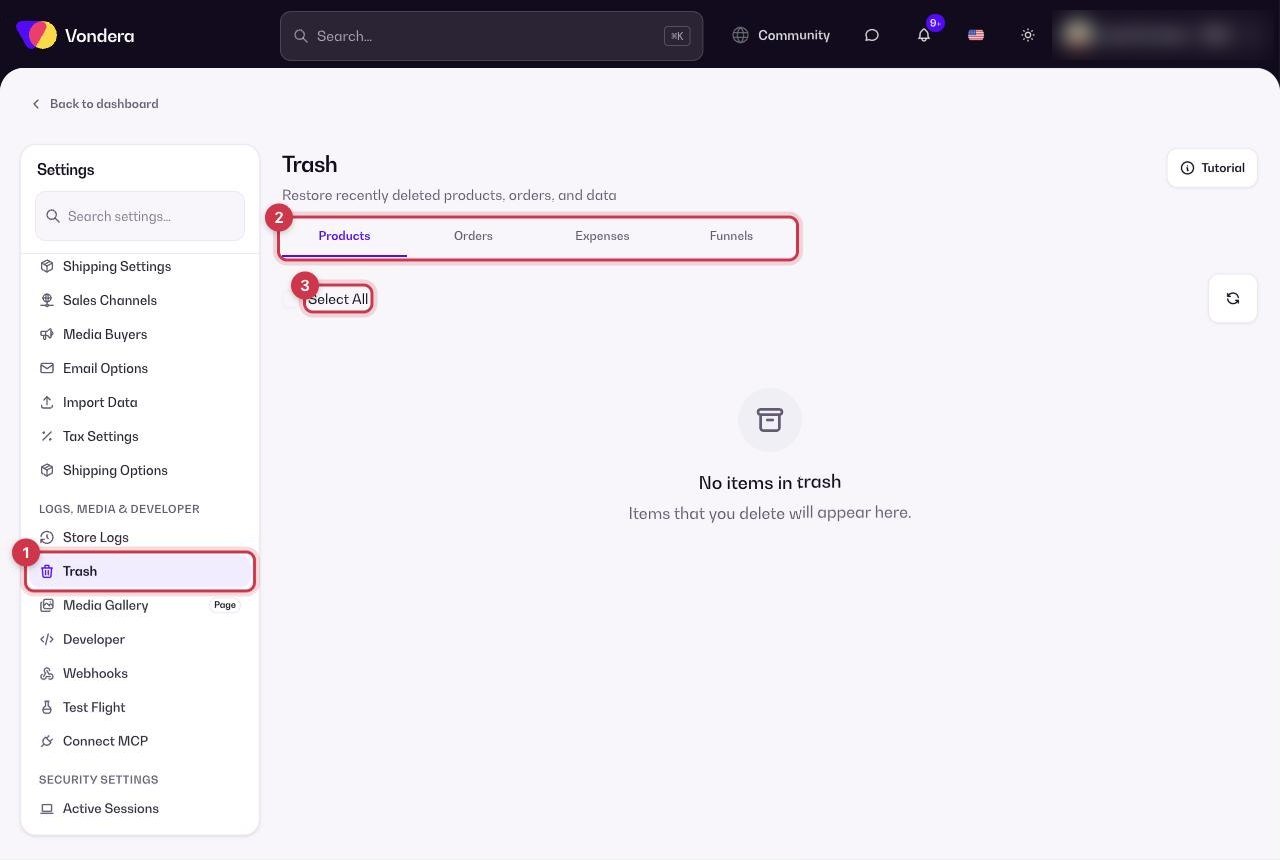
- Open Settings › Trash.
- Pick the tab: Products, Orders, Expenses or Funnels.
- Select the items you want back (or use Select All).
- Click restore. The items go back to where they were.
ℹ️ Good to knowDeleting an item from the Trash removes it permanently — you can’t get it back after that.
💡 TipIf an order changed and nobody knows why, search the store logs for the order ID to see who updated it and when.
Common questions
Can I see what a specific employee did?
Yes. The Name column shows who made each change, and every team member’s actions are listed.
I deleted a customer. Is it in the Trash?
The Trash covers products, orders, expenses and funnels. If you don’t see an item in those tabs, it can’t be restored from here.
The Trash is empty but I deleted something.
Check you’re on the right tab. If it’s still not there, it may have been deleted permanently.