

 Photo: Luke Heibert / Unsplash
Abandoned carts
See carts shoppers left without checking out, who can be contacted, and whether a recovery email was sent.
🖥️ Open in dashboard/dashboard/abandoned-carts🎬 Watch the video
Videos are in Arabic.
An abandoned cart is a cart with items that a shopper did not check out. These shoppers were very close to buying, so reminding them is one of the easiest ways to win back sales.
Where to find it
Go to Orders › Abandoned Carts (or open /dashboard/abandoned-carts).
What the page shows
Date range
Choose the period to review. It shows the last 7 days by default.
Email Events
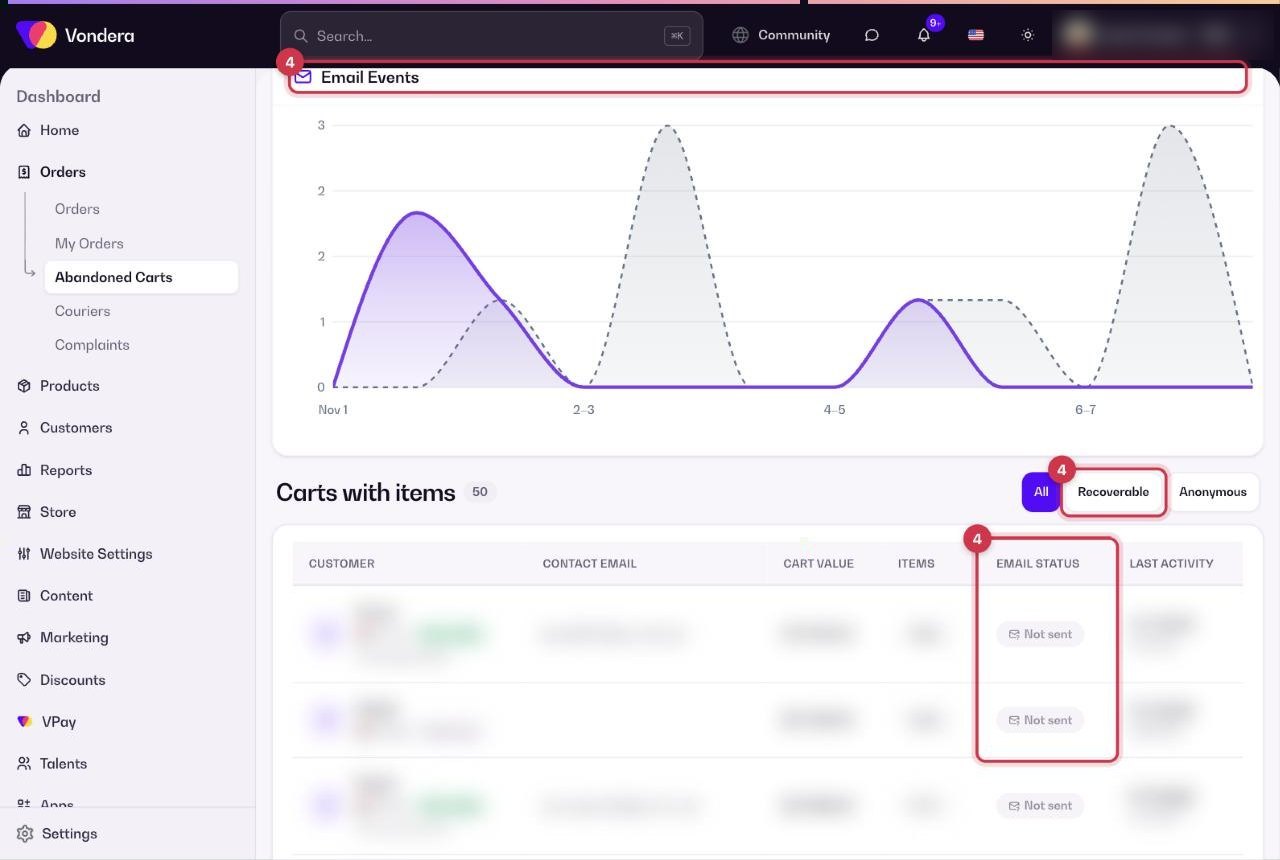
A chart of recovery-email activity per day in the selected period.
Carts with items
How many carts still have items in them.
All / Recoverable / Anonymous
Recoverable carts have a contact the shopper left at checkout, so you can reach them. Anonymous carts have no contact details.
Customer
The shopper’s name, or Guest if they are not registered.
Contact email
The email the shopper entered.
Cart value
The total value of the items in the cart.
Items
How many items are in the cart.
Email status
Whether a recovery email was sent, for example Not sent.
Last activity
When the shopper last updated the cart.
Recover more carts
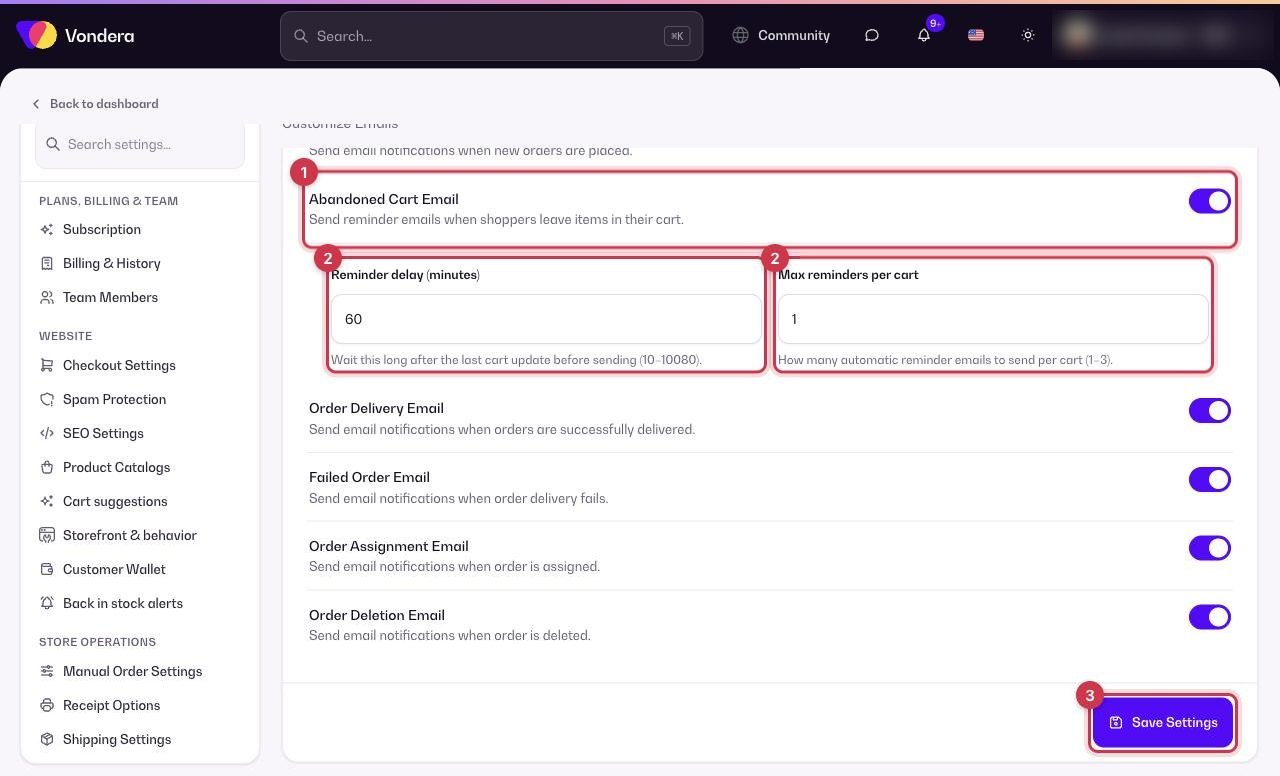
- Go to Settings › Email Options and turn on Abandoned Cart Email.
- Set the Reminder delay (in minutes, from 10 up to 10,080 — that is 7 days) and Max reminders per cart (1 to 3).
- Save. Shoppers who leave an email at checkout now get reminder emails automatically.
- Come back to Orders › Abandoned Carts and filter by Recoverable to follow the results in the Email status column and the Email Events chart.
💡 TipA short delay (for example 30–60 minutes) usually works better than a long one, because the shopper still remembers the product.
Common questions
Why can’t I contact anonymous carts?
Those shoppers left before entering any contact details, so there is no email to send a reminder to.
Does a recovered cart become an order?
Yes. When the shopper comes back and checks out, the order appears in Orders like any other order.
Why does the email status say Not sent?
Abandoned cart emails may be off, the reminder delay may not have passed yet, or the cart has no contact email.