

 Photo: Luke Heibert / Unsplash
Order trust score
How Vondera scores each order’s risk, what every check means and how to use the score to reduce failed deliveries.
🖥️ Open in dashboard/dashboard/orders🎬 Watch the video
Videos are in Arabic.
Cash on delivery is popular, but fake or careless orders cost you shipping fees and time. The Trust Score helps you spot risky orders before you ship them. Every order gets a percentage and a label (for example Good), built from several simple checks.
Where to find it
- In the Trust Score column of the orders list (Orders).
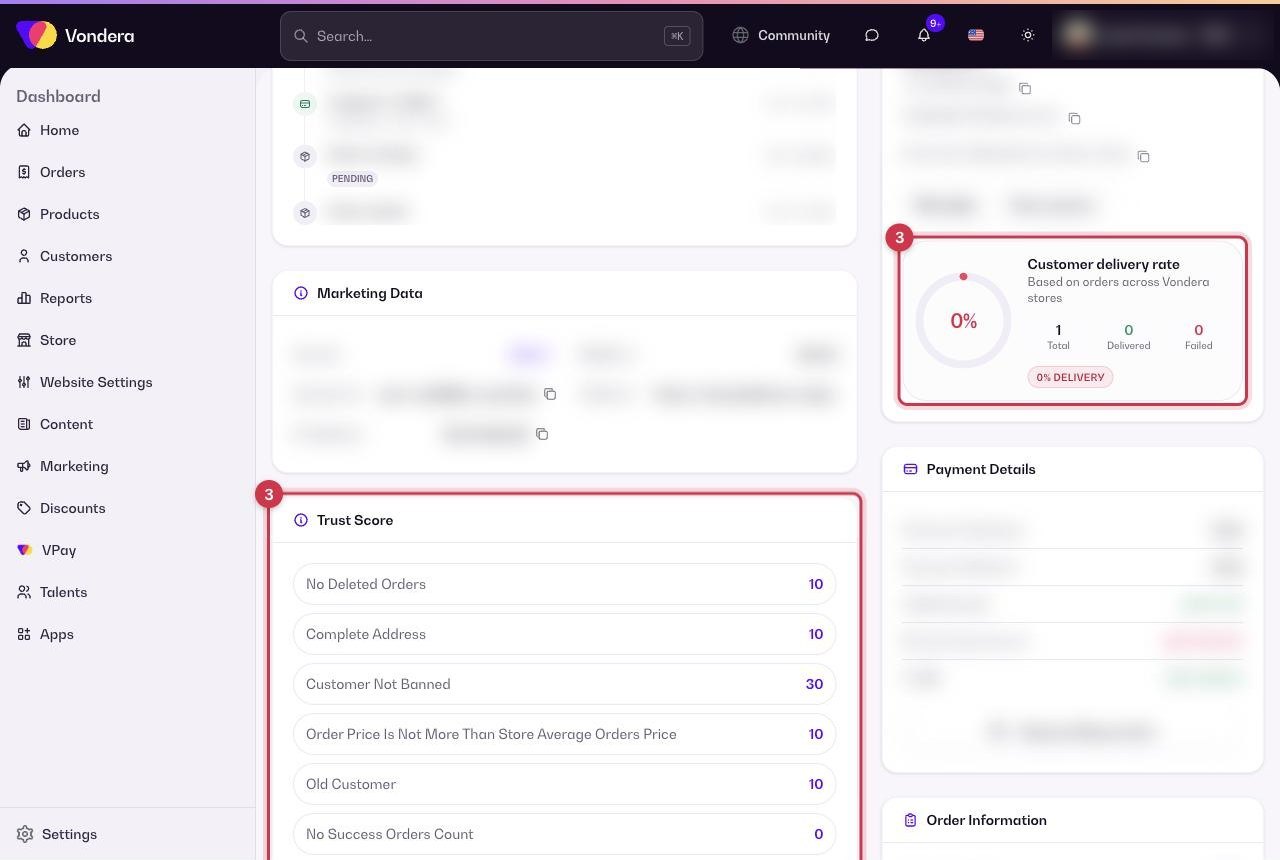
- On the order page, in the Trust Score summary card and the Trust Score breakdown section.
The checks behind the score
No deleted orders
The customer has no deleted orders in your store.
Complete address
The delivery address is filled in fully.
Customer not banned
The customer is not banned in your store.
Order price not above store average
Unusually large orders are riskier, so this checks the total against your usual order value.
Old customer
The customer has ordered from you before.
Successful orders count
How many of the customer’s past orders were delivered.
Provided email
The customer gave an email address.
Real phone number
The phone number looks valid.
COD Radar lookup
An extra risk check from the COD Radar app, when it is installed and connected.
Use the score in your daily routine
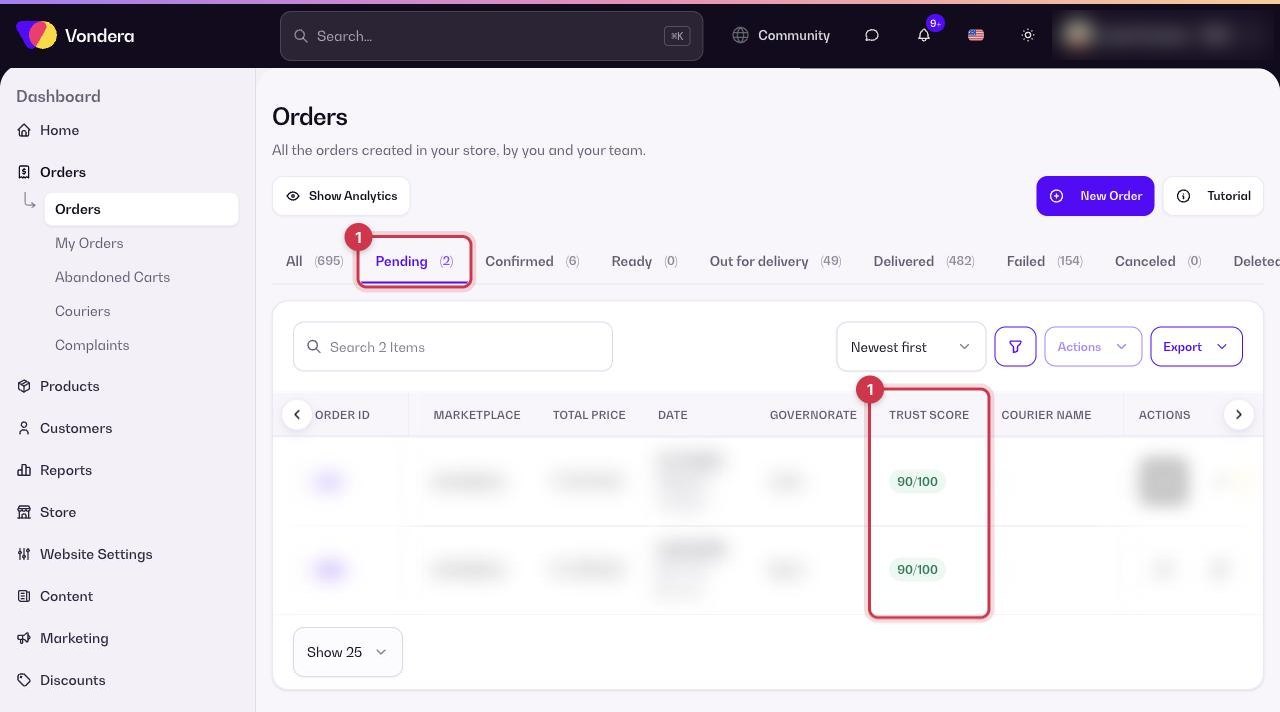
- Open the Pending tab and look at the Trust Score column.
- Confirm high-score orders as usual.
- For low-score orders, open the order and check which checks failed and the Customer delivery rate in Customer Details.
- Call the customer to confirm, ask for a deposit, or cancel the order if it looks fake.
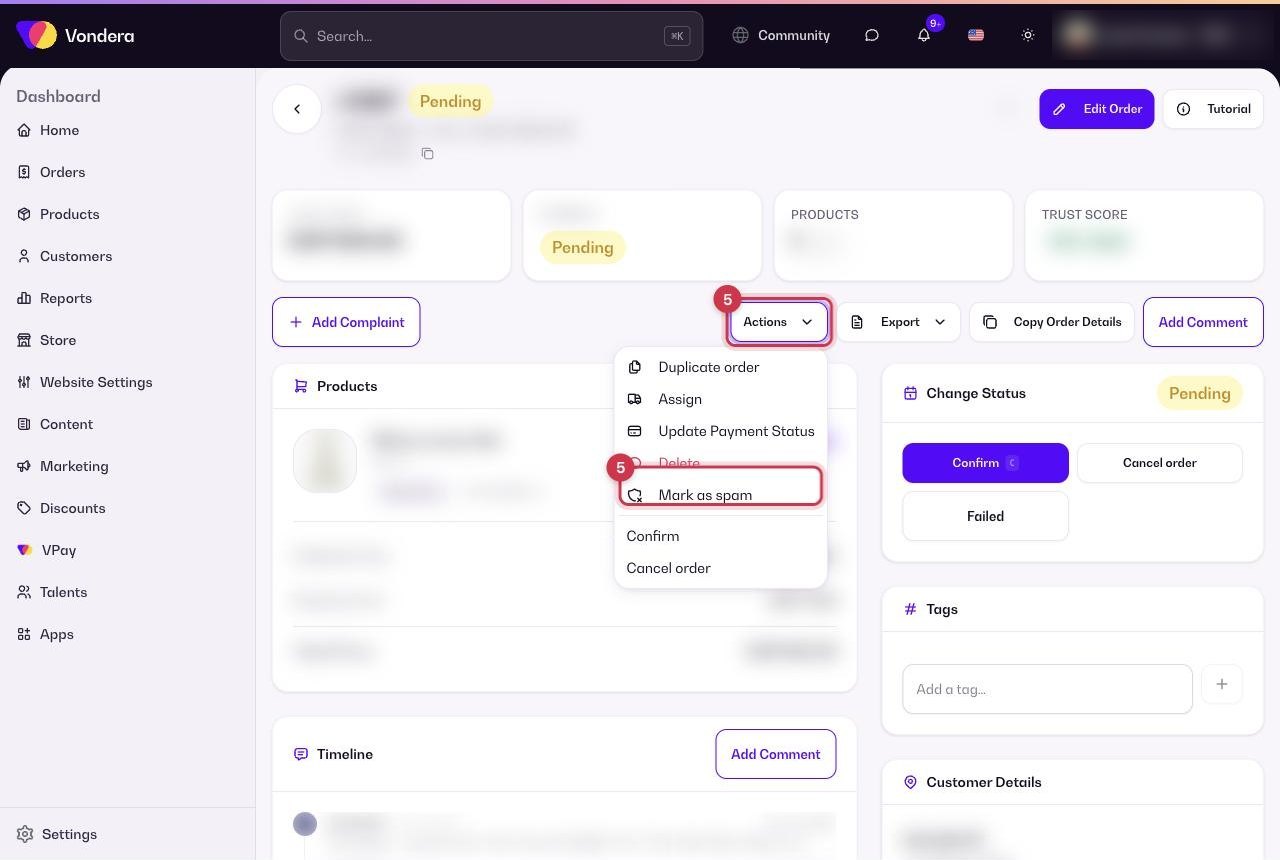
- If an order is clearly fake, use Actions › Mark as spam so future orders from the same details are flagged.
💡 TipTo make the score smarter, install COD Radar from the App Store. Learn how installing apps works in How apps work.
Common questions
Does a low score cancel the order?
No. The score only helps you decide. The order stays in its status until you act on it.
Why does a new customer get a lower score?
Checks such as Old customer and Successful orders count can only pass for customers who ordered before.
What is the customer delivery rate?
It shows how many of the customer’s orders across Vondera stores were delivered or failed, so you can judge their history even if they are new to you.