

 Photo: Luke Heibert / Unsplash
Couriers: add and manage shipping companies
Add an integrated shipping partner or your own custom courier, and manage which couriers are active.
🖥️ Open in dashboard/dashboard/couriers🎬 Watch the video
Videos are in Arabic.
Couriers are the shipping companies (or your own delivery people) that deliver your orders. Adding them to Vondera lets you assign orders to them, track them in the orders list and compare their performance in Reports.
Where to find it
Go to Orders › Couriers (or open /dashboard/couriers).
The Couriers page
- The table lists your couriers with Courier name, Created at and Status (Active or Disabled).
- Turn on Show Disabled Only to see only the couriers you disabled.
- Click Add Courier to add a new one, or Tutorial for a short guide.
Add a shipping partner (integrated)
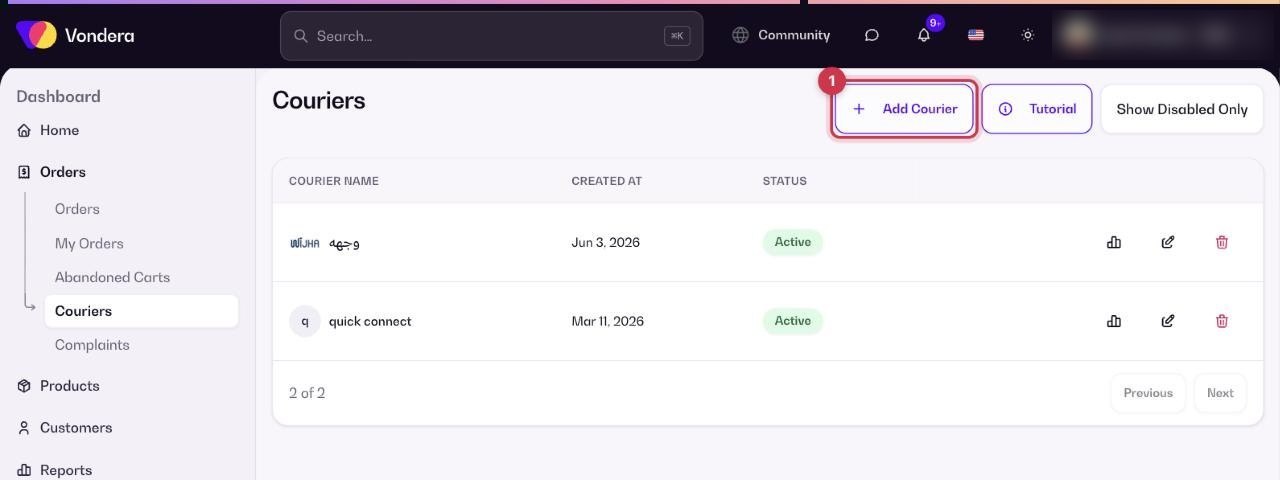
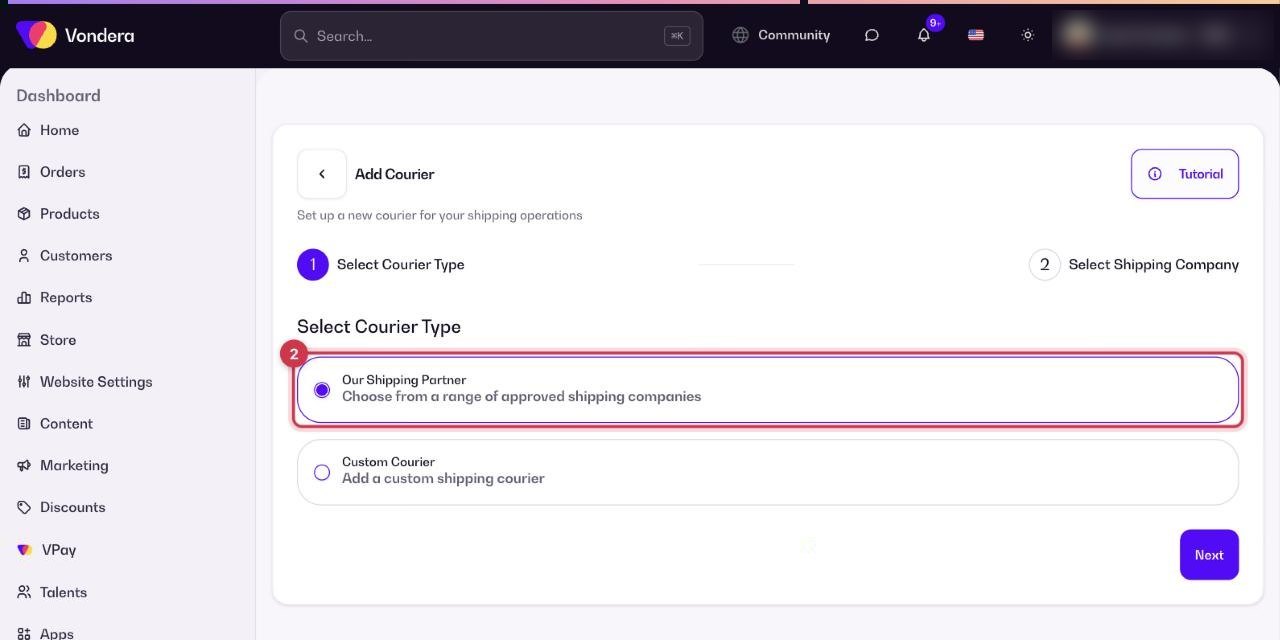
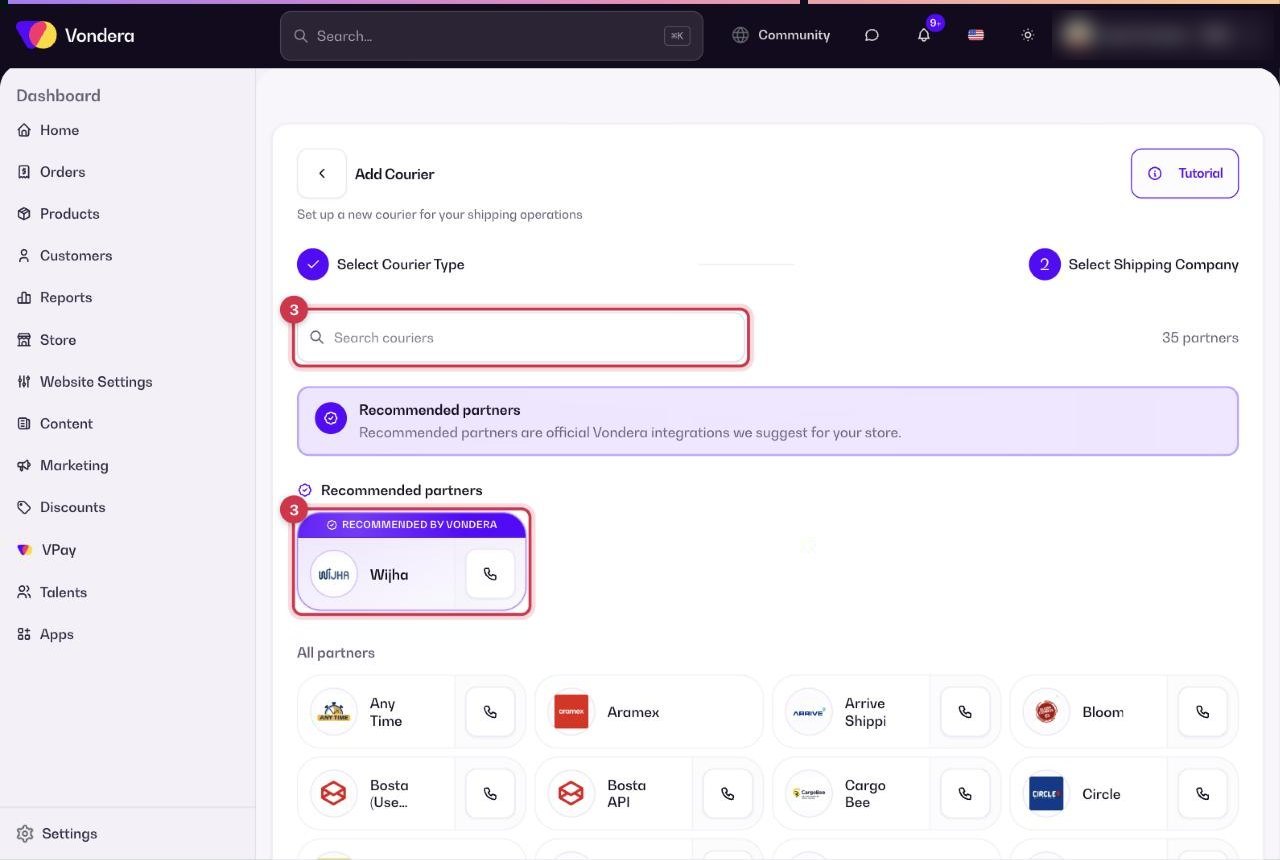
- Click Add Courier.
- In Select Courier Type, choose Our Shipping Partner. These are approved shipping companies connected to Vondera.
- In Select Shipping Company, search or pick a company. Recommended partners are official Vondera integrations, such as Wijha. Below them you will find all partners, for example Aramex, Bosta, J&T Express, Mylerz, ShipBlu and many more.
- Click Continue and enter the account details the company gives you.
- Finish the steps. The courier appears in your couriers list.
Add a custom courier
Use this for your own delivery staff or a local courier that is not integrated with Vondera.
- Click Add Courier and choose Custom Courier.
- Fill in the Courier Details.
- Check everything on the Review step and confirm.
Common questions
What is the difference between a shipping partner and a custom courier?
A shipping partner is connected to Vondera, so shipments and tracking can be handled automatically. A custom courier has no connection; you update order statuses yourself.
Does adding a courier cost anything on Vondera?
Installing a courier is free on Vondera. The shipping company bills you directly according to your agreement with them.
How do I stop using a courier?
Disable it from the couriers list. Disabled couriers stay in the list and can be shown with Show Disabled Only.