

 Photo: Domenico Loia / Unsplash
Cart suggestions and upsells
Show smart related products on product pages and a hand-picked list of up to 12 products in the cart.
🖥️ Open in dashboard/dashboard/settings?section=cart-suggestionsOne of the easiest ways to raise your average order value is to suggest one more product at the right moment. Cart suggestions give you two tools: smart related products on each product page, and a list of products you choose yourself that always shows in the cart.
Go to Settings › Cart suggestions (upsells, cross-sells and cart recommendations).
Set up cart suggestions
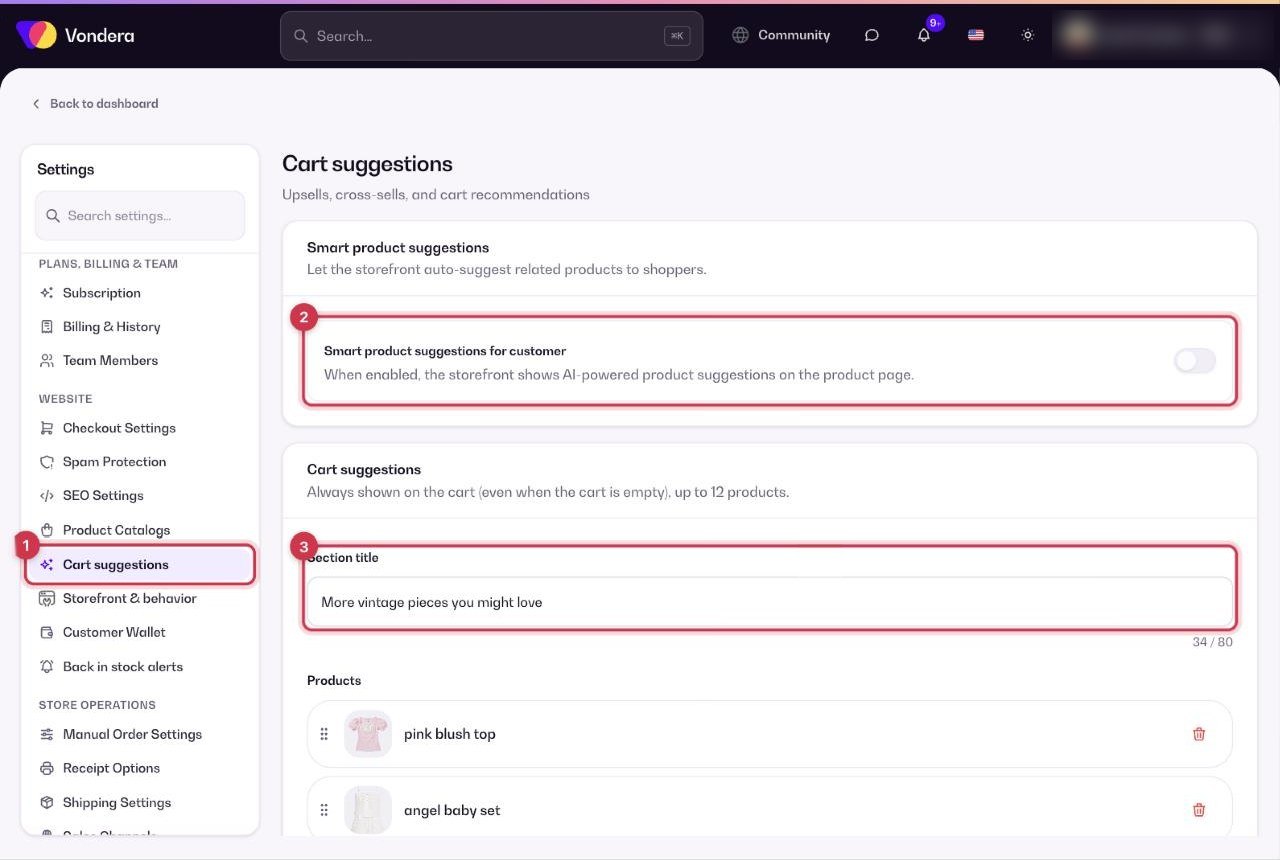
- Open Settings › Cart suggestions.
- Turn on Smart product suggestions for customer to show AI-powered related products on product pages.
- Write a Section title for the cart, for example “You might want to check those”.
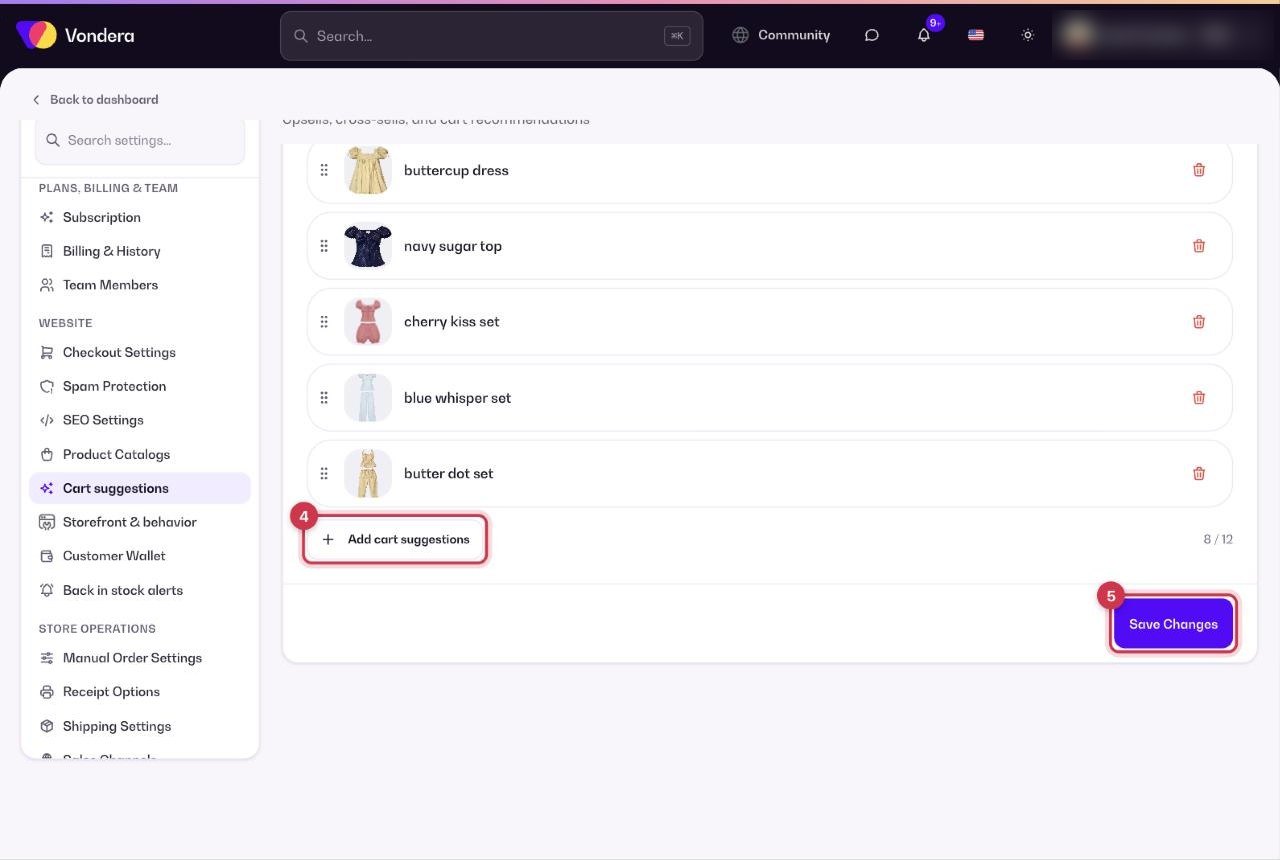
- Click Add cart suggestions and pick the products you want to recommend (up to 12).
- Click Save Changes.
Smart product suggestions for customer
Shows related products on the product page, chosen automatically by AI.
Section title
The heading above your suggestions in the cart. Up to 80 characters.
Cart suggestions list
The products you picked. They show in the cart every time — even when the cart is empty.
Add cart suggestions (n / 12)
Adds products to the list. The counter shows how many of the 12 places you’ve used.
💡 TipPick small, low-priced add-ons that go with almost anything — accessories, gift wrapping, socks, a care product. Customers add them without thinking twice.
Common questions
How many products can I suggest in the cart?
Up to 12.
Do suggestions show when the cart is empty?
Yes. Cart suggestions are always shown in the cart, even when it’s empty, so they also help shoppers start a new cart.
What’s the difference between the two options?
Smart suggestions are automatic and appear on product pages. Cart suggestions are your own fixed list and appear in the cart.