

 Photo: Domenico Loia / Unsplash
Storefront behavior, maintenance and password mode
Close your store for maintenance, protect it with a password, and turn reviews, WhatsApp button, customer accounts and more on or off.
🖥️ Open in dashboard/dashboard/settings?section=storefront-behavior🎬 Watch the video
Videos are in Arabic.
Storefront & behavior is where you decide how your online store behaves for visitors: whether it’s open, closed for maintenance, “coming soon” or password-protected, and which features shoppers see — reviews, the WhatsApp button, remaining quantity, customer accounts, the market selector and more.
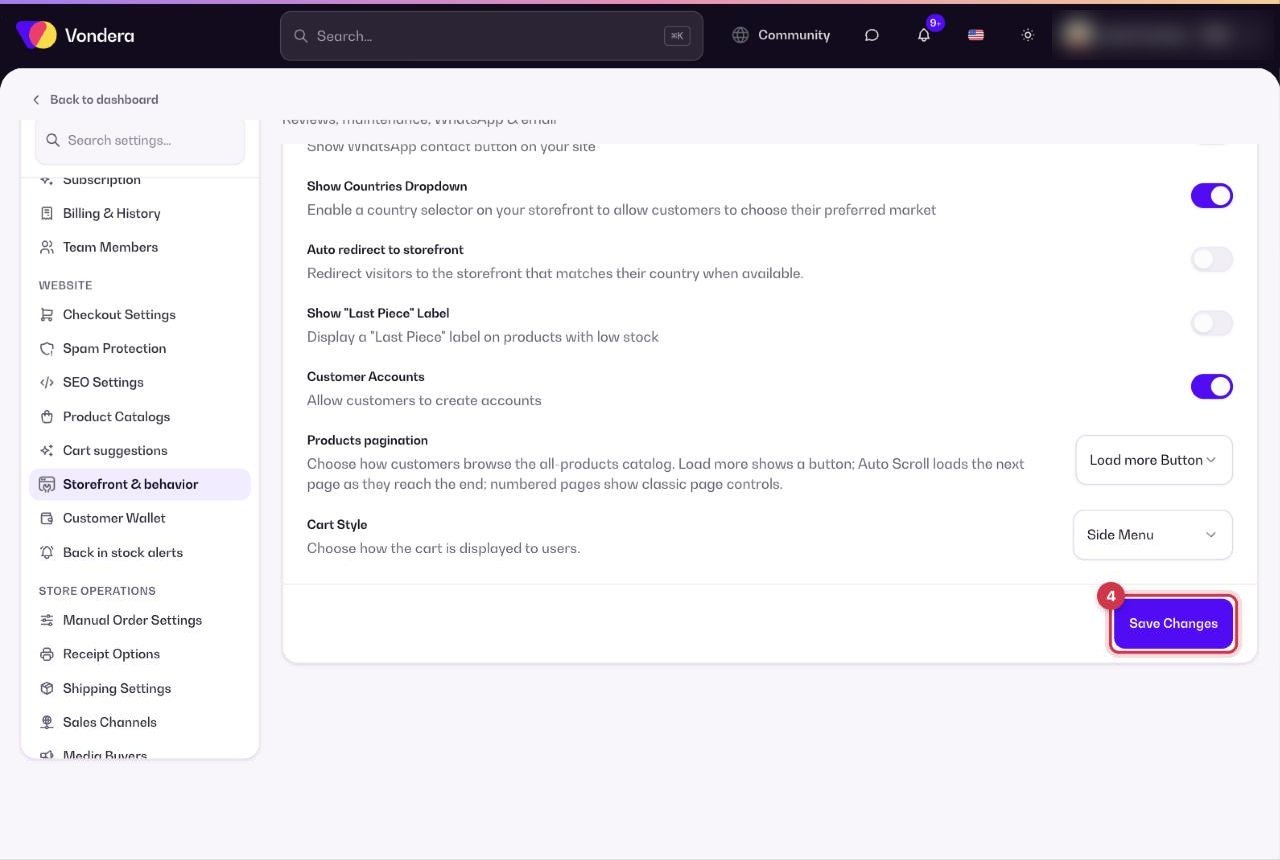
Go to Settings › Storefront & behavior. Remember to click Save Changes after editing.
Protect your store with a password
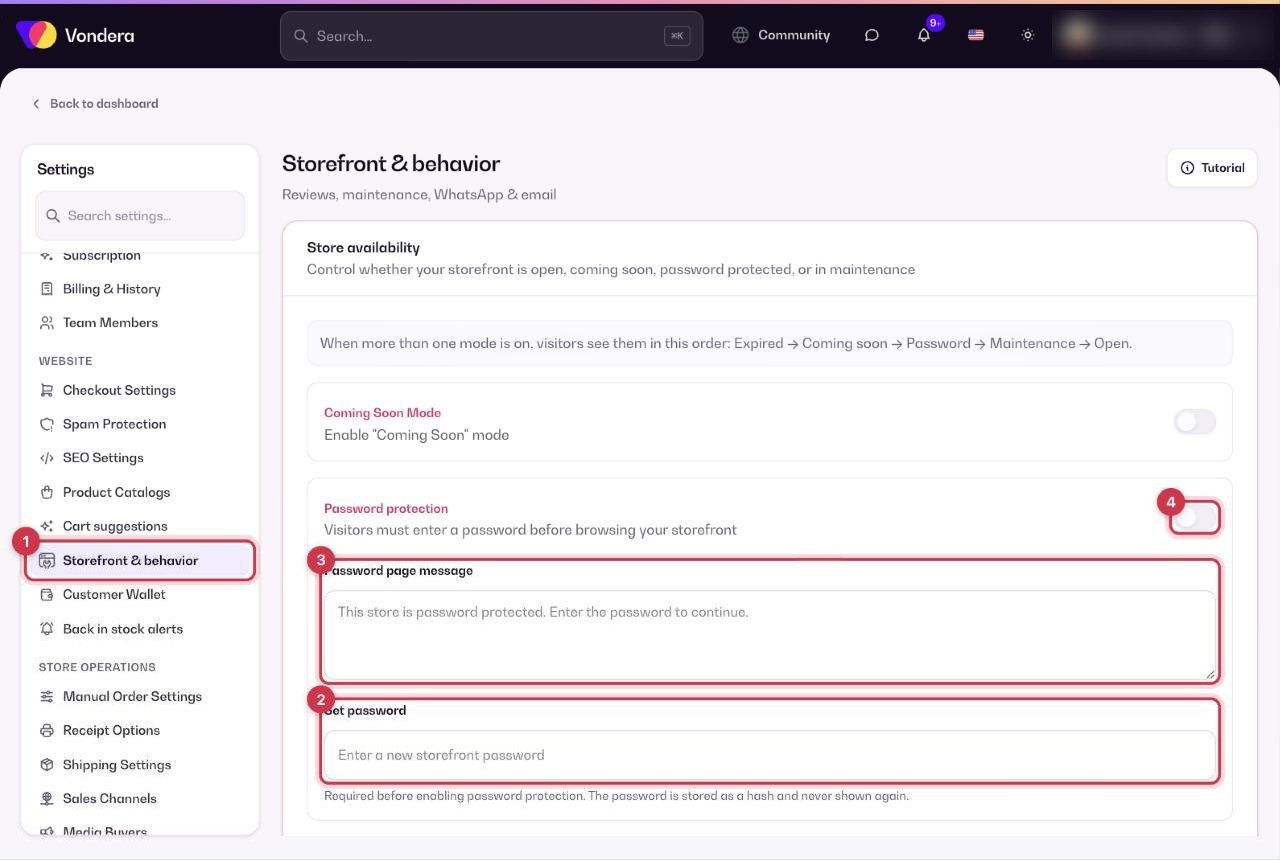
- Open Settings › Storefront & behavior.
- Under Store availability, click Set password and choose a password. You must set one before you can turn the mode on.
- Optionally edit the Password page message visitors see.
- Turn on Password protection and click Save Changes.
- Share the password only with the people who should see the store.
Store availability
Storefront experience
Common questions
I forgot my store password. Can I see it?
No — it’s stored securely and never shown again. Click Set password to choose a new one.
Do I need Customer Accounts for the customer wallet?
Yes. Only signed-up customers can earn and spend wallet credit, so keep Customer Accounts on if you use the wallet.
Can I still work in the dashboard during maintenance?
Yes. Maintenance mode only affects what visitors see on the storefront.