

 Photo: Austin Distel / Unsplash
Create and manage discount codes
Create percentage, fixed, free-shipping, Buy X Get Y and cashback codes, with limits, dates, areas and auto-apply.
🖥️ Open in dashboard/dashboard/discount-codes🎬 Watch the video
Videos are in Arabic.
Discount codes help you run sales, reward loyal customers and push hesitant shoppers to complete their order. Customers type the code at checkout, or you can make a discount apply automatically when the cart meets your conditions. You decide the type, what it applies to, how many times it can be used, when it runs, and even which areas and payment methods it works with.
You will find them under Discounts in the sidebar. The page shows summary cards (Total codes, Active, Redemptions, Sales generated) and a table with each code's type, value, status, usage count, total sales and expiry date. Each code has an Active toggle so you can switch it on or off at any time.
Create a discount code
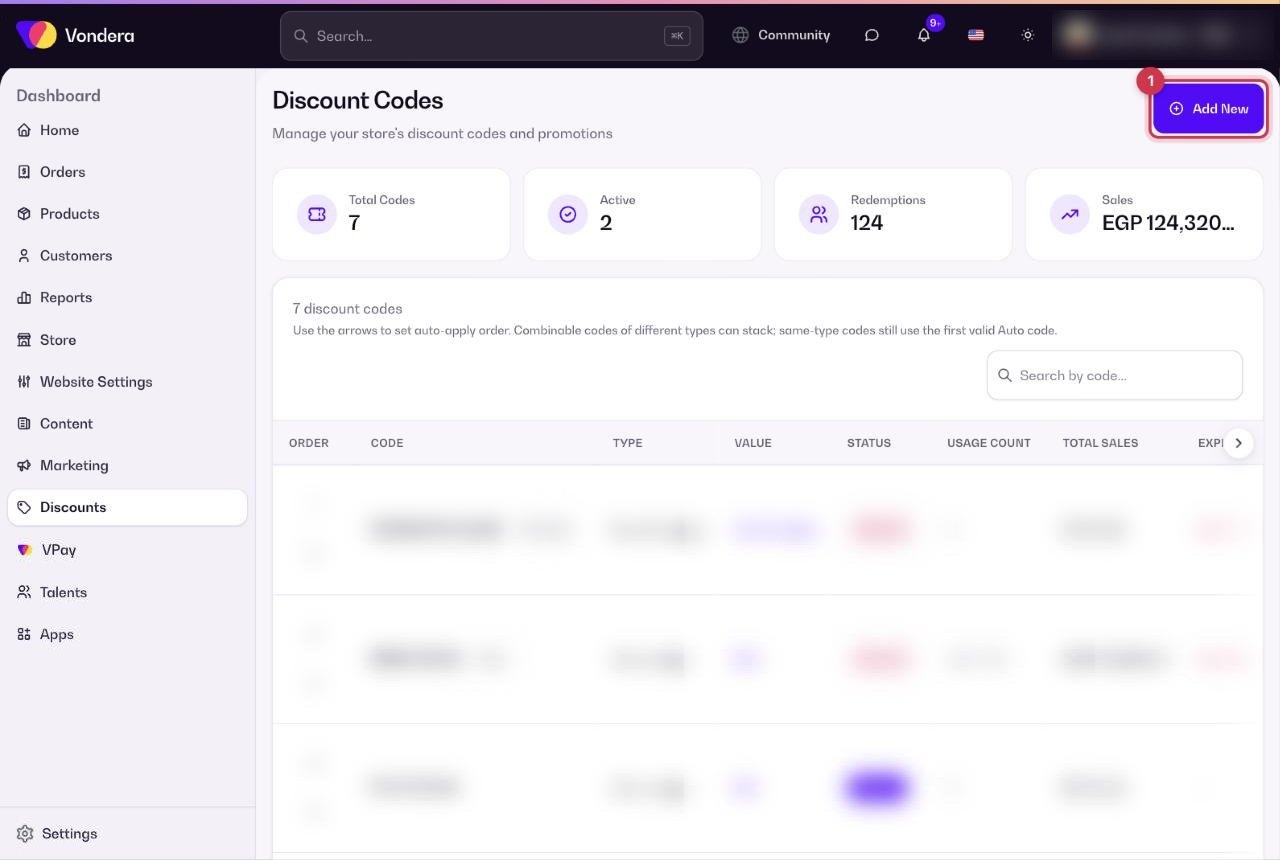
- Go to Discounts and click Add New.
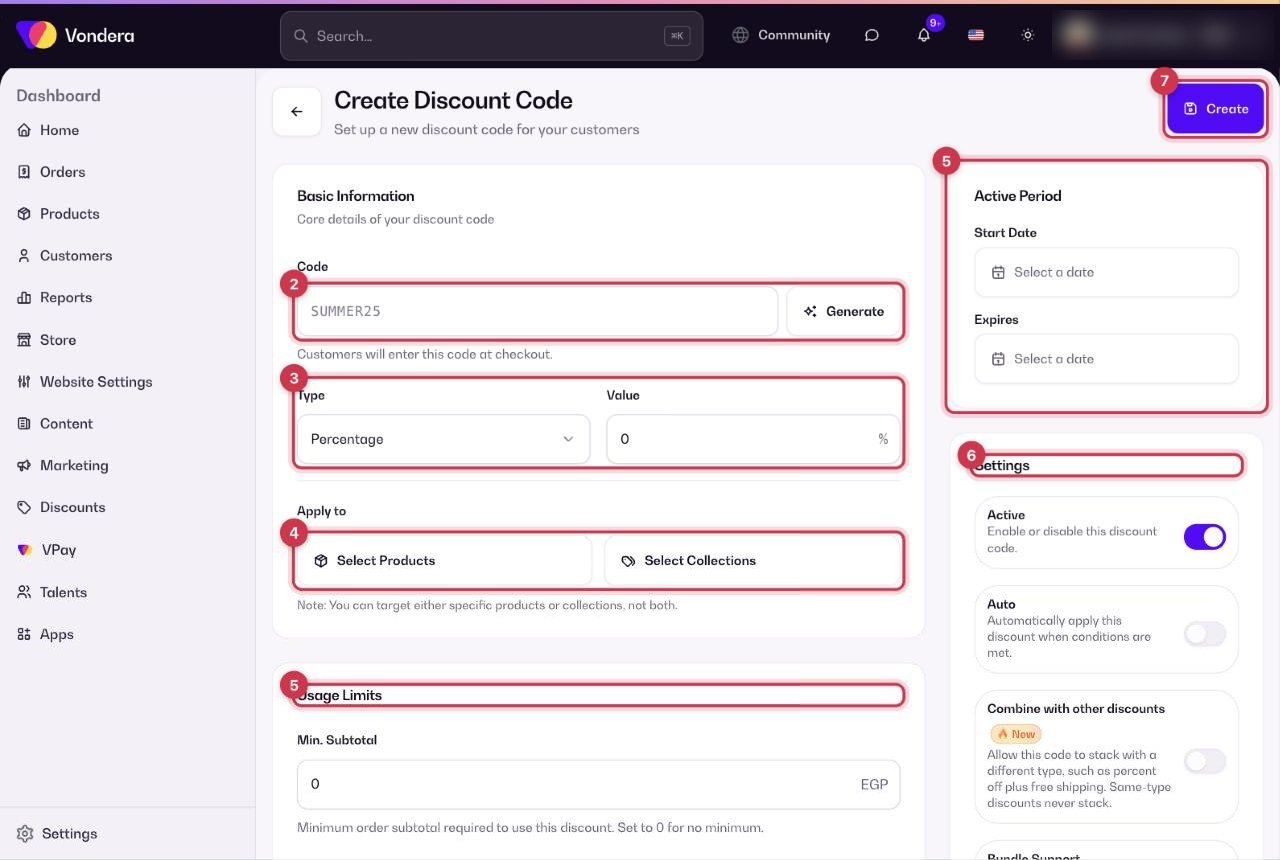
- In Basic Information, type the code customers will enter (for example SUMMER25), or click Generate to create a random one.
- Choose the Type and enter the Value (a percentage or an amount).
- Optional: under Apply to, choose specific products or specific collections.
- Fill in the Usage Limits and the Active Period (start date and expiry).
- Turn on the settings you need, and pick areas or payment methods if you want to restrict the code.
- Click Create at the top of the page.
Auto-apply order and stacking
If you have several Auto codes, use the arrows in the Order column of the list to choose which one is tried first. Codes of different types can stack when Combine with other discounts is on. Codes of the same type never stack: the first valid Auto code is used.
Common questions
Can a customer use two codes on the same order?
Yes, if both codes have Combine with other discounts turned on and they are of different types (for example a percentage code and a free-shipping code).
How do I pause a code without deleting it?
Switch off its Active toggle in the list. Switch it back on whenever you want.
What does 0 mean in the usage limits?
0 means no limit: no minimum subtotal, no cap on the discount, or unlimited uses, depending on the field.
Can I offer a discount only for cash on delivery?
Yes. In Payment Methods, tick Pay by Cash only. The code will not work with card payments.