

 Photo: Domenico Loia / Unsplash
Order email notifications
Choose the email language and which automatic emails go out: new order, abandoned cart reminders, delivery, failed, assignment and deletion.
🖥️ Open in dashboard/dashboard/settings?section=email-optionsVondera can email your customers automatically at key moments: when they place an order, when it’s delivered or failed, and when they leave items in their cart. Email Options let you choose the language of these emails and turn each one on or off.
Go to Settings › Email Options.
Set up order emails
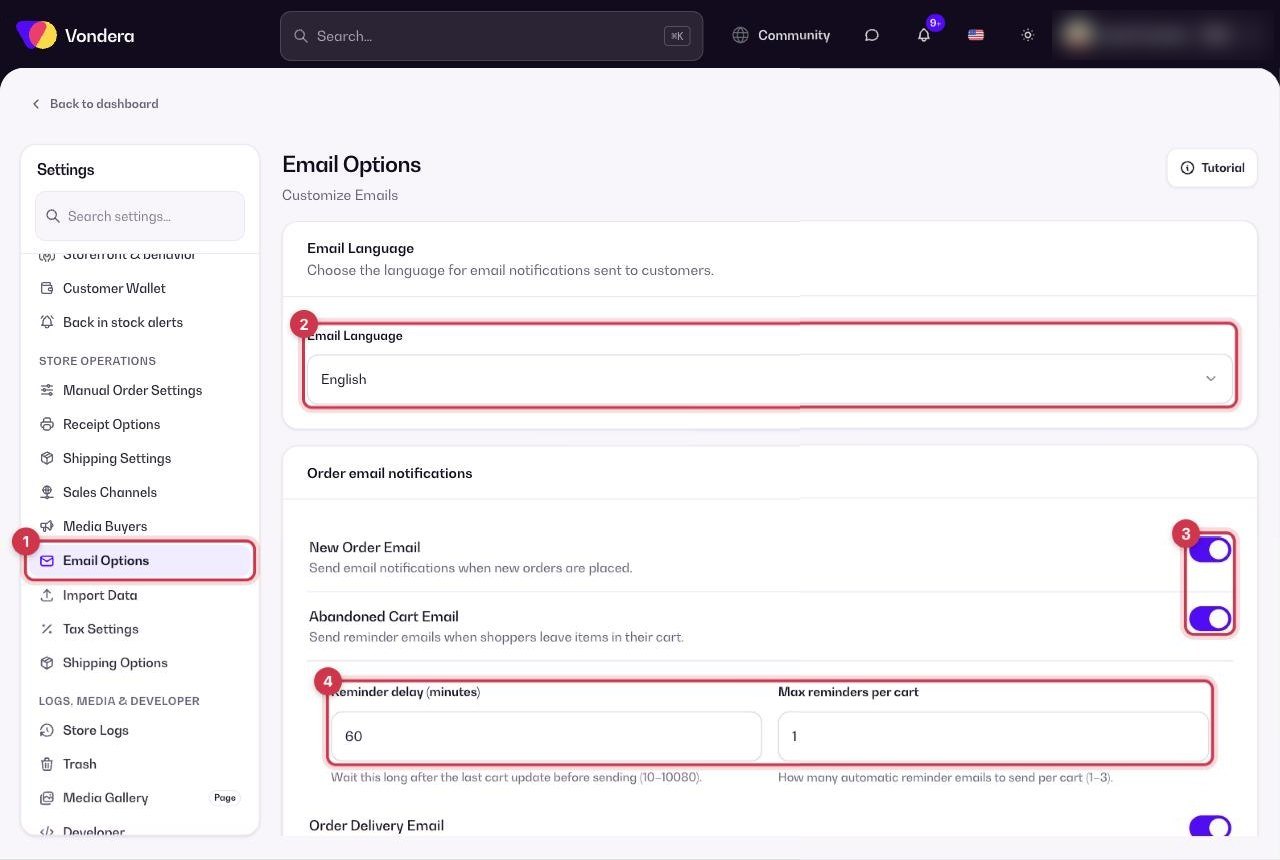
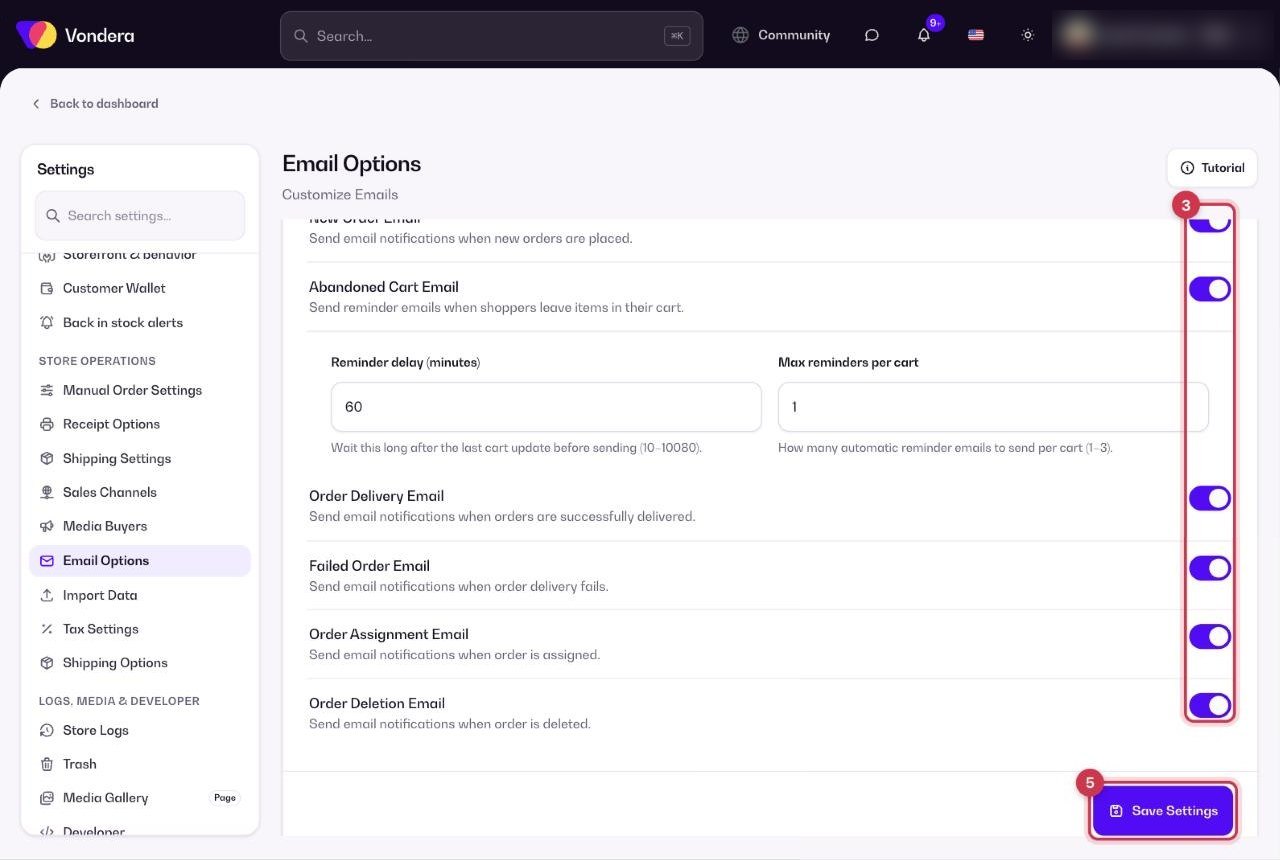
- Open Settings › Email Options.
- Choose the Email Language for customer notifications.
- Turn on the emails you want to send.
- If you turn on Abandoned Cart Email, set the Reminder delay and Max reminders per cart.
- Click Save Settings.
Email Language
The language used for customer notification emails.
New Order Email
Sent when a new order is placed.
Abandoned Cart Email
Reminds shoppers who left items in their cart without checking out.
Reminder delay
How long to wait before the first reminder, in minutes (10 to 10,080 — that’s up to 7 days).
Max reminders per cart
How many reminders one cart can get: 1 to 3.
Order Delivery Email
Sent when an order is delivered.
Failed Order Email
Sent when an order fails.
Order Assignment Email
Sent when an order is assigned.
Order Deletion Email
Sent when an order is deleted.
💡 TipFor abandoned carts, a first reminder after about an hour works well — the shopper still remembers what they wanted. Track results in Orders › Abandoned Carts (Email status column).
ℹ️ Good to knowAbandoned cart emails can only reach shoppers who left a contact at checkout. Anonymous carts can’t be reminded.
Common questions
Why didn’t an abandoned cart get an email?
The shopper may not have left an email, or the reminder delay hasn’t passed yet. Check the cart’s Email status in Abandoned Carts.
Can I send emails in Arabic?
Choose the language you want in Email Language and save.
Where do I send marketing emails, like offers?
Use Marketing › Email campaigns. Email Options are only for automatic order emails.