

 Photo: Domenico Loia / Unsplash
Sales channels settings
Choose which platforms you sell on — Facebook, Instagram, Google, TikTok, WhatsApp, Snapchat, Amazon — and connect Meta and Google.
🖥️ Open in dashboard/dashboard/settings?section=sales-channels🎬 Watch the video
Videos are in Arabic.
Sales channels are the platforms where your orders come from — Facebook, Instagram, Google, TikTok, WhatsApp, Snapchat and Amazon. Turning a channel on makes it available as the order’s channel (Marketplace) and in your channel reports, so you know which platform brings in your sales. For Facebook, Instagram and Google you can also run a guided setup to connect your accounts.
Go to Settings › Sales Channels. Each channel shows its status: Active or Inactive.
Choose your channels
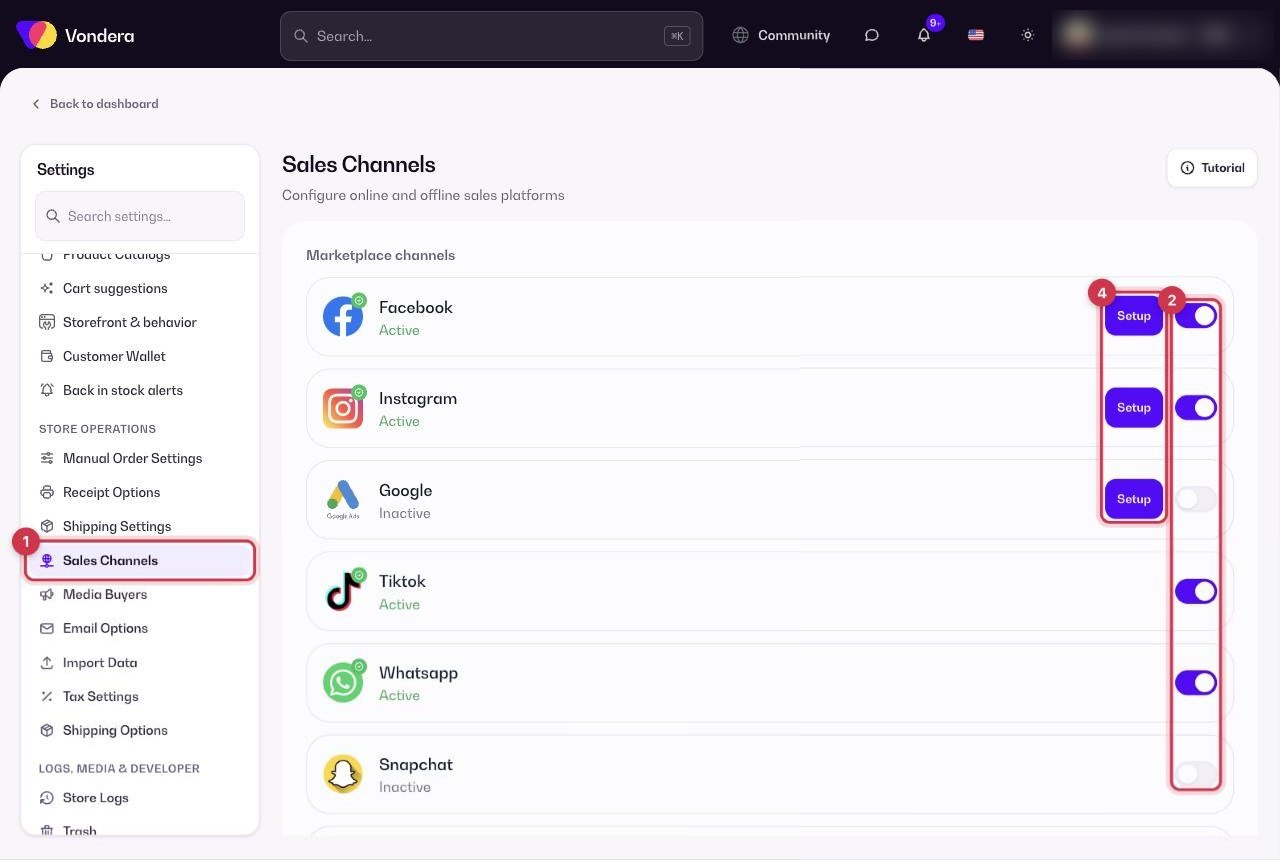
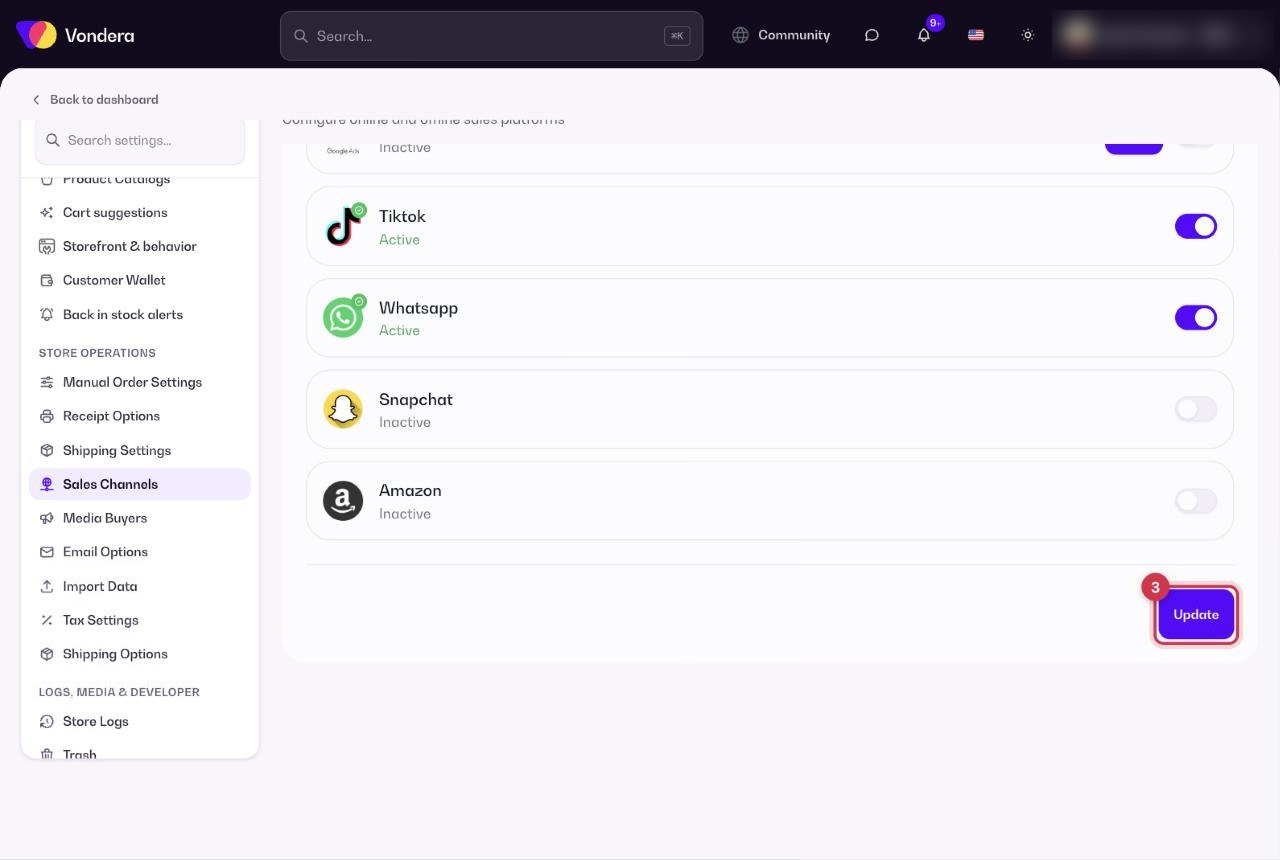
- Open Settings › Sales Channels.
- Set each channel you sell on to Active, and the others to Inactive.
- Click Update to save.
- For Facebook, Instagram or Google, click Setup to start the guided connection.
Common questions
What happens if I turn a channel off?
It stops being available for new orders. Your old orders and reports keep their channel.
Is this the same as the product catalog feed?
No. To show your products in Meta, TikTok or Google catalogs, use the feed links in Product catalogs.