

 Photo: Luke Chesser / Unsplash
Sales channels report
See which traffic sources — Facebook, Instagram, TikTok, WhatsApp, Direct — bring visits, carts and orders.
🖥️ Open in dashboard/dashboard/statistics/sales-channelsThe Sales channels report tells you where your customers come from and which sources actually turn into sales. It helps you decide where to spend on ads and which channels deserve more attention.
Where to find it
Go to Reports › Sales channels. You can also click a channel card (Facebook, TikTok, WhatsApp, Instagram, Direct) under Channel Performance on the dashboard home.
Read the report
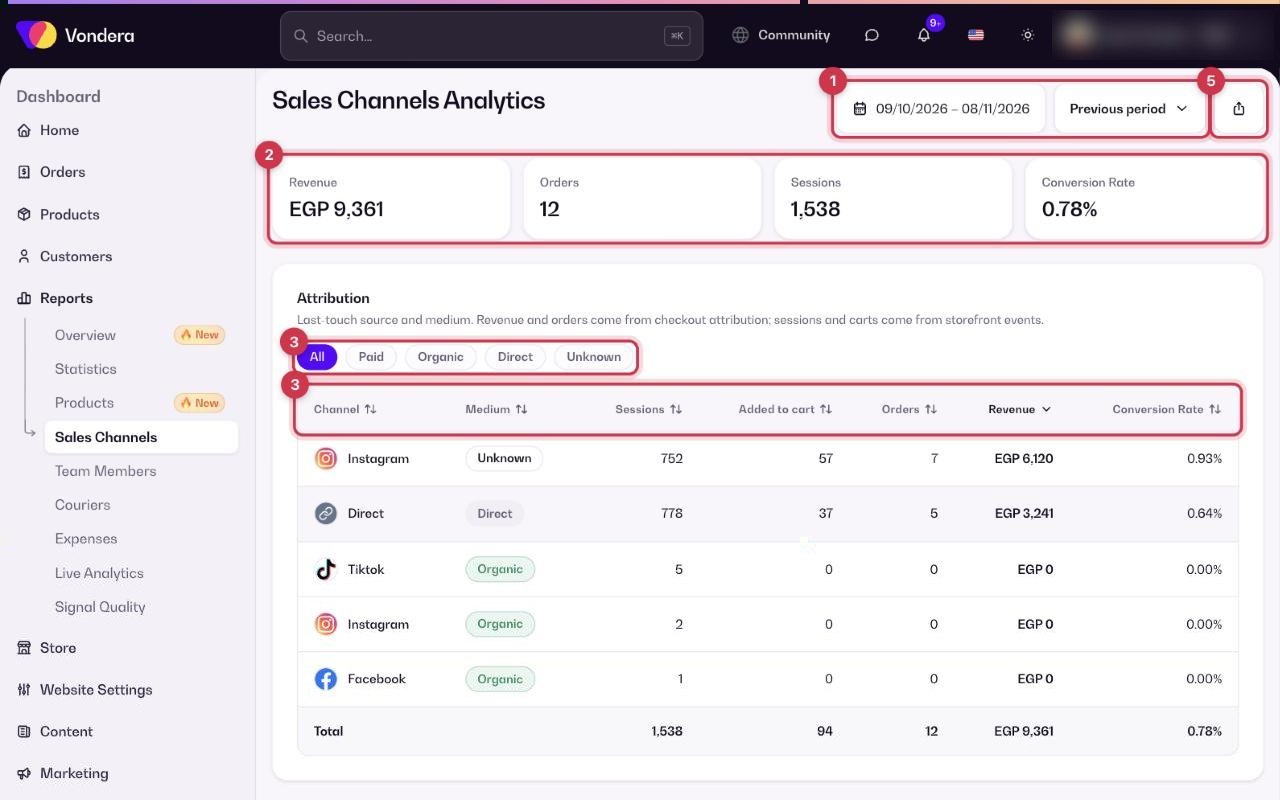
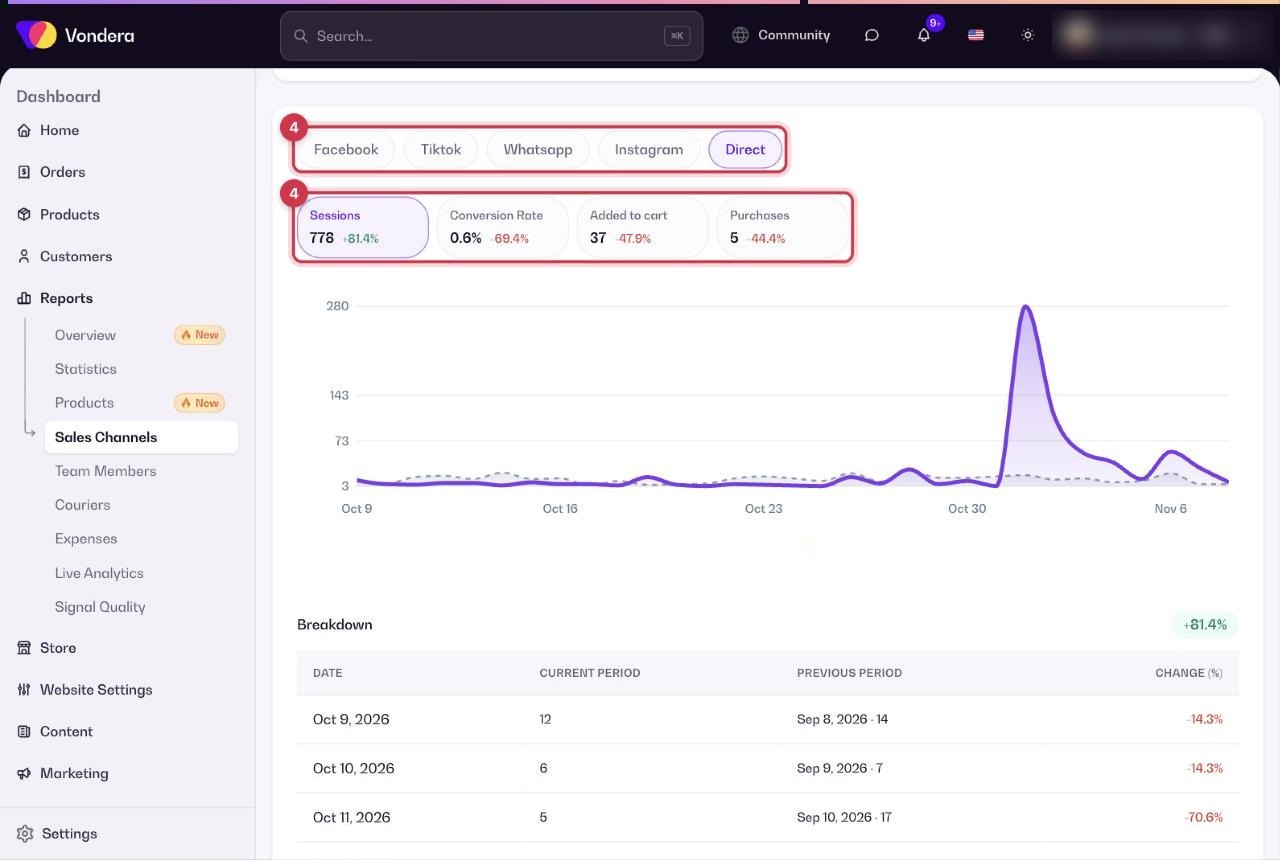
- Open Reports › Sales channels and choose a date range. Compare with the Previous period to see changes.
- Check the top cards: Revenue, Orders, Sessions and Conversion rate.
- In the attribution table, filter by All, Paid, Organic, Direct or Unknown, and click a column to sort.
- In the breakdown, pick one channel to see its visits, conversion, add-to-carts and purchases over time, with a day-by-day table.
- Click Export CSV to download the data.
Channel / Medium
Where the visit came from (e.g. Facebook) and how (e.g. paid ad or organic post).
Sessions
Visits from that source.
Added to cart
How many visits added a product to the cart.
Orders / Revenue
Orders and money that came from that source.
Conversion rate
Orders ÷ sessions for that source.
Paid / Organic / Direct / Unknown
Paid ads, free posts and search, people typing your link directly, and visits with no known source.
Daily table
For the chosen channel: date, current period, previous period and % change.
ℹ️ Good to knowSources are "last touch": the order is credited to the last source the customer came from before buying. Orders and revenue come from checkout, while sessions and carts come from store visits — so totals here can be lower than in other reports.
💡 TipAdd tracking tags (UTM) to the links in your ads and bio so visits are grouped under the right channel instead of Unknown.
Common questions
Why are many visits under Unknown?
The source could not be detected, often because a link was shared without tracking tags or opened inside an app that hides it.
Why does Facebook show sessions but no orders?
Visitors from Facebook didn’t complete checkout in this period, or bought later through another source, which then gets the credit.