

 Photo: Domenico Loia / Unsplash
Spam protection and blocked customers
Stop fake website orders with a bot check and block phones, emails, IP addresses or sessions.
🖥️ Open in dashboard/dashboard/settings?section=spam-protectionFake and prank orders waste your confirmation time and shipping money. Spam Protection blocks suspicious website checkout orders in two ways: a bot check on checkout, and a list of blocked identifiers (phone numbers, emails, IP addresses and session IDs).
Go to Settings › Spam Protection.
Turn on protection
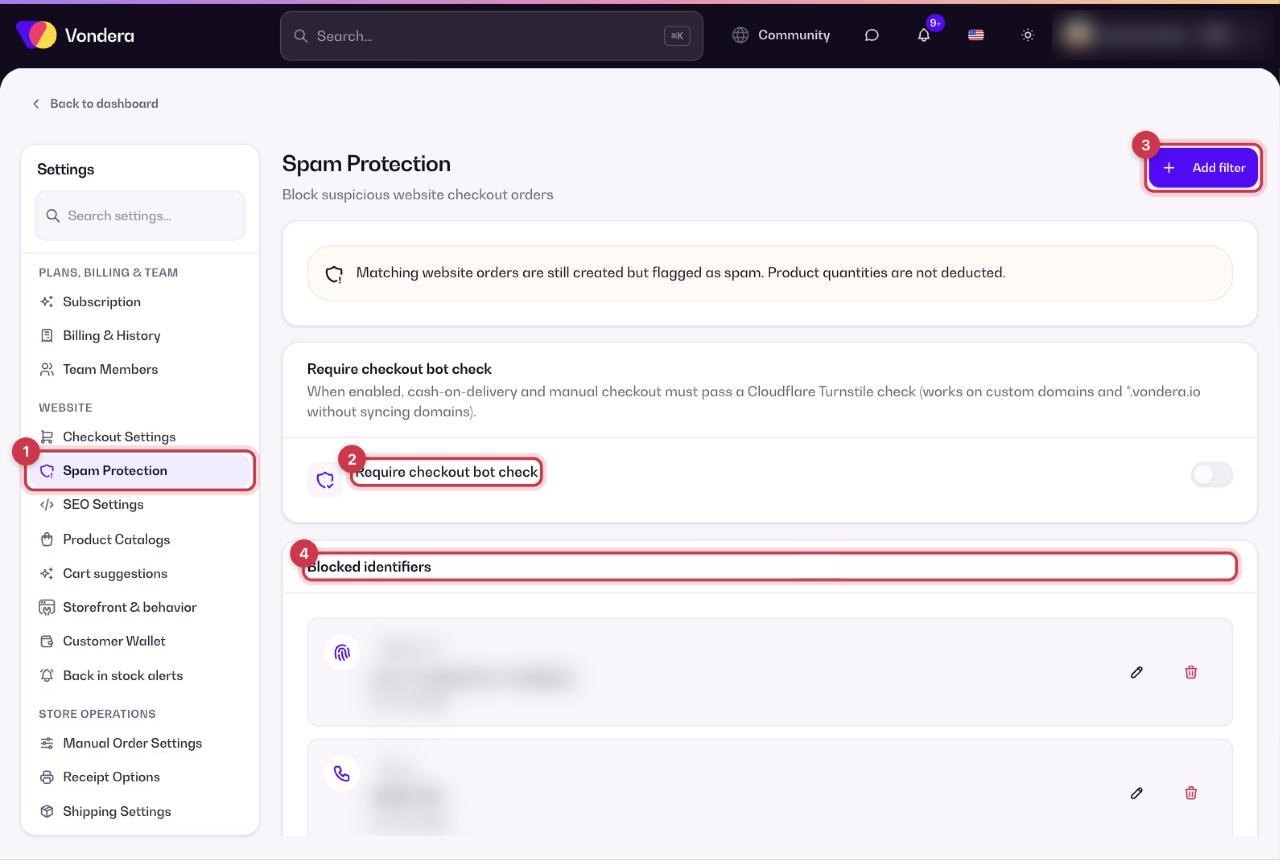
- Open Settings › Spam Protection.
- Turn on Require checkout bot check to stop automated bots from placing orders.
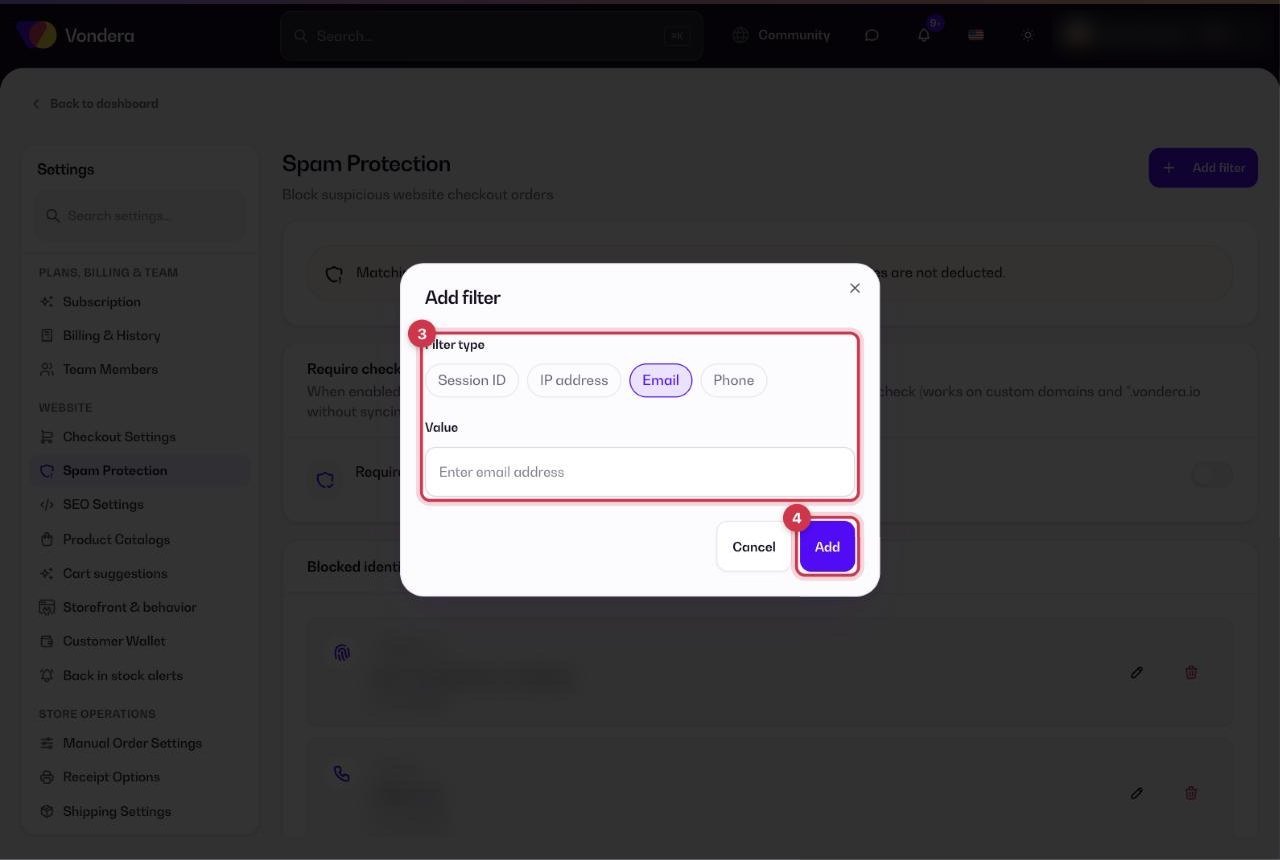
- To block someone, click Add filter, choose the type (Session ID, Phone, Email or IP address) and enter the value.
- Save. The entry appears in the blocked list with its type, value and date.
Require checkout bot check
Cash on delivery and manual checkout orders must pass a Cloudflare Turnstile check first. Works on custom domains and *.vondera.io addresses.
Phone
Blocks orders that use this phone number.
Email
Blocks orders that use this email address.
IP address
Blocks orders coming from this internet address.
Session ID
Blocks one specific browsing session — useful when the same visitor keeps changing their details.
Add filter
Adds a new blocked identifier to the list.
ℹ️ Good to knowOrders that match a blocked identifier are still created, but they’re flagged as spam and product quantities are not deducted. So you keep a record without losing stock.
💡 TipThe fastest way to block someone is from the order itself: open the order, click Actions › Mark as spam. Their details are added to this list automatically.
Common questions
Will a blocked customer know they’re blocked?
Their order is accepted on the storefront as normal, but it’s flagged as spam in your dashboard and doesn’t reduce your stock.
Should I block by phone or by IP?
Phone is the most reliable for repeat fake orders. IP addresses can be shared by many people on the same network, so block an IP only when you’re sure.
Does the bot check annoy real customers?
Turnstile usually runs quietly in the background, so most real customers don’t notice it.